
This blog post was co-authored by Nitasha Verma, Principal Group Enginnering Manager, Azure App Service.
In June 2018, we released the App Service Migration Assessment Tool. The Assessment Tool was designed to help customers quickly and easily assess whether a site could be moved to Azure App Service by scanning an externally accessible (HTTP) endpoint. Today we’re pleased to announce the release of an updated version, the App Service Migration Assistant! The new version helps customers and partners move sites identified by the assessment tool by quickly and easily migrating ASP.Net sites to App Service.
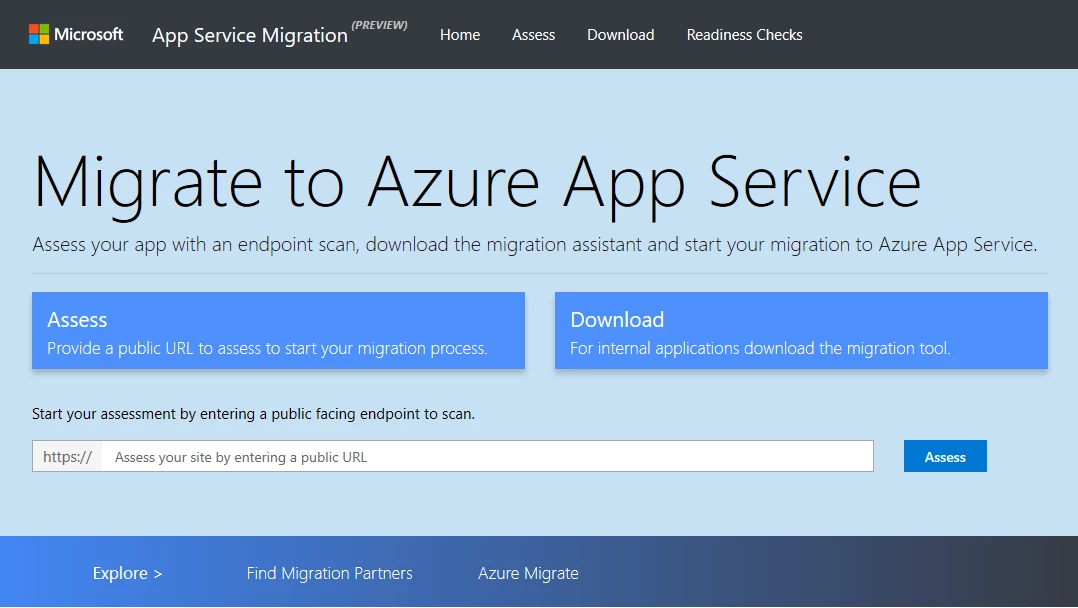
The App Service Migration Assistant is designed to simplify your journey to the cloud through a free, simple, and fast solution to migrate ASP.Net applications from on-premises to the cloud. You can quickly:
- Assess whether your app is a good candidate for migration by running a scan of its public URL.
- Download the Migration Assistant to begin your migration.
- Use the tool to run readiness checks and general assessment of your app’s configuration settings, then migrate your app or site to Azure App Service via the tool.
Keep reading to learn more about the tool or start your migration now.
Getting started
Download the App Service Migration Assistant. This tool works with iiS version 7.0 and above and will migrate site content and configuration to your Azure App Service subscription using either a new or existing App Service Plan.
How the tool works
The Migration Assistant tool is a local agent that performs a detailed assessment and then walks you through the migration process. The tool performs readiness checks as well as a general assessment of the web app’s configuration settings.
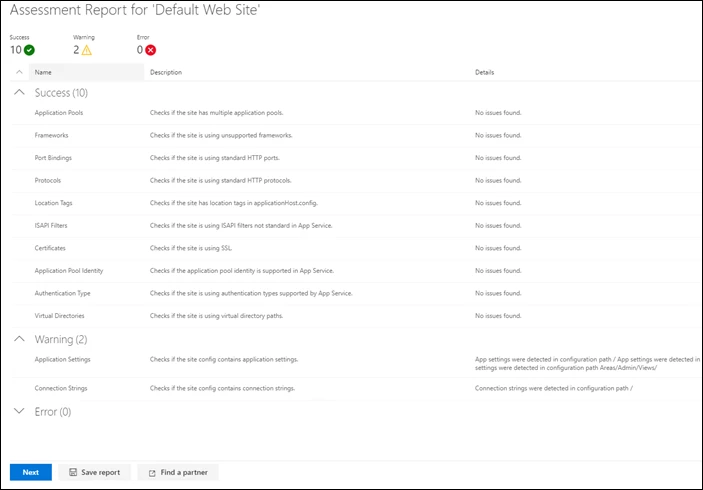
Once the application has received a successful assessment, the tool will walk you through the process of authenticating with your Azure subscription and then prompt you to provide details on the target account and App Service plan along with other configuration details for the newly migrated site.
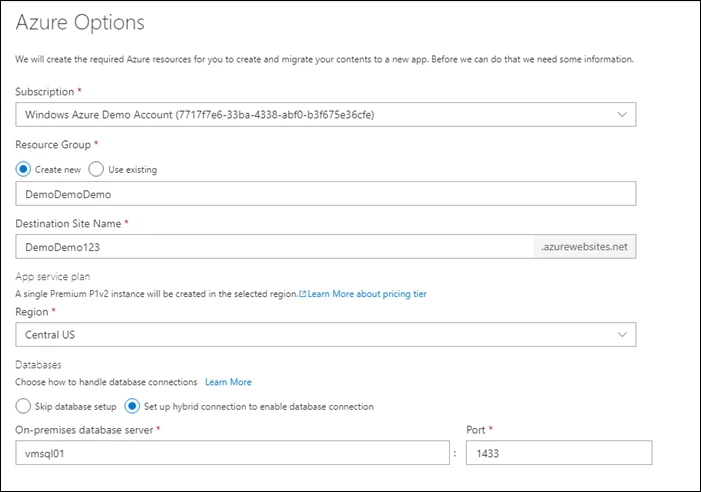
The Migration Assistant tool will then move your site to the target App Service plan while also configuring Hybrid Connections, should that option be selected.
Database migration and Hybrid Connections
Our Migration Assistant is designed to migrate the web application and associated configurations, but it does not migrate the database. There are two options for your database:
- Use the SQL Migration Tool
- Leave your database on-premises and connect to it from the cloud using Hybrid Connections
When used with App Service, Hybrid Connections allows you to securely access application resources in other networks – in this case an on-premises SQL database. The migration tool configures and sets up Hybrid Connections for you, allowing you to migrate your site while keeping your database on-premises to be migrated at your leisure.
Supported configurations
The tool should migrate most modern ASP.Net applications, but there are some configurations that are not supported. These include:
- IIS version less than 7.0
- Dependence on ISAPI filters
- Dependence on ISAPI extensions
- Bindings that are not HTTP or HTTPS
- Endpoints that are not port 80 for HTTP, or port 443 for HTTPS
- Authentication schemes other than anonymous
- Dependencies on applicationhost.config settings made with a location tag
- Applications that use more than one application pool
- Use of an application pool that uses a custom account
- URL Rewrite rules that depend on global settings
- Web farms – specifically shared configuration
You can find more details on the what the tool supports, as well as workarounds for some unsupported sites on the documentation page.
You can also find more details on App Service migrations on the App Service Migration checklist.
What’s next
We plan to continue adding functionally to the tool in the coming months. With the most immediate priority being additional ASP.NET scenarios and support for additional web frameworks, such as Java and PHP.
If you have any feedback on the tool or would like to suggest improvements, please submit your feature requests on our GitHub page.






