
Migrating hundreds of SQL Server instances and thousands of databases to Azure SQL Database, our Platform as a Service (PaaS) offering, is a considerable task, and to streamline the process as much as possible, you need to feel confident about your relative readiness for migration. Being able to identify low-hanging fruit including the servers and databases that are fully ready or that require minimal effort to prepare for migration eases and accelerates your efforts. We are pleased to share that Azure database target readiness recommendations have been enabled.
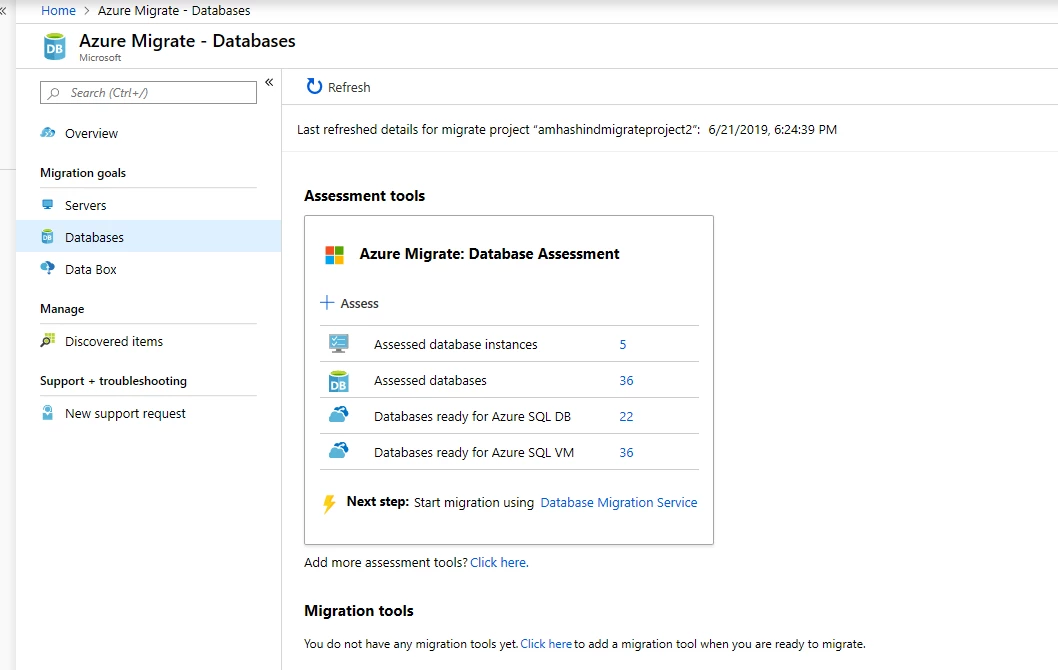
The Azure Migrate hub provides a unified view of all your migrations across the servers, applications, and databases. This integration provides customers with a seamless migration experience beginning during the discovery phase. The functionality allows customers to use assessment tools for visibility into the applications currently run on-premises so that they can determine cloud suitability and project the cost of running their applications in the cloud. It also allows customers to compare options between competing public and hybrid cloud options.
Assessing and viewing results
Assessing the overall readiness of your data estate for a migration to Azure SQL Database requires only a few steps:
- Provision an instance of Azure Migrate, create a migration project, and then add Data Migration Assistant to the migration solution to perform the assessment.
- After you create the migration project, download Data Migration Assistant and run an assessment against one or more SQL Server instances.
- Upload the Data Migration Assistant assessment results to the Azure Migrate hub.
In a few minutes, the Azure SQL Database target readiness results will be available in your Azure Migrate project.
You can use single assessment for as many SQL Servers as you want, or you can run multiple parallel assessments and upload them to the Azure Migrate hub. The Azure Migrate hub consolidates all the assessments and a provide summarized view of SQL Server and database readiness.
The Azure Migrate dashboard provides a view of your data estate and its overall readiness for migration. This includes the number of databases that are ready to migrate to Azure SQL Database and to SQL Server hosted on an Azure virtual machine. Readiness is computed based on feature parity and schema compatibility with various Azure SQL Database offerings. The dashboard also provides insight into overall migration blockers and the all-up effort involved with migrating to Azure.
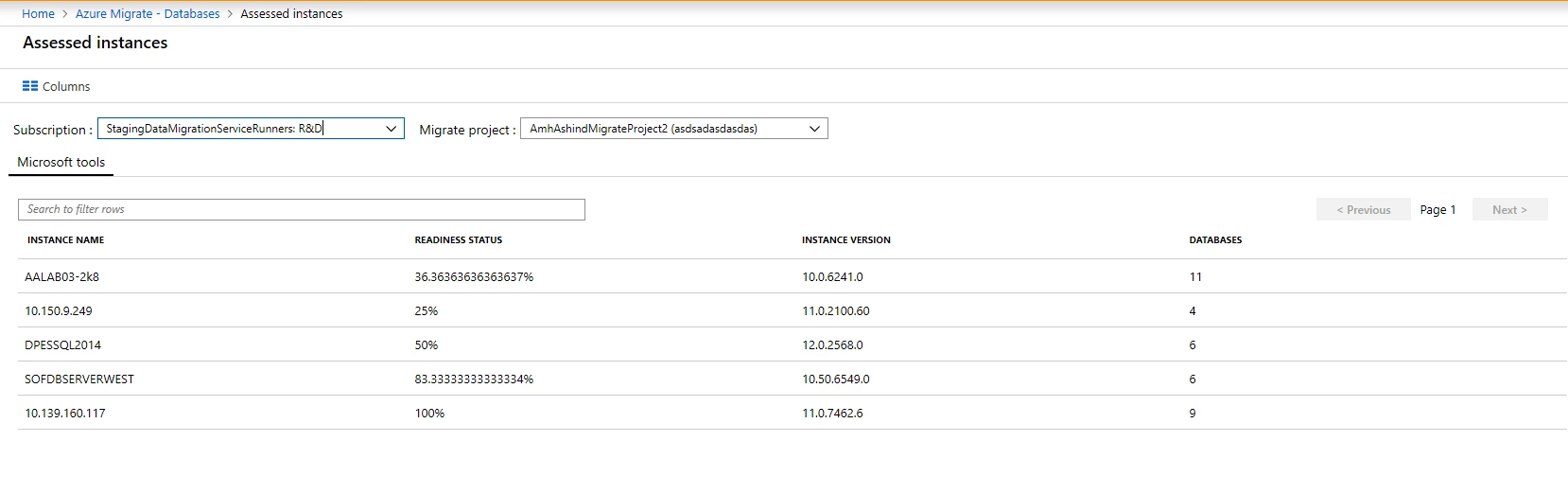
IT pros and database administrators can drill-down further to view a specific set of SQL Server instances and databases for a better understanding their readiness for migration.
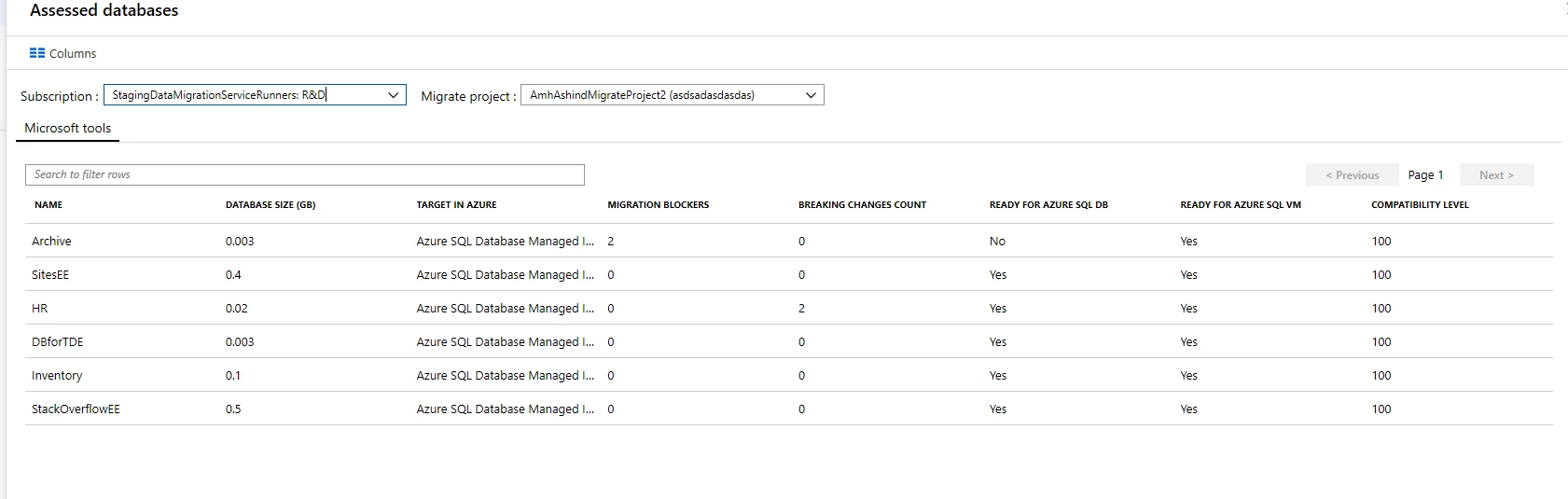
The “Assessed database” view provides an overview of individual databases, showing info like migration blockers and readiness for Azure SQL Database and SQL Servers hosted on an Azure virtual machine.
Get started
Migrations can be overwhelming and a bit daunting, but we’re here with the expertise and tools, like Data Migration Assistant, to support you along the way. Discover your readiness results and acceleration your migration.
Get started:






