Azure Test Plans, a service launched with Azure DevOps earlier this month, provides a browser-based test management solution for exploratory, planned manual, and user acceptance testing. Azure Test Plans also provides a browser extension for exploratory testing and gathering feedback from stakeholders.
Manual and exploratory testing continue to be important techniques for evaluating quality of a product/service, alongside the DevOps emphasis on automated testing. In modern software development processes, everybody in the team contributes to or owns quality – including developers, testers, managers, product owners, user experience advocates, and more. Azure Test Plans addresses all these needs. Let’s take a closer look.
Note: For automated testing as part of your CI/CD workflow, consider leveraging Azure Pipelines. It provides mechanisms for continuous build, test, and deployment to any platform and cloud.
Testing is integral to DevOps and Agile teams
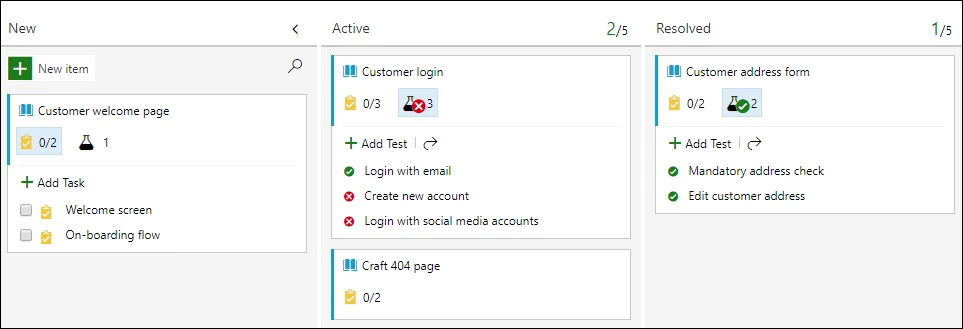
A common practice is to base tests on user stories, features, or scenarios that are managed on a Kanban board as in Azure Boards. With Azure Test Plans, a team can leverage manual testing right from within their Kanban board. This provides end-to-end traceability because tests and defects are automatically linked to the requirements and builds being tested, which also helps you track the quality of the requirements.
Add, view, and interact with test cases directly from the cards on the Kanban board, and progressively monitor status directly from the card. Developers and testers can use this capability to maximize quality within their teams.
Quality is a team sport through exploratory testing
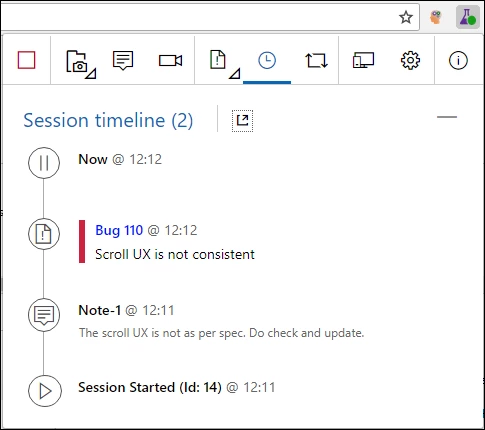
Exploratory testing is an approach to software testing that is described as simultaneous learning, test design and test execution. It complements planned testing by being completely unscripted yet being driven by themes/tours. Quality becomes a shared responsibility as exploratory testing can be leveraged by all team members including developers, testers, managers, product owners, user experience advocates, and more. Watch a short video of how this works.
The Test & Feedback extension enables exploratory testing techniques in Azure Test Plans. It allows you to spend more time finding issues, and less time filing them. Using the extension is simple:
- Capture your findings along with rich diagnostic data. This includes comments, screenshots with annotations, and audio/video recordings that describe your findings and highlight issues. In the background, the extension captures additional information such as user actions via image action log, page load data, and system information about the browser, operating system, and more that later help in debugging or reproducing the issue.
- Create work items such as bugs, tasks, and test cases from within the extension. The captured information automatically becomes part of the filed work item and helps with end-to-end traceability.
- Collaborate with your team by sharing your findings. Export your session report or connect to Azure Test Plans for a fully integrated experience.
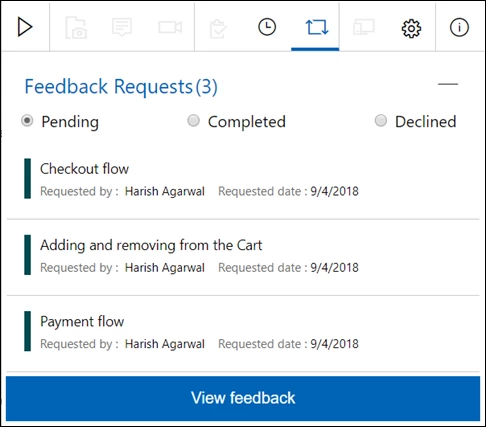
The extension also helps in soliciting feedback from stakeholders who may reside outside the development team, such as marketing, sales teams, and others. Feedback can be requested from these stakeholders on user stories and features. Stakeholders can then respond to feedback requests – not just to rate and send comments, but also file bugs and tasks directly. Read more in our documentation.
Planned manual testing for larger teams
Testing from within the Kanban board suffices when your testing needs are simple. However, for larger teams with more complex needs such as creating and tracking all testing efforts within a test plan scope, testing across multiple configurations, distributing the tests across multiple testers, tracking the progress against the test plan, etc., you need a full-scale test management solution and Azure Test Plans fulfils this need.
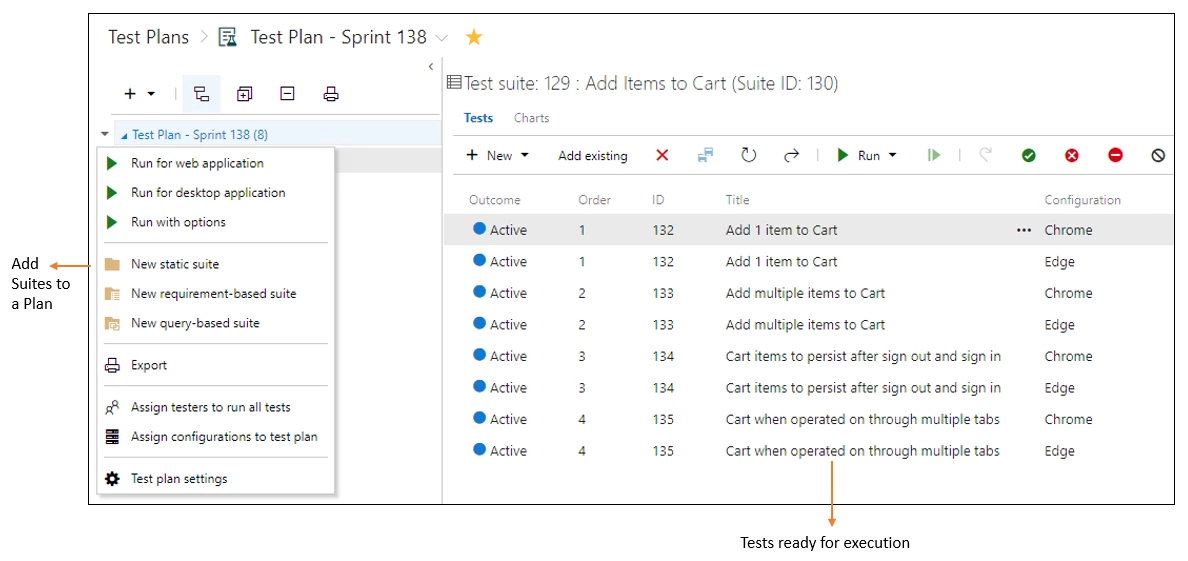
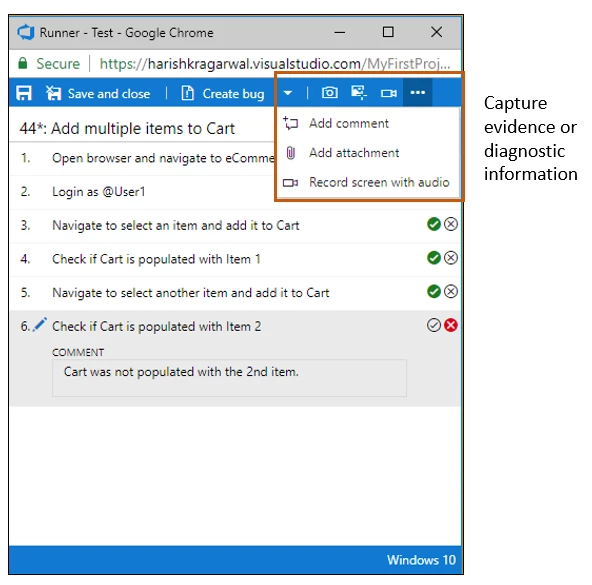
Planned manual testing in Azure Test Plans lets you organize tests into test plans and test suites. Test suites can be dynamic (requirements-based-suites and query-based-suites) to help you understand the quality of associated requirements under development, or static to help you cover regression tests. Tests can be authored using an Excel-like grid view or other means available. Testers execute tests assigned to them using a runner to test your app(s). The runner can execute in a browser or as a client on your desktop, enabling you to test on any platform or test any app. During execution, rich diagnostic data is collected to help with debugging or reproducing the issue later. Bugs filed during the process automatically include the captured diagnostic data.
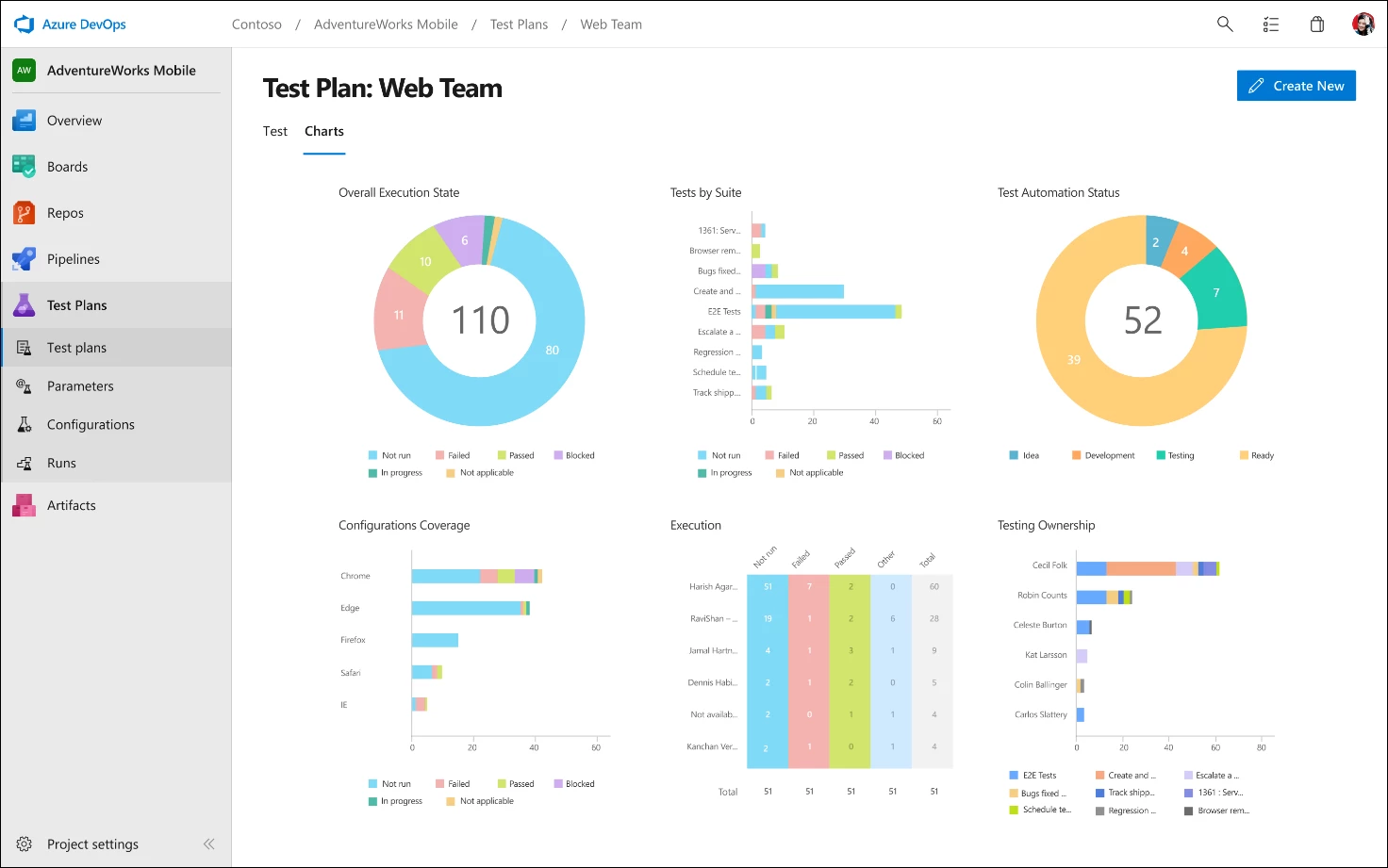
To track overall progress and outcomes, leverage lightweight charts, which can be pinned to your dashboard for easy monitoring. Watch a video showing planned manual testing in Azure Test Plans.
We hope this post gives you a quick peek into what Azure Test Plans can do for you – we recommend trying it out for free to learn more and to maximize quality for your software. Happy exploring and testing!
Further information
Want to learn more? See our documented best practices, videos, and other learning materials for Azure Test Plans.