As organizations continue to expand their use of IT and the cloud, protecting critical enterprise data becomes extremely important. And if you are a backup admin on Microsoft Azure, being able to efficiently monitor backups on a daily basis is a key requirement to ensuring that your organization has no weaknesses in its last line of defense.
Up until now, you could use a Recovery Services vault to get a bird’s eye view of items being backed up under that vault, along with the associated jobs, policies, and alerts. But as your backup estate expands to span multiple vaults across subscriptions, regions, and tenants, monitoring this estate in real-time becomes a non-trivial task, requiring you to write your own customizations.
What if there was a simpler way to aggregate information across your entire backup estate into a single pane of glass, enabling you to quickly identify exactly where to focus your energy on?
Today, we are pleased to share the preview of Backup Explorer. Backup Explorer is a built-in Azure Monitor Workbook enabling you to have a single pane of glass for performing real-time monitoring across your entire backup estate on Azure. It comes completely out-of-the-box, with no additional costs, via native integration with Azure Resource Graph and Azure Workbooks.
Key Benefits
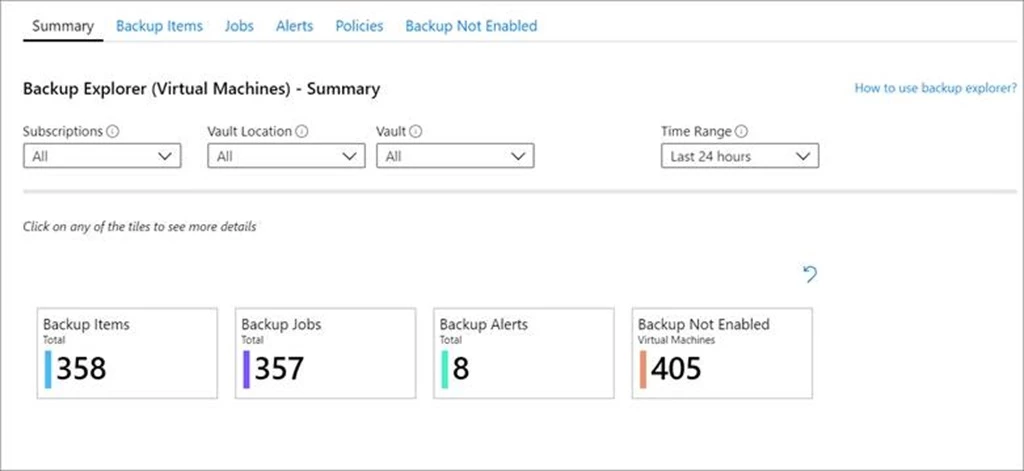
1) At-scale views – With Backup Explorer, monitoring is no longer limited to a Recovery Services vault. You can get an aggregated view of your entire estate from a backup perspective. This includes not only information on your backup items, but also resources that are not configured for backup, ensuring that you don’t ever miss protecting critical data in your growing estate. And if you are an Azure Lighthouse user, you can view all of this information even across multiple tenant, enabling truly boundary-less monitoring.
2) Deep drill-downs – You can quickly switch between aggregated views and highly granular data for any of your backup-related artifacts, be it backup items, jobs, alerts or policies.
3) Quick troubleshooting and actionability – The at-scale views and deep drill-downs are designed to aid you in getting to the root cause of a backup-related issue. Once you identify an issue, you can act on it by seamlessly navigating to the backup item or the Azure resource, right from Backup Explorer.
Backup Explorer is currently supported for Azure Virtual Machines. Support for other Azure workloads will be added soon.
At Azure Backup, Backup Explorer is just one part of our overall goal to enable a delightful, enterprise-ready management-at-scale experience for all our customers.
Getting Started
To get started with using Backup Explorer, you can simply navigate to any Recovery Services vault and click on Backup Explorer in the quick links section.
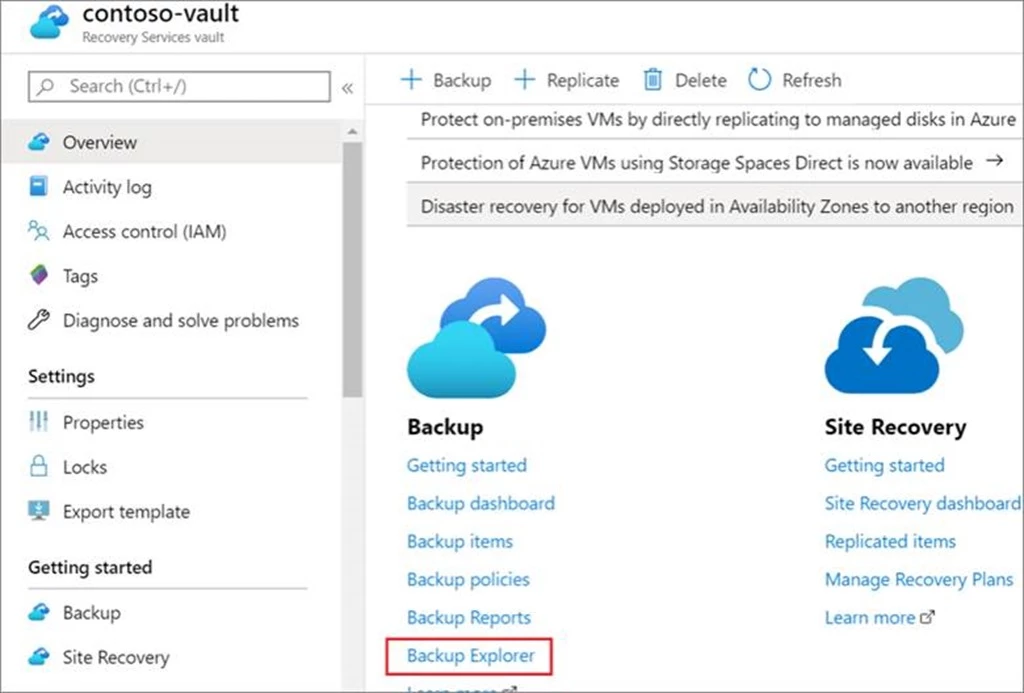
You will be redirected to Backup Explorer which gives a view across all the vaults, subscriptions, and tenants that you have access to.
More information
Read the Backup Explorer documentation for detailed information on leveraging the various tabs to solve different use-cases.