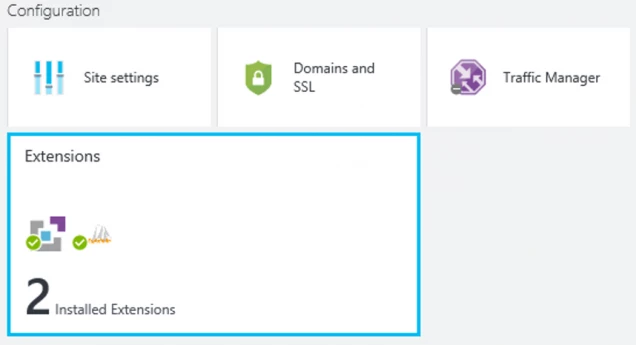
Each Azure Website provides an extensible management end point that allows you to leverage a powerful set of tools deployed as site extensions. These tools range from source code editors like Visual Studio Online to management tools for connected resources such as a MySQL database connected to a website. Existing site extensions are available for each website in the Azure Preview Portal:
You can create new site extensions for use with your websites based on instructions at this link. You can now also submit new site extensions for availability across the Azure Websites platform through the Site Extension Gallery submission portal: https://www.siteextensions.net.
Interacting with Existing Site Extensions
The entry point for interacting with existing site extensions is available in the Azure Preview Portal for each website under the Configuration lens. Accessing the Extensions part will open a new blade.
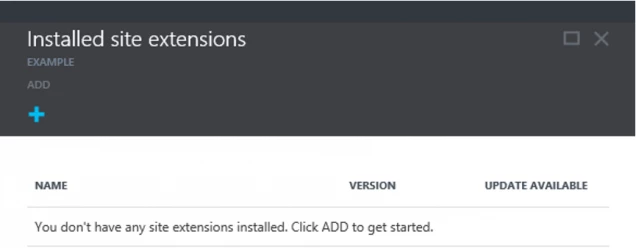
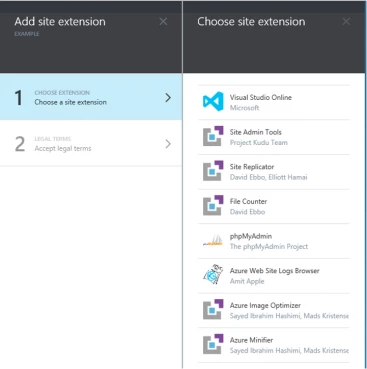
To add a new site extension click the ADD button and select an extension from the list. Each of these extensions are made available by the publisher listed under extension name and legal terms provided by each publishers have to be accepted before installing an extension.
Once added, site extension content is copied under the %HOME%SiteExtensions folder parallel to website root. Note that adding a site extension will restart the site.
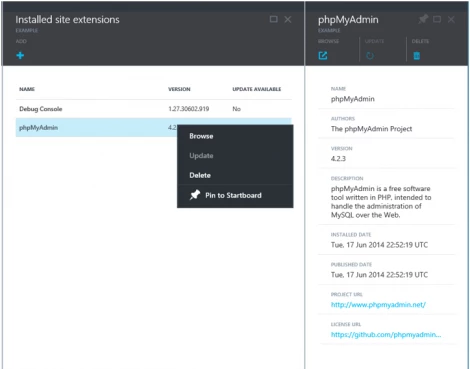
You can access and manage each installed site extension either by right-click on the item in the extensions list, or from actions represented at the top of the blade for each site extension.
Creating New Site Extensions
Would you like to create and share your own site extension? We are looking forward to making that available for Azure Websites customers.
Site extensions are web apps with simple metadata for extension registration. Site Extensions can be authored for any development stack supported by the Azure Websites platform, an example is available via documentation at this link. You can create an applicationHost.xdt file for specific configuration, in absence of such a file a simple template will be generated automatically to indicate the application and virtual directory paths for the site extension.
Site extensions are packaged in NuGet format as described at this link. For example, the NuGet.exe command line utility can be downloaded from this link to package a simple sample extension. For the source code of this sample extension see this link.
- Create a folder with the name of your site extension.
- Create the web app and place all relevant content in a Content folder under the site extension folder.
- Create a NuSpec file for your extension and make sure to include a link to license terms such as the example at this link.
- Make sure the NuGet.exe utility is in your path and run the following from your site extension folder to create the NuGet package:
nuget pack example.nuspec
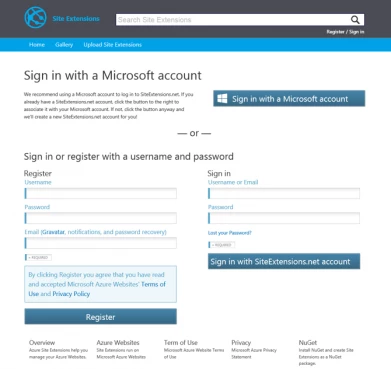
To submit the NuPkg site extension for availability across the Azure Websites platform access the submission portal at https://www.siteextensions.net. You will need to register for submission access:
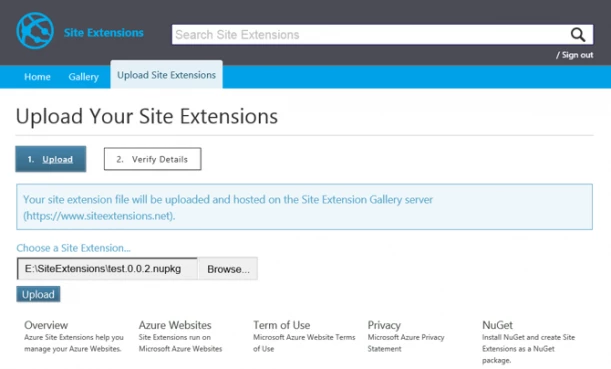
After registration/sign-in just upload the extension package and verify the submission details:
Creating site extensions can greatly benefit the Azure Websites community! In order to track downloads for your work navigate to the specific extension link from the Gallery page of https://www.siteextensions.net. Don’t forget to announce new site extensions across your favorite social media outlets.