
We’ve been very grateful for the feedback you’ve given us since we first introduced Azure Blockchain Workbench in public preview a few months ago. Your feedback continues to be an essential and impactful part of our work. For this release, we focused on making Workbench more accessible for everyone. Accessibility is a key pillar in our vision of empowering every person and every organization to achieve more. We are excited to share some of the improvements we’ve made with accessibility in mind.
To use 1.4, you can either deploy a new instance of Workbench through the Azure Portal or upgrade your existing deployment to 1.4.0 using our upgrade script. This update includes the following improvements:
Better accessibility for screen readers and keyboard navigation
Azure Blockchain Workbench is far more than UI within client apps. Workbench provides a rich developer scaffold for you to develop and integrate blockchain solutions within your enterprise.
The Web client gives you an easy to use the environment to validate, test, and view blockchain applications. The application interface is dynamically generated based on smart contract metadata and can accommodate any use case. The client application delivers a user-facing front-end to the complete blockchain applications generated by Blockchain Workbench.
With version 1.4.0, the Web client now fully supports screen readers in terms of navigation and reading information. In addition, we updated the Web client to better support keyboard shortcuts and navigation. We hope these improvements can make you more productive when creating blockchain applications in Workbench.
Customization of smart contract table columns
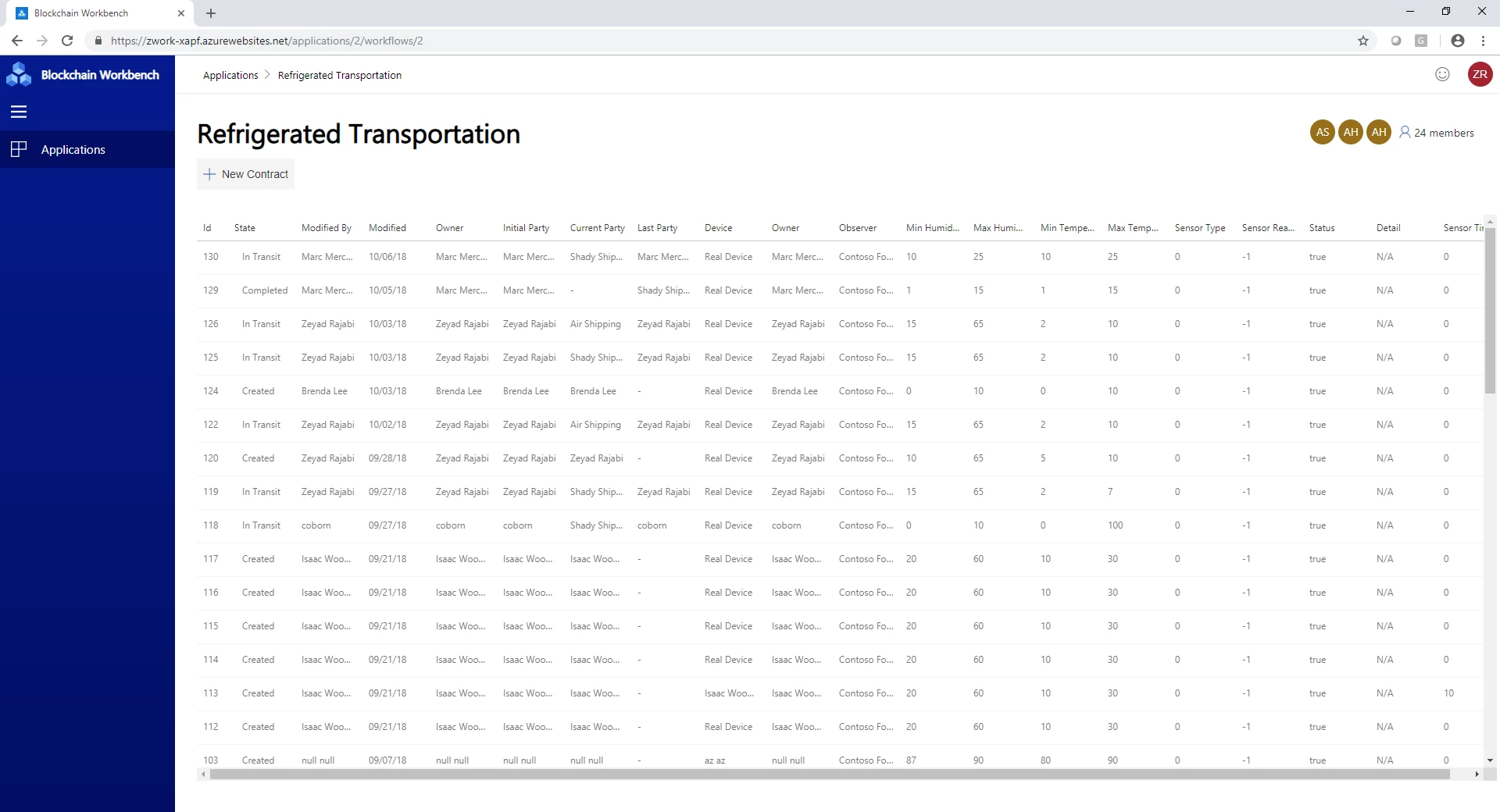
Workbench dynamically creates Web client UI based on your smart contracts and application configuration. Workbench summarizes smart contract instances as a table in the Web client based on the properties specified in the application configuration. Depending on the blockchain scenario, developers may specify a lot of properties for any given application. Unfortunately, if any properties are specified, the smart contract table within the Web client UI will become hard to read due to the size and number of columns of the table, see the below image.
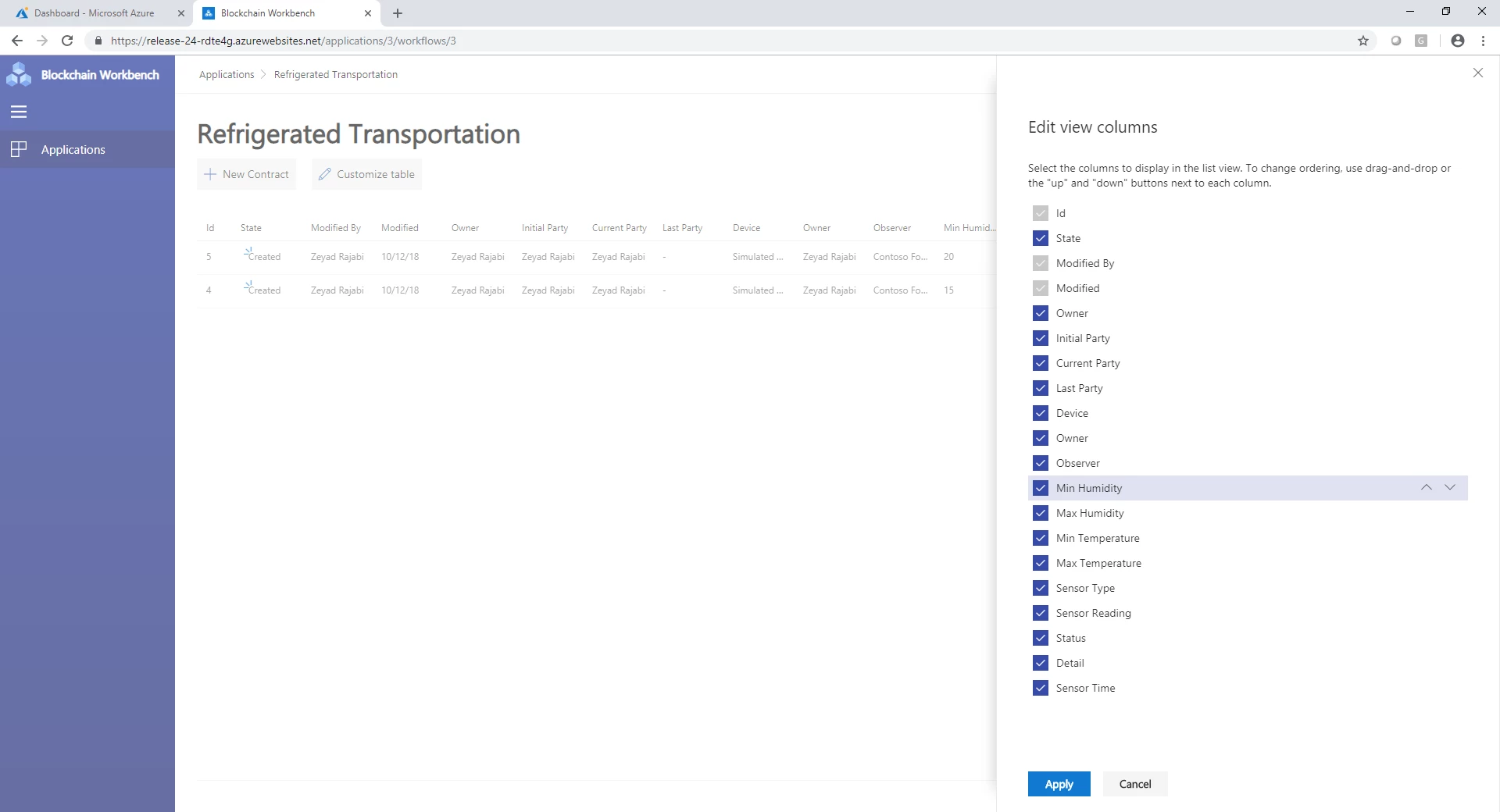
In some cases, properties may be more useful from a reporting perspective rather than a user experience perspective. To help with the readability of the smart contract tables, we’ve introduced a new feature, which allows users to customize the smart contract table in terms of visible columns and order of columns.
Below is a screenshot of the customized table pane, which allows each user to toggle the visibility of table columns as well as adjust the ordering of columns within the table.
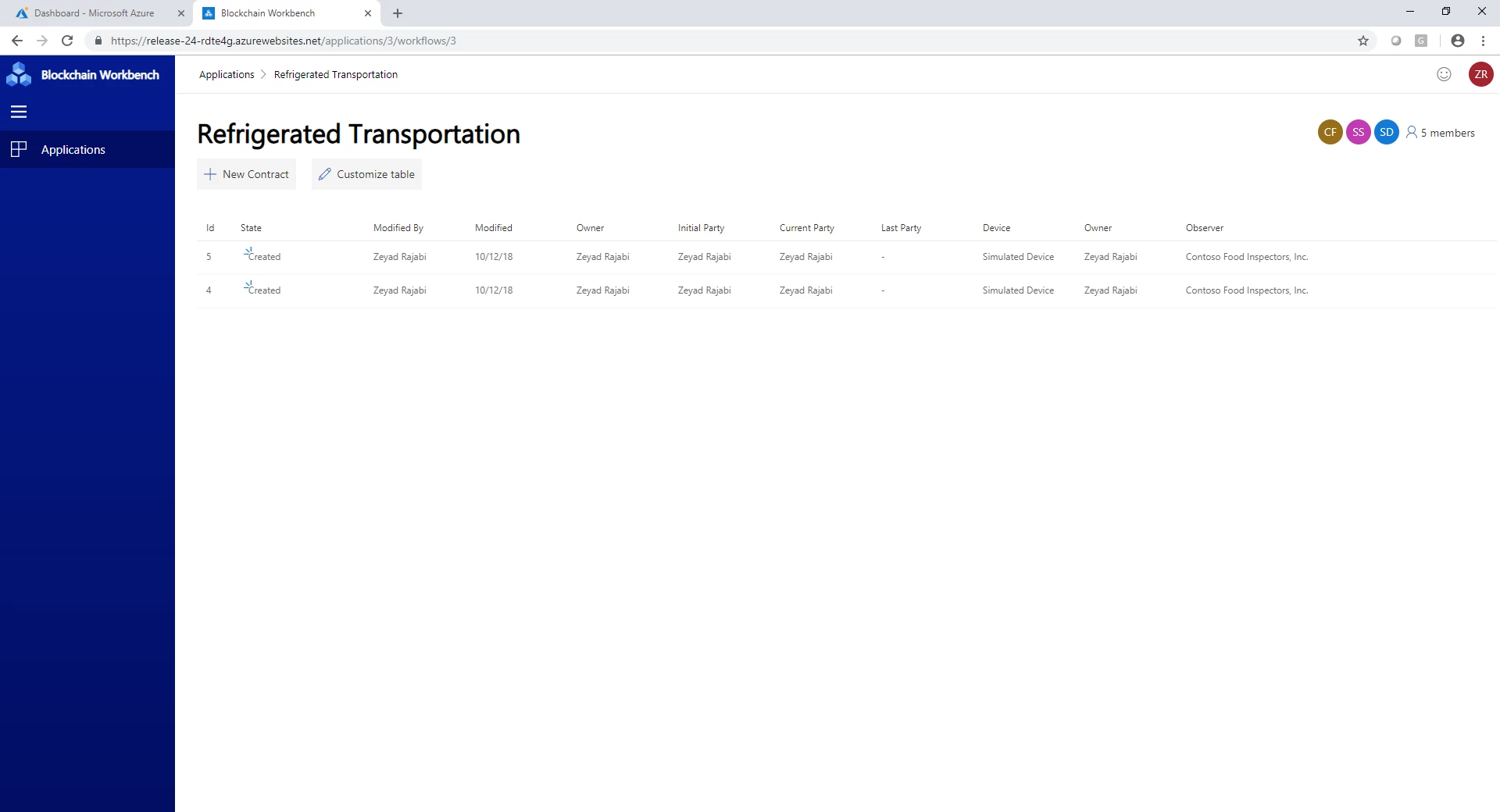
The smart contract table view will reflect all changes applied via the customize table pane.
New supported datatype – Arrays
With 1.4.0, we now support array datatypes as part of constructor and function parameters as well as smart contract properties. Arrays allow you to create blockchain apps where you can input and represent a strongly typed list of content, such as a list of numbers or values.
Workbench currently supports static and dynamic arrays of integers, booleans, money, and time. Workbench does not yet support an array of enums or array of arrays, including strings. Note, for string support we’re waiting for Solidity functionality to get out of preview. Let us know if these limitations are blockers for you.
The array type is specified via the configuration file as follows:
"Properties": [
{
   {
            "Name": "PropertyType",
            "DisplayName": "Property Type",
            "Type": {
            "Name": "array",
                "ElementType": {
                     "Name": "int"
                }
             }
      }
},
There is a limitation is solidity when it comes to public properties related to arrays. If you have a public state variable of an array type, Solidity only allows you to retrieve single elements of the array with auto-generated getter functions. To work around this limitation, you will need to provide an appropriate function to return arrays. For example:
function GetPropertyTypes() public constant returns (int[]) {
         return PropertyType;
}
If this function is not part of your Solidity code, we will show an error when uploading your blockchain application.
Support for strings up to 4k characters
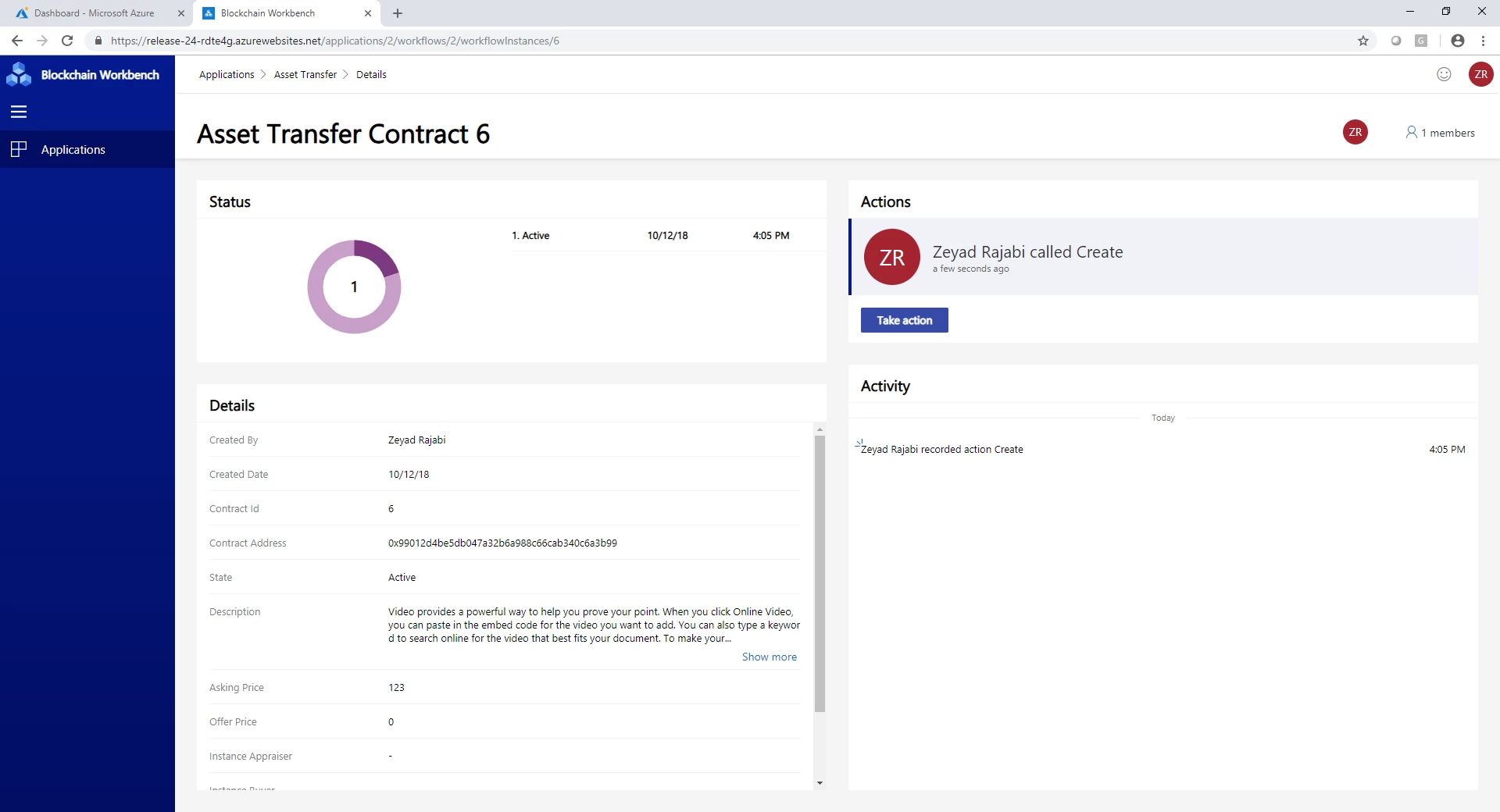
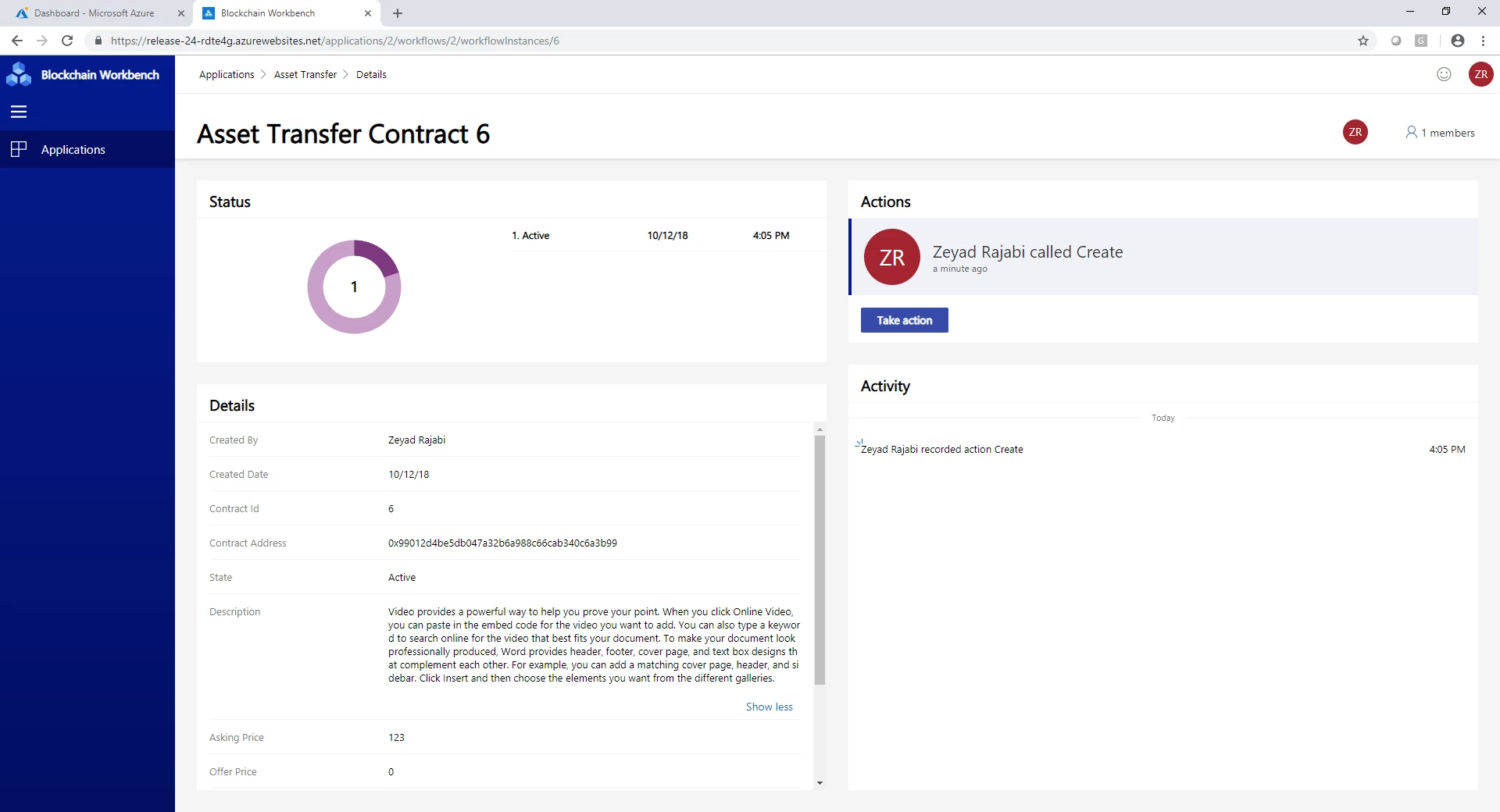
One of the limitations in Workbench is the data type strings can only be 256 characters. We’ve received feedback from folks who wanted us to increase the limit. With 1.4.0, the new limit is 4,000 characters. Note, using more characters will result in using more gas when processing transactions. When building your smart contracts, please be aware of the block gas limit and build your smart contracts with that limit in mind.
Faster and more reliable transaction processing
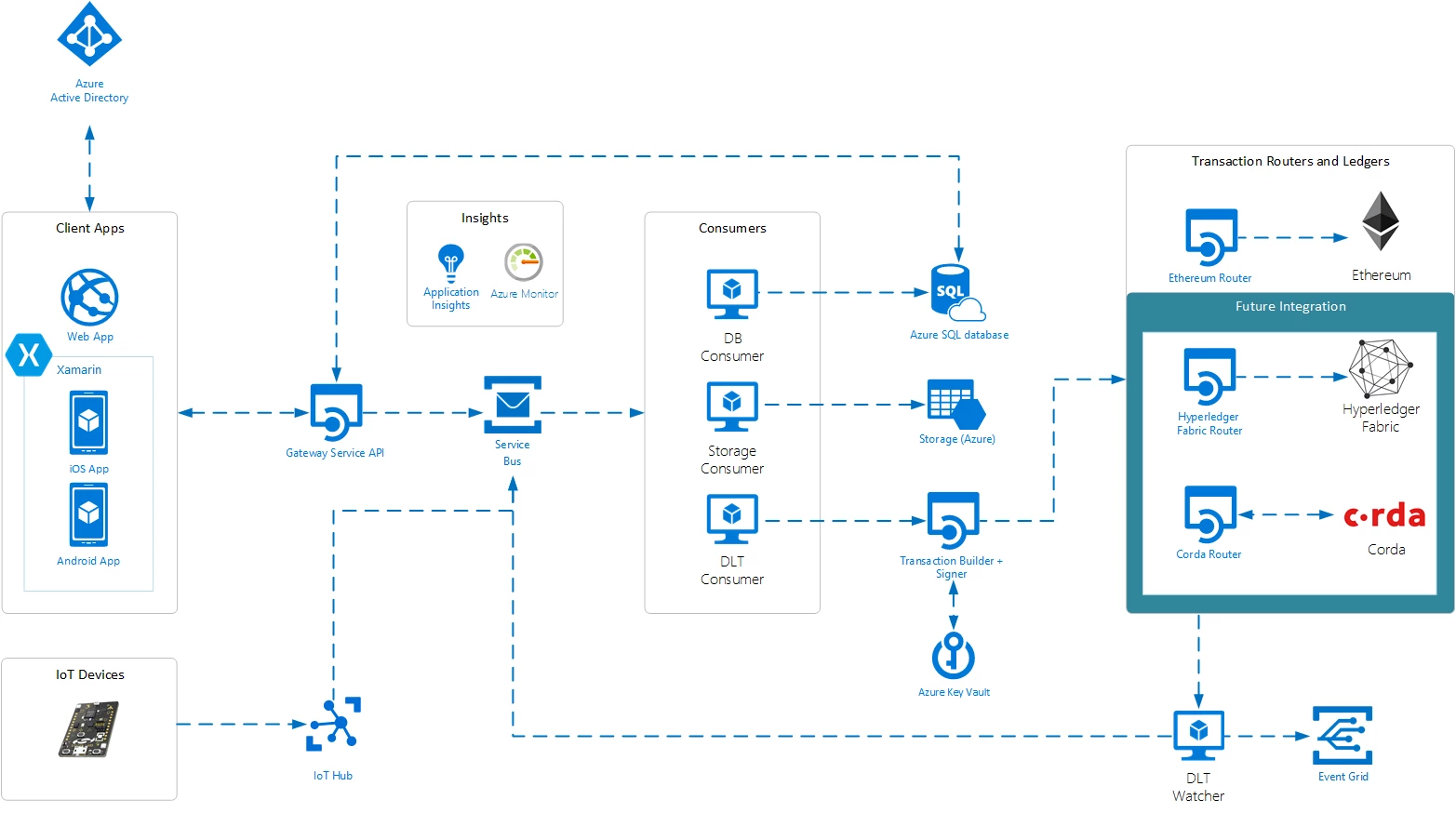
With 1.4.0, we’ve made additional reliability improvements to the DLT Watcher microservice, see the Blockchain Workbench architecture document for more information on this component. The Watcher has been rewritten and is able to process blocks at a much faster rate.
Please use our Blockchain User Voice to provide feedback and suggest features/ideas for Workbench. Your input is helping make this a great service. We look forward to hearing from you.






