
Azure Cache for Redis is an in-memory data store that is used to power fast, scalable applications. Now in preview, you can access all the caches under your Azure subscriptions and view their data with the new Azure Cache for Redis Visual Studio Code extension.
With this new integration, you’ll be able to use Visual Studio Code to view, test, and debug your caches—in one streamlined experience. This extension enhances ease of development by eliminating the need to manually track connection and access keys to connect to your caches. Simply authenticate with your Azure account, and you’ll instantly be able to access your Azure Cache for Redis instances.
This extension supports both common configurations—clustered and non-clustered caches, as well as all Redis data types, such as strings, lists, hashes, and sets. With it, you’ll be able to filter Redis keys by match expressions. Ultimately, this extension gives you more time to focus on development, debugging, and testing your application on your terms.
Installation and usage
The Azure Cache for Redis extension can be downloaded from the Visual Studio Code Marketplace or within Visual Studio Code by searching for Azure Cache in the extension tab.
Marketplace will direct you to open Visual Studio Code to install the extension and once it is installed, you will be able to see a caches dropdown under the Azure tab on the left-hand side of Visual Studio Code. Expanding the dropdown will prompt you to log in to your Azure account.
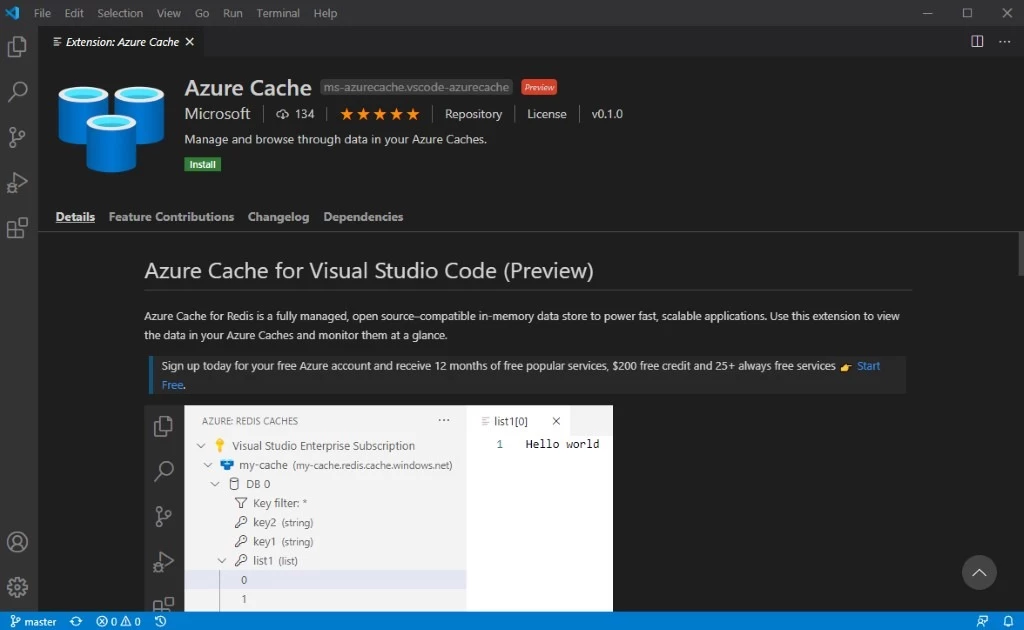
Once your account is linked, you’ll see a list of all your Azure subscriptions. Expanding a subscription will reveal all the Azure Cache resources belonging to it. After selecting a cache instance, you will be able to see all the databases with data in them. For a clustered cache, you would see shards instead.
From there, you can expand a cache resource to view all the keys inside it. By clicking on a Redis key name, all its contents will open in a new editor tab. With a collection type Redis key, clicking on it will reveal the individual elements under the key name. Clicking the individual element will display its contents in a new editor tab.
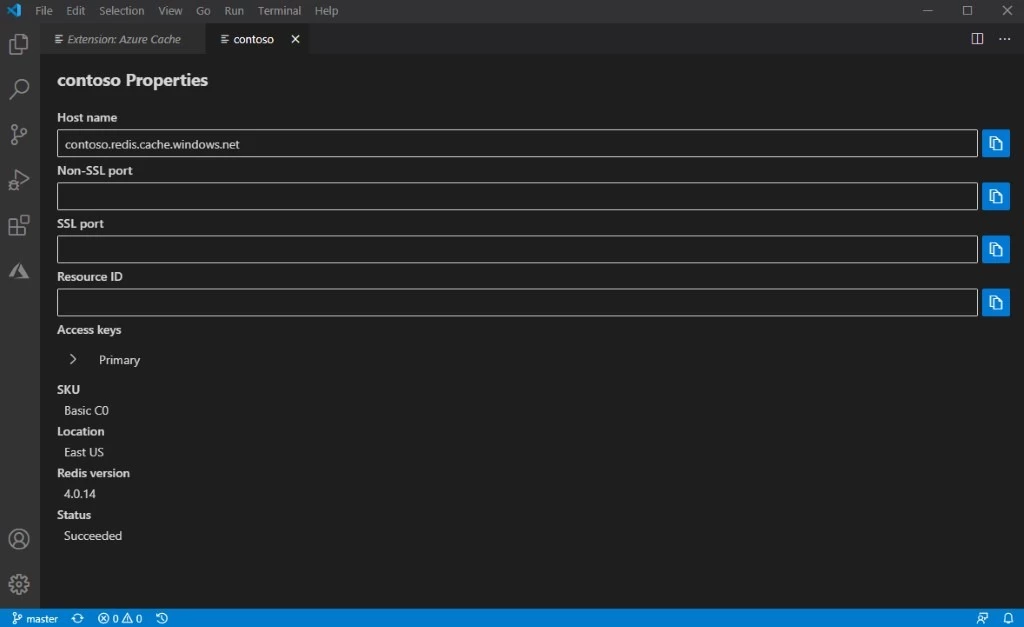
You can filter through the Redis keys by using a match expression. For example, filtering by the expression “key*” will display all the keys that start with “key.” For hash keys, you can also filter by hash field name. You can also directly select the cache name(s) to view cache properties such as hostname, SKU, location, connection string, access key, and Redis version.
For quick access to the connection string, simply right click the cache name and select Copy Connection String.
Getting started with Azure Visual Studio Code extension
After installing the extension and experiencing the new integration, check out the GitHub repository to contribute to the open-source project. In our repository you can submit any issues, feature requests, and bugs. In addition, you can contribute to our repository with any bug fixes, features, or design changes.
We look forward to collaborating with you on this open-source Visual Studio Code extension.
Also, be on the lookout for upcoming and exciting features. We hope the new extension will give you a unified development experience that enables you to code more.
What do you think about this new extension? Leave us a review.
For any other questions or feedback on desired features in future versions, please leave your comments below.






