
Azure Functions provides a powerful programming model for accelerated development and serverless hosting of event-driven applications. Ever since we announced the general availability of the Azure Functions 2.0 runtime, support for Python has been one of our top requests. At Microsoft Connect() last week, we announced the public preview of Python support in Azure Functions. This post gives an overview of the newly introduced experiences and capabilities made available through this feature.
What’s in this release?
With this release, you can now develop your Functions using Python 3.6, based on the open-source Functions 2.0 runtime and publish them to a Consumption plan (pay-per-execution model) in Azure. Python is a great fit for data manipulation, machine learning, scripting, and automation scenarios. Building these solutions using serverless Azure Functions can take away the burden of managing the underlying infrastructure, so you can move fast and actually focus on the differentiating business logic of your applications. Keep reading to find more details about the newly announced features and dev experiences for Python Functions.
Powerful programming model
The programming model is designed to provide a seamless and familiar experience for Python developers, so you can import existing .py scripts and modules, and quickly start writing functions using code constructs that you’re already familiar with. For example, you can implement your functions as asynchronous co-routines using the async def qualifier or send monitoring traces to the host using the standard logging module. Additional dependencies to pip install can be configured using the requirements.txt format.
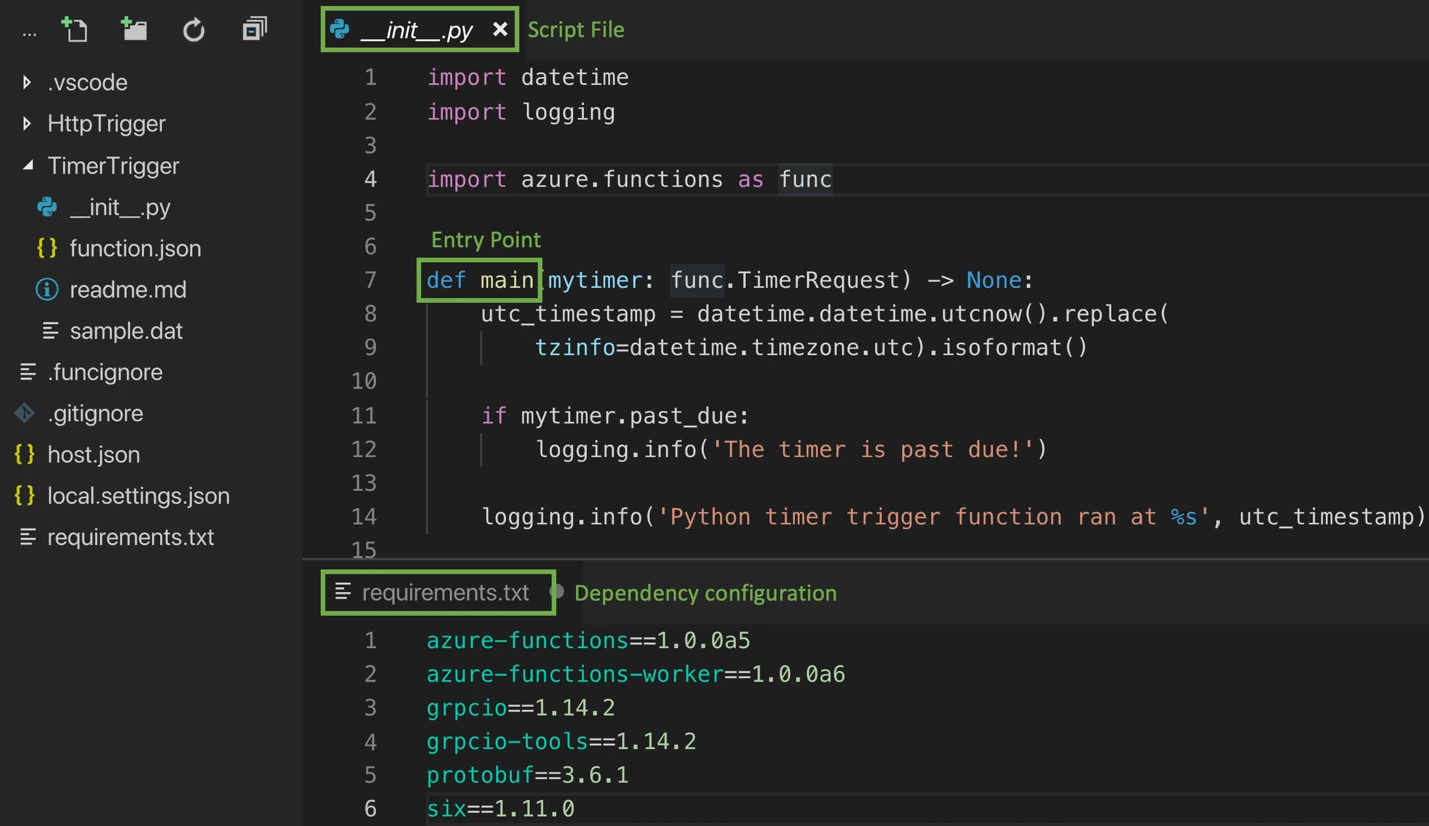
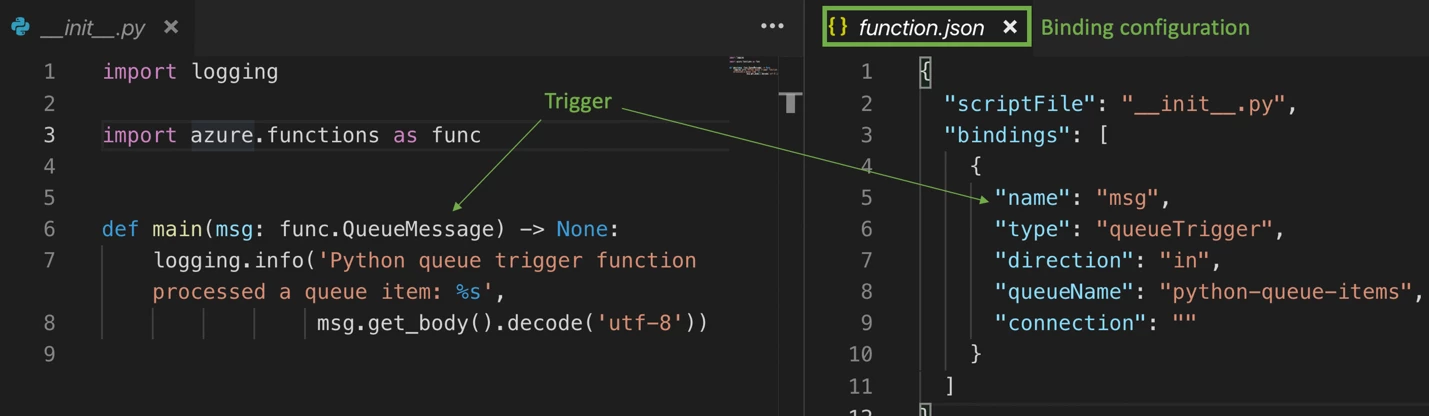
With the event-driven programming model in Functions, based on triggers and bindings, you can easily configure the event that’ll trigger the function execution and any data sources that your function needs to orchestrate with. Common scenarios such as ML inferencing and automation scripting workloads benefit from this model as it helps streamline the diverse data sources involved, while reducing the amount of code, SDKs, and dependencies that a developer needs to configure and work with at the same time. The preview release supports binding to HTTP requests, timer events, Azure Storage, Cosmos DB, Service Bus, Event Hubs, and Event Grid. Once configured, you can quickly retrieve data from these bindings or write back using the method attributes of your entry point function.
Easier development
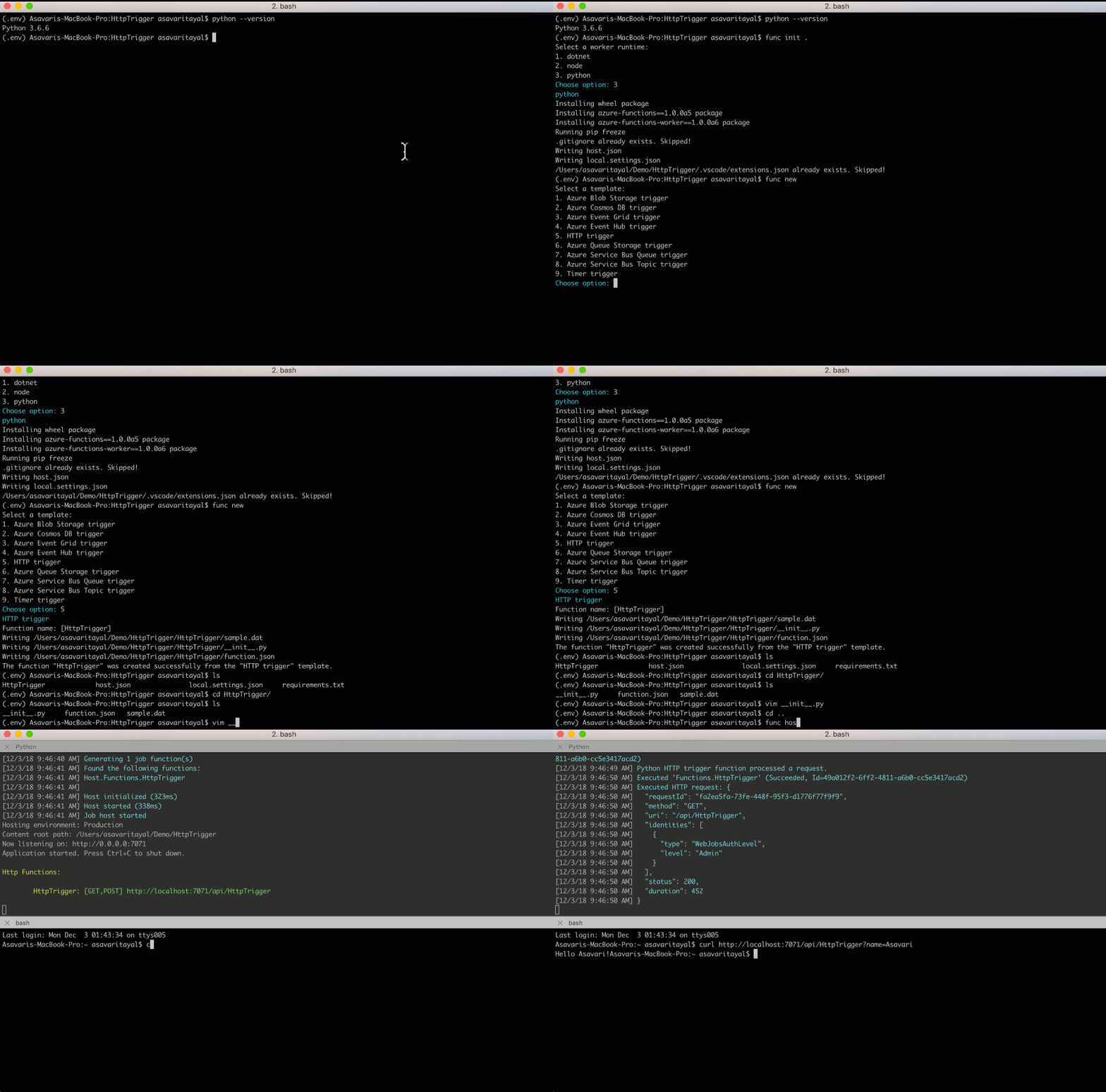
As a Python developer, you don’t need to learn any new tools to develop your functions. In fact, you can quickly create, debug and test them locally using a Mac, Linux, or Windows machine. The Azure Functions Core Tools (CLI) will enable you to get started using trigger templates and publish directly to Azure, while automatically handling the build and configuration for you.
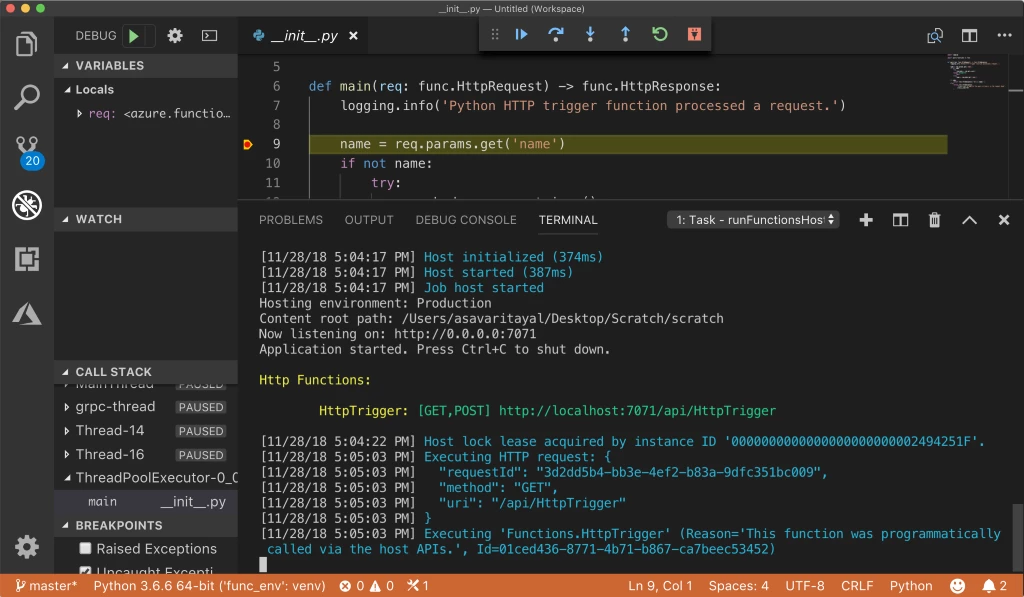
What’s even more exciting is that you can use the Azure Functions extension for Visual Studio Code for a tightly integrated GUI experience to help you create a new app, add functions and deploy, all within a matter of minutes. The one-click debugging experience will let you test your functions locally against real-time Azure events, set breakpoints, and evaluate the call stack, simply on the press of F5. Combine this with the Python extension for VS Code, and you have a best-in-class auto-complete, IntelliSense, linting, and debugging experience for Python development, on any platform!
Linux based hosting
Functions written in Python can be published to Azure in two different modes, Consumption plan and the App Service plan. The Consumption plan automatically allocates compute power based on the number of incoming events. Your app will be scaled out when needed to handle a load, and scaled back down when the events become sparse. Billing is based on the number of executions, execution time and memory used, so you don’t have to pay for idle VMs or reserved capacity in advance.
In an App Service plan, dedicated instances are allocated to your function which means that you can take advantage of features such as long-running functions, premium hardware, Isolated SKUs, and VNET/VPN connectivity while still being able to leverage the unique Functions programming model. Since using dedicated resources decouples the cost from the number of executions, execution time, and memory used, the cost is capped to the number of instances you’ve allocated to the plan.
Underneath the covers, both hosting plans run your functions in a docker container based on the open source azure-function/python base image. The platform abstracts away the container, so you’re only responsible for providing your Python files and don’t need to worry about managing the underlying Azure Functions and Python runtime.
Next steps – get started and give feedback
To get started, follow the links below:
- Build your first serverless function using the Python in Functions Quickstart.
- Find the complete Azure Functions Python develop reference.
- Follow upcoming features and design discussion on our GitHub repository.
- Learn about all the great things you can do with Python on Azure.
- See the Python development experience with Azure Functions in action, applied to Machine Learning workloads in the webinar, “Streamline Machine Learning with Python in Azure Functions.”
This release lays the groundwork for various other exciting features and scenarios. With so much being released now and coming soon, we’d sincerely love to hear your feedback. You can reach the team on Twitter and on GitHub. We actively monitor StackOverflow and UserVoice, so feel free to ask questions or leave your suggestions. We look forward to hearing from you!






