Skip to main content Explore View all products (200+) Microsoft Foundry Azure Copilot GitHub Copilot Azure Kubernetes Service (AKS) Azure Cosmos DB Azure Database for PostgreSQL Azure Arc Microsoft Fabric Linux virtual machines in Azure Foundry Models Foundry Agent Service Foundry IQ Foundry Tools Foundry Control Plane Observability in Foundry Control Plane Azure OpenAI in Foundry Models Azure Speech in Foundry Tools Azure Machine Learning View all databases Azure Cosmos DB Azure DocumentDB Azure SQL Azure Database for PostgreSQL Azure Managed Redis Microsoft Fabric Azure Databricks Linux virtual machines in Azure Windows Server on Azure Azure Functions Azure Virtual Machine Scale Sets Azure API Management Azure Container Apps Azure Kubernetes Service (AKS) Azure Kubernetes Fleet Manager Azure Container Registry Azure Red Hat OpenShift Azure Container Instances Azure Container Storage Azure Arc Azure Local Microsoft Defender for Cloud Azure Monitor Microsoft Sentinel Azure Migrate View all solutions (40+) Cloud solutions for small and medium businesses Cloud migration and modernization center Data analytics for AI Azure Databases AI apps and agents Microsoft Marketplace Microsoft Sovereign Cloud AI apps and agents Responsible AI with Azure AI Infrastructure Data analytics for AI Machine learning operations (MLOps) Low-code application development on Azure Integration Services Serverless computing DevOps Migration and modernization center .NET apps migration Databases on Azure Linux on Azure Oracle on Azure SAP on the Microsoft Cloud Adaptive cloud High-performance computing (HPC) Infrastructure as a service (IaaS) Resiliency Azure Essentials Frontier Accelerate for Azure FinOps on Azure Microsoft Marketplace Azure pricing overview Create an Azure account Free Azure services Flexible purchase options Pricing calculator FinOps on Azure Maximize ROI from AI Azure savings plans Azure reservations Azure Hybrid Benefit Virtual Machines Azure SQL Microsoft Foundry Microsoft Fabric Azure Kubernetes Service (AKS) Microsoft Defender for Cloud View more Software Development Companies Microsoft Marketplace Find a partner Resources for Azure partners Get started with Azure Customer stories Analyst reports, white papers, and e-books Videos Learn more about cloud computing Documentation Explore Azure portal Developer resources Quickstart templates Resources for startups Developer community Students Azure for partners Blog Events and Webinars Learn Support Contact Sales Get started with Azure Sign in

Earlier this year, we released the public preview of the serial console feature of Azure Virtual Machines (VMs). Today we are announcing the general availability of serial console and we’ve added numerous features and enhanced performance to make serial console an even better tool for systems administrators, IT administrators, DevOps engineers, VM administrators, and systems engineers.

For those new to serial console, you’ll likely recognize this scenario: You’ve made a change to your VM that results in you being unable to connect to your VM through SSH or RDP. In the past, this would have left you pretty helpless. However, serial console enables you to interact with your VM directly through the VM’s serial port – in other words, it is independent of the current network state, or as I like to say, it’s “like plugging a keyboard into your VM.” This means that you can debug an otherwise unreachable VM to fix issues like a broken fstab or a misconfigured network interface, without needing to resort to deleting and recreating your VM.
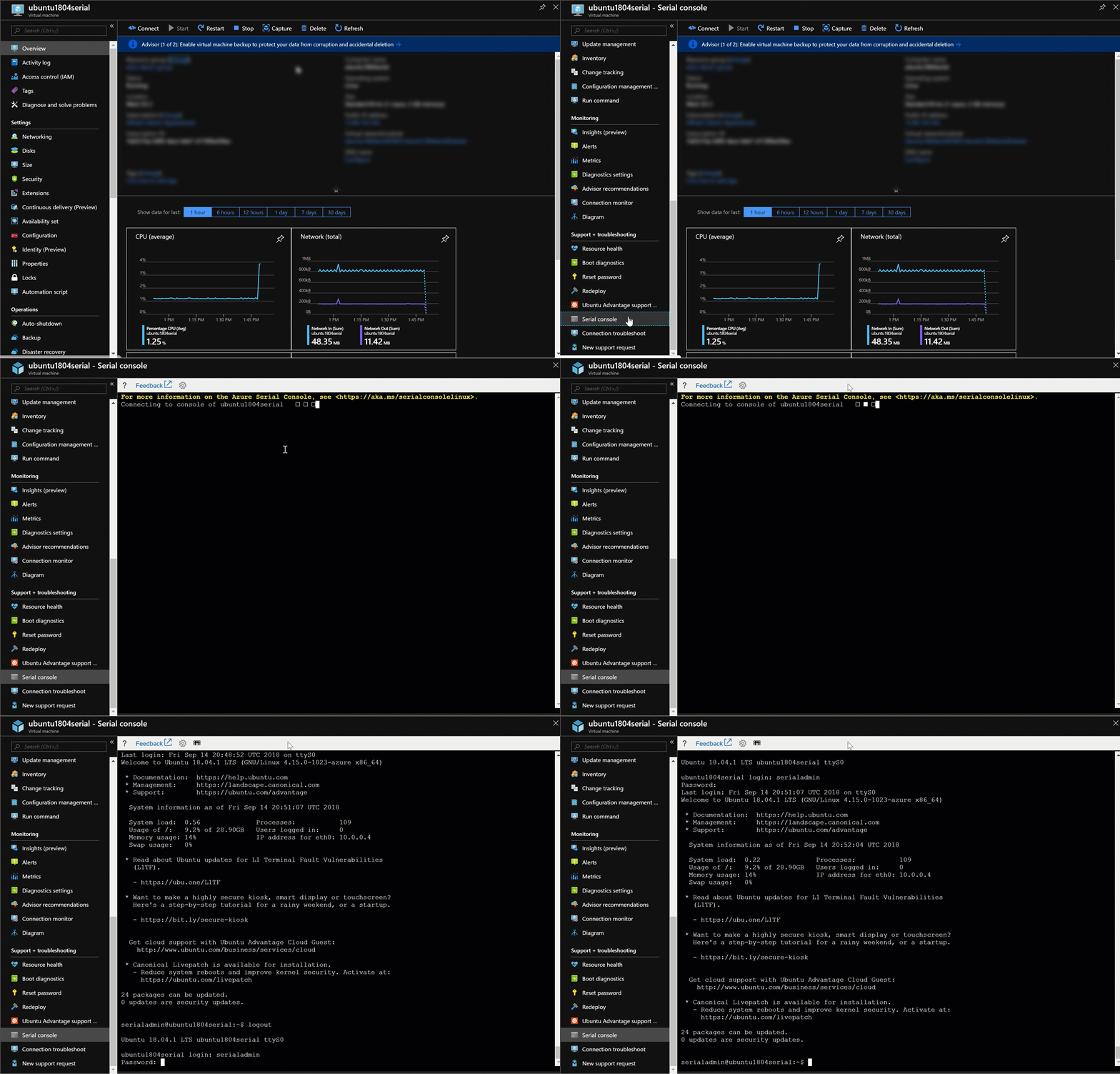
loading

The latest features for serial console include a subscription-level enable/disable feature, support for magic SysRq keys, support for non-maskable interrupts, accessibility improvements, and performance and stability improvements. Serial console can now be turned off for all VMs in a subscription. The details on this feature are in our documentation for Linux and Windows VMs.

The system request key, also known as the magic SysRq key, allows you to enter key combinations that will be understood by the Linux kernel regardless of its state. Like a SysRq, a non-maskable interrupt (NMI) can forcibly crash your VM, which is useful if your VM is completely frozen. In other words, we’re giving you an additional tool in your toolkit for even more of those nasty debugging situations. More details are available in our documentation for Linux and Windows VMs.

We have also focused on making the serial console more accessible for anyone with visual, hearing or physical impairments. Without the need to use a mouse, you can now tab through serial console to show exactly where you are on screen. Serial console also includes native screen reader support, meaning that your screen reader will be able to tell you exactly what is going on within your serial console.

You can see serial console in action in this episode of Azure Fridays and learn more by visiting our serial console documentation for Linux and Windows VMs.


WE ARE MICROSOFT

Explore Microsoft Foundry

The future of AI starts here. Envision your next great AI app with the latest technologies. Get started with Azure.




