For read-heavy workloads that you are looking to scale out, you can use read replicas, which are now generally available to all Azure Database for MySQL users. Read replicas make it easy to horizontally scale out beyond a single database server. This is useful in workloads such as BI reporting and web applications, which tend to have more read operations than write.
The feature supports continuous asynchronous replication of data from one Azure Database for MySQL server (the “master” server) to up to five Azure Database for MySQL servers (the “read replica” servers) in the same region. Read-heavy workloads can be distributed across the replica servers according to your preference. Replica servers are read-only except for writes replicated from data changes on the master.
What’s supported with read replicas?
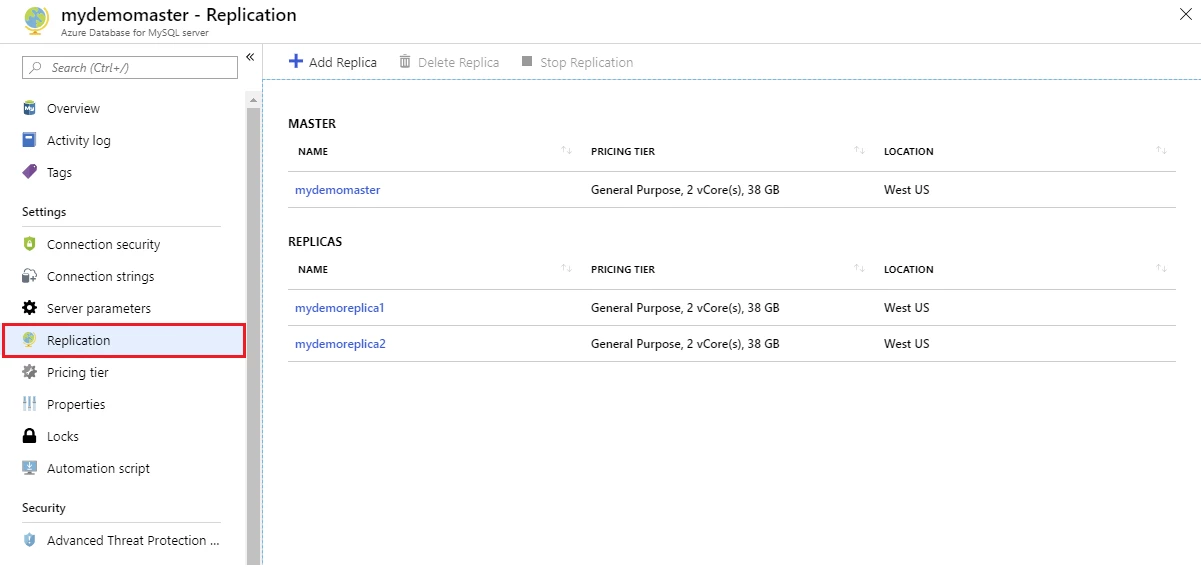
You can create or delete replica servers based on your workload’s needs. A master server can support up to five replica servers within the same Azure region. Stopping replication to any replica server makes it a standalone read-write server.
You can easily manage your replica servers using the Azure portal and Azure CLI.
From the Azure portal:
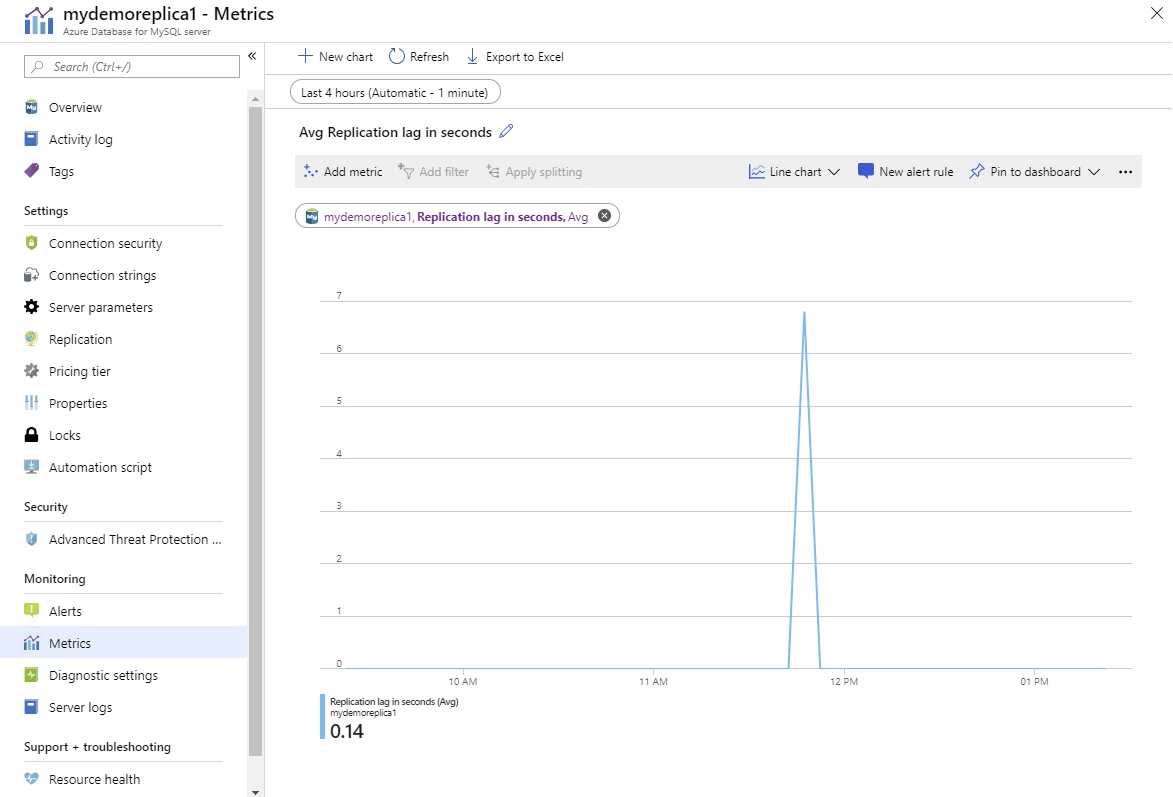
Use Azure Monitor to track replication with the “replication lag in seconds” metric:
From the Azure CLI:
az mysql server replica create -n mydemoreplica1 -g myresourcegroup -s mydemomaster
Below are some application patterns used by our customers and partners that leverage read replicas for scaling workloads.
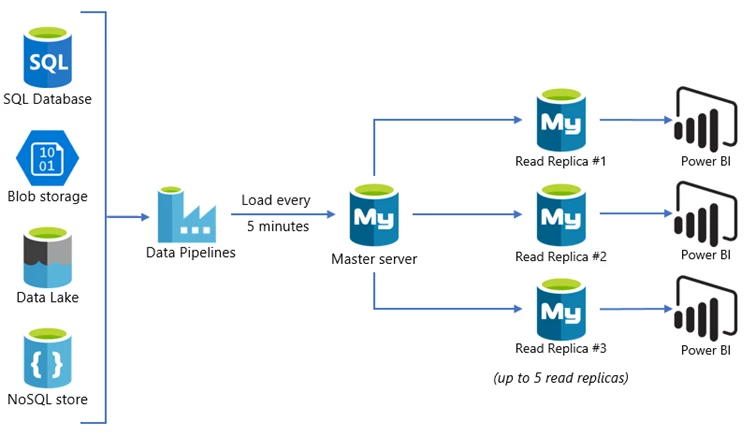
BI reporting
Data from disparate data sources is processed every few minutes and loaded into the master server. The master server is dedicated for loads and processing, not directly exposing it to BI users for reporting or analytics to ensure predictable performance. The reporting workload is scaled out across multiple read replicas to manage high user concurrency with low latency.
Microservices
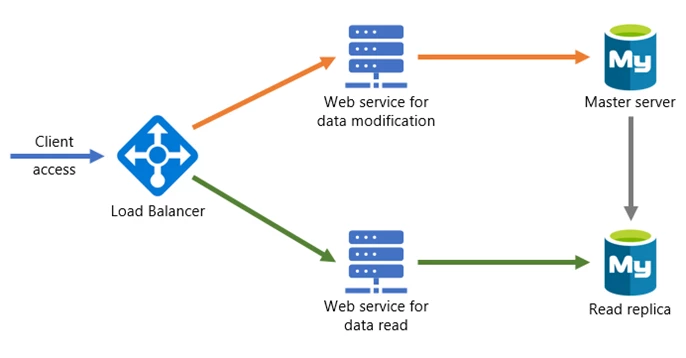
In this architecture pattern, the application is broken into multiple microservices, with data modification APIs connecting to the master server while reporting APIs connect to read replicas. The data modification APIs are prefixed with “Set-”, while reporting APIs are prefixed with “Get-“. The load balancer is used to route the traffic based on the API prefix.
Next steps
- Get started with the service by creating your first Azure Database for MySQL server using the Azure portal or Azure CLI.
- Learn more about read replicas and how to create them in the Azure portal or Azure CLI.
- Reach us by emailing our team AskAzureDBforMySQL@service.microsoft.com.
- File feature requests on UserVoice.
- Follow us on Twitter @AzureDBMySQL to keep up with the latest features.