The Azure Cosmos DB team is excited to announce version 2.0 RC of the JavaScript SDK for SQL API, now in public preview!
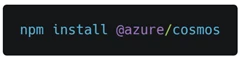
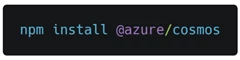
We are excited to get feedback through this RC before general availability, so please try it out and let us know what you think. You can get the latest version through npm with:
What is Azure Cosmos DB?
Azure Cosmos DB is a globally distributed, multi-model database service. It offers turnkey global distribution, guarantees single-digit millisecond latencies at the 99th percentile, and elastic scaling of throughput and storage.
For the SQL API, we support a JavaScript SDK to enable development against Azure Cosmos DB from JavaScript and Node.js projects. Version 2.0 of the SDK is written completely in TypeScript, and we’ve redesigned the object model and added support for promises. Let’s dive into these updates.
New object model
Based on user feedback, we’ve redesigned the object model to make it easier to interact with and perform operations against Cosmos DB.
If you’re familiar with the previous version of the JavaScript SDK, you’ve likely noticed that the entire API surface hangs off DocumentDBClient. While the previous design makes it easy to find the entry point for methods, it also came at the cost of a cluttered IntelliSense experience, as seen below.
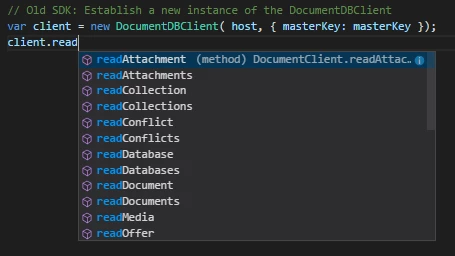
We also got feedback that it was difficult to do operations off databases, collections, or documents since each method needed to reference the URL of that resource.
To address this, we’ve created a new top level CosmosClient class to replace DocumentDBClient, and split up its methods into modular Database, Container, and Items classes.
For example, in the new SDK, you can create a new database, container, and add an item to it, all in 10 lines of code!
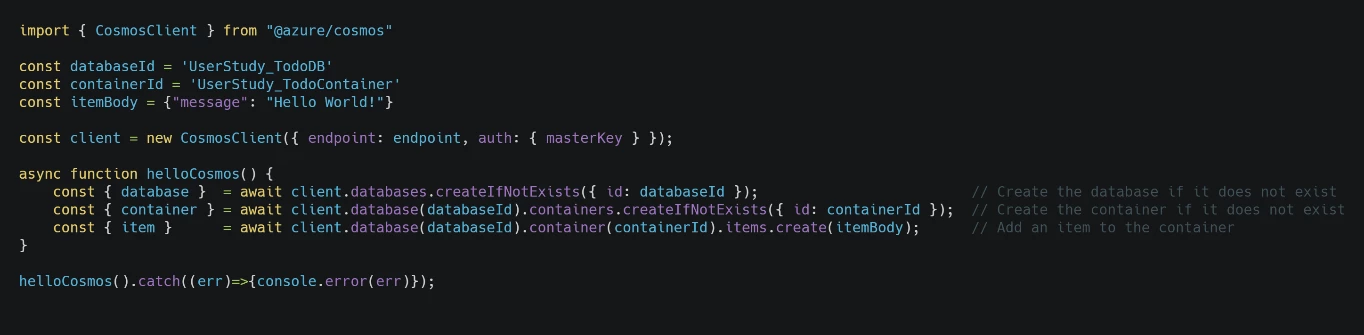
This is called a “builder” pattern, and it allows us to reference resources based on the resource hierarchy of Cosmos DB, which is similar to the way your brain thinks about Cosmos DB. For example, to create an item, we first reference its database and container, and call items.create().
Containers and Items
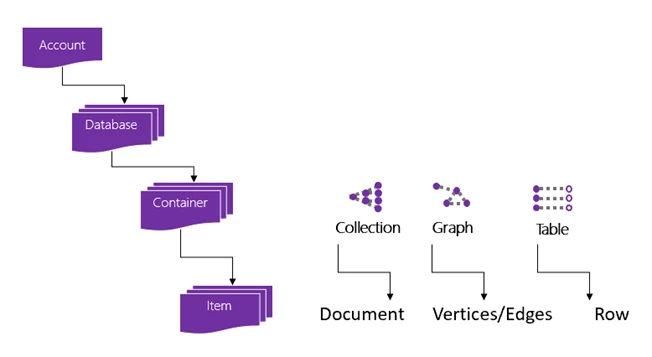
In addition, because Cosmos DB supports multiple API models, we’ve introduced the concepts of Container and Item into the SDK, which replace the previous Collection and Document concepts. In other words, what was previously known as a “Collection” is now called a “Container.”
An account can have one or more databases, and a database consists of one or more containers. Depending on the API, the container is projected as either a collection (SQL or Azure Cosmos DB for MongoDB API), graph (Gremlin API), or table (Tables API).
Support for promises
Finally, we’ve added full support for promises so you no longer have write custom code to wrap the SDK yourself. Now, you can use async/await directly against the SDK.
To see the difference, to create a new database, collection, and add a document in the previous SDK, you would have to do something like this:
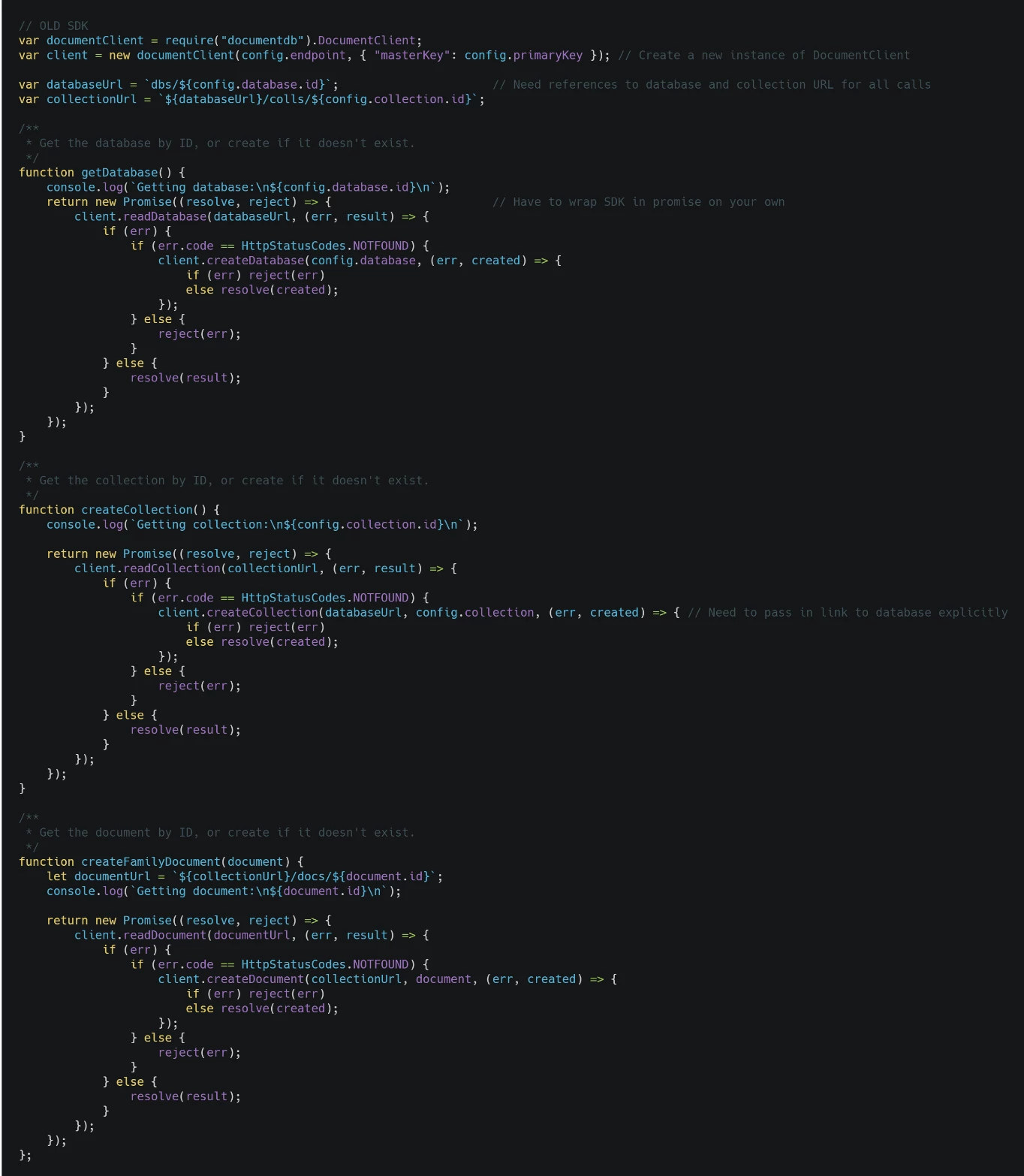
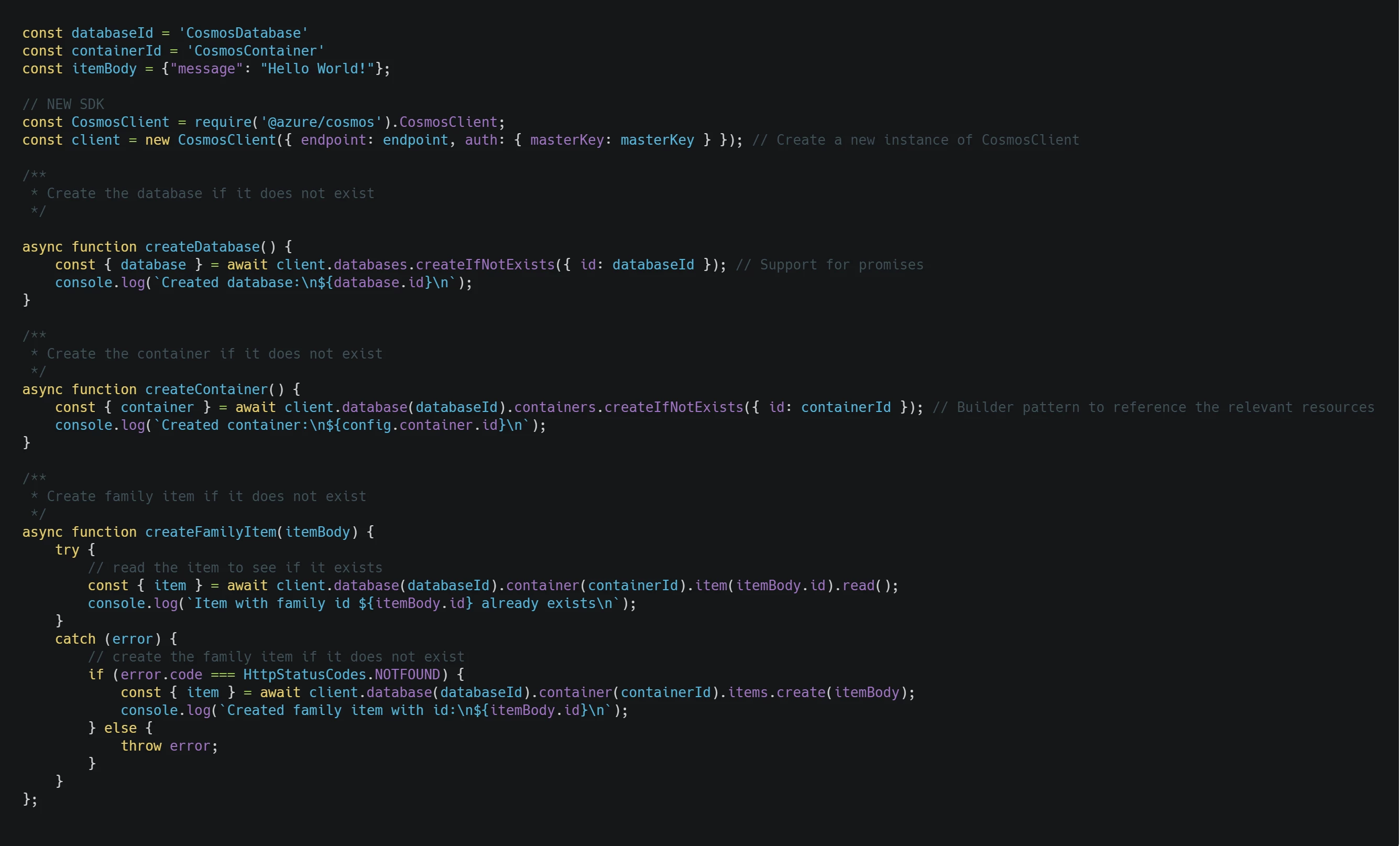
In the new SDK, you can simply await the calls to Cosmos DB directly from inside an async function, as seen below.
We’ve also added a convenience method createIfNotExists() for databases and containers, which wraps the logic to read the database, check the status code, and create it if it doesn’t exist.
Here’s the same functionality, using the new SDK:
Open source model
The Azure Cosmos DB JavaScript SDK is open source, and our team is planning to do all development in the open. To that end, we will be logging issues, tracking feedback, and accepting PR’s in GitHub.
Getting started
We hope this new SDK makes for a better developer experience. To get started, check out our quick start guide. We’d love to hear your feedback! Email cosmosdbsdkfeedback@microsoft.com or log issues in our GitHub repo.
Stay up-to-date on the latest Azure #CosmosDB news and features by following us on Twitter @AzureCosmosDB. We are really excited to see what you will build with Azure Cosmos DB!