We are glad to announce the public release of new Azure Data Factory (ADF) Monitoring & Management App.
Based on customer feedback, we have reimagined the monitoring and management experience in ADF to make it more effective and intuitive for data developers, data scientists. With this release, you can easily monitor and manage your data factory pipelines using the completely redesigned M&M App. For the public release, we have four main goals:
- Present information in a simple way and provide powerful insights into your pipelines.
- Improve navigation and debug ability of pipelines in the data factory by enabling different views of the data factory.
- Enable batch actions in data factory to improve developer productivity.
- Allow you to create and enable email notifications on various events with simple steps (ex. failure).
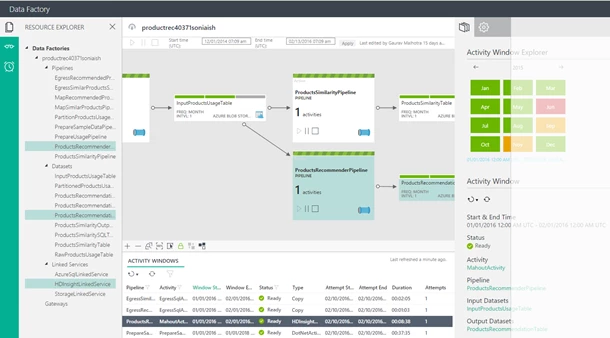
The new ADF Monitoring & Management App improves efficiency for both new and advanced users with intuitive experiences (see Figure below).
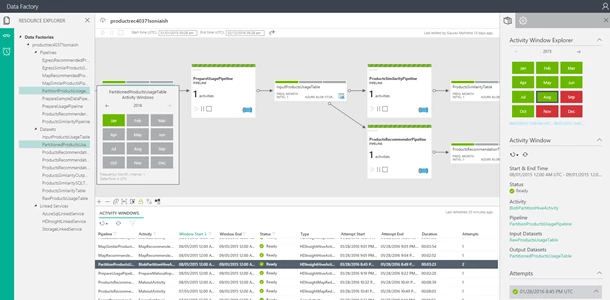
Check out some of the exciting features enabled in the new app:
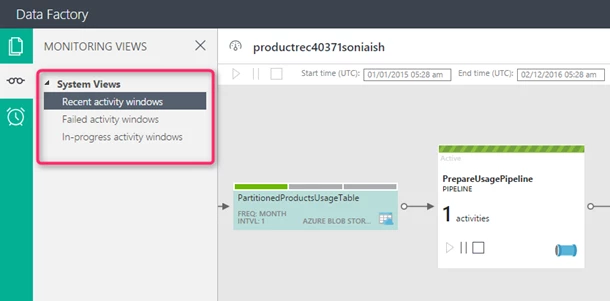
System views
Enables pre-canned list of views for the data factories with the Diagram view as the center of the universe viz. recent activity windows, failed activity windows, in-progress activity windows. Learn more about activity windows.
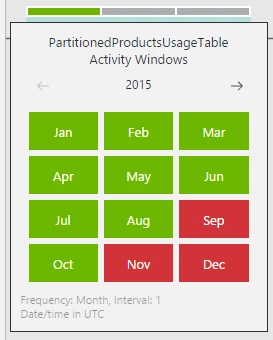
Activity windows with calendar view
Provides ability to view the data factory in terms of activity windows in pipelines. Makes it easier to monitor, browse activity windows with fewer clicks. Showcases activity run details with all the attempts corresponding to each activity window. Allows you to view activity executions in calendar view, or a hover over a dataset.
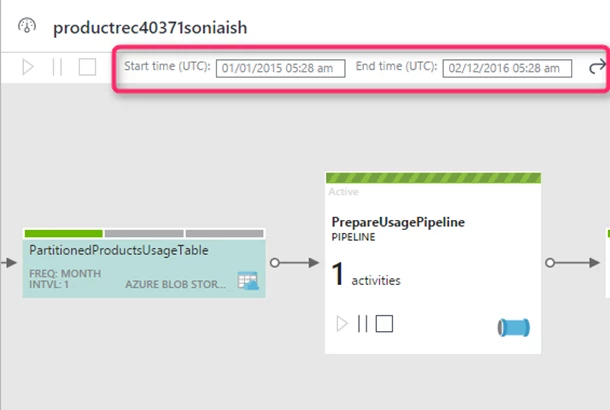
Global date time filter
Applies date time filter to the entire factory floor.
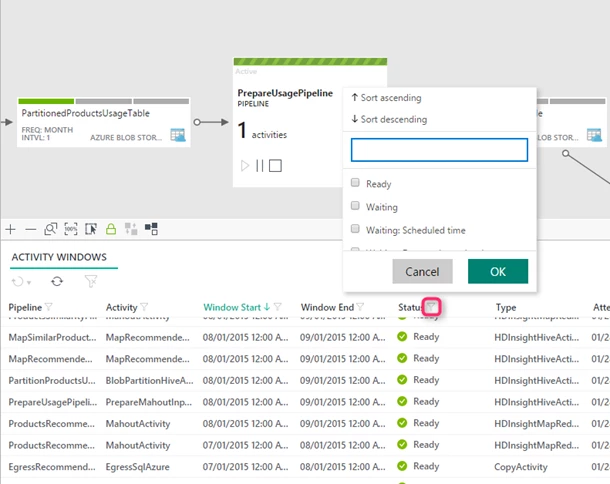
Filtering
Click columns (Pipeline Name, Activity Name, Status, Window Start, Window End) in the activity executions list view to filter the executions corresponding to the selected filter.
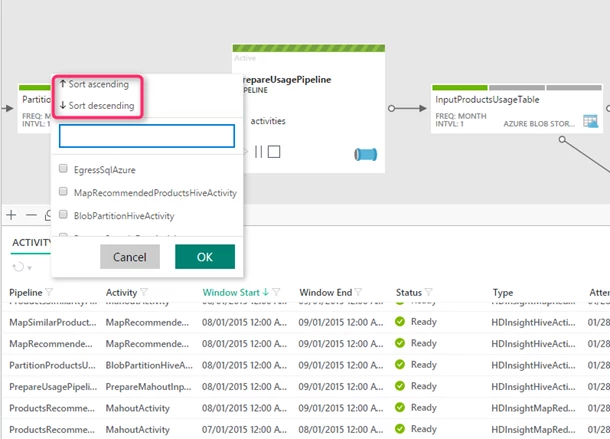
Sorting
Sort columns in the activity executions list (Sort Ascending, Sort Descending) based on your requirements.
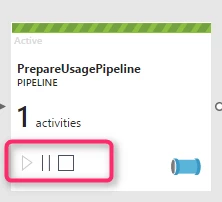
Actionable diagram view
Improves diagram view by showcasing running and paused pipelines. Provides an ability to pause and resume pipelines with a click of an icon on the diagram view.
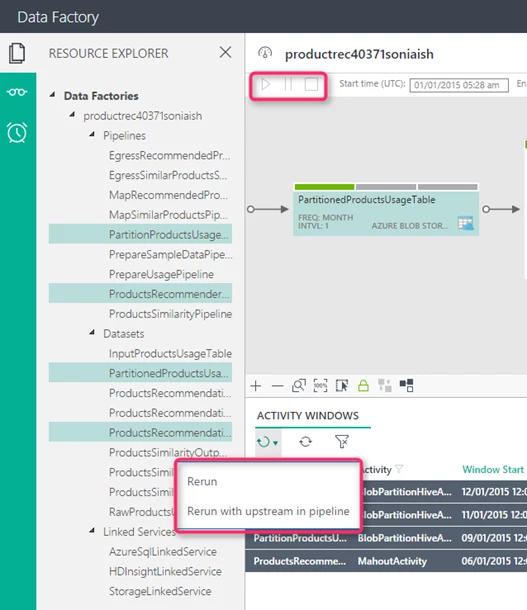
Batch execution
Enables batch commands that allows users to re-run multiple failures, re-run upstream activity windows, pause/resume multiple pipelines, etc..
Alert notifications
Create email alerts on various events (failures, success, etc.) in three simple steps.
Configurable Layouts
Drag Activity Windows list view, explorer to cover the entire screen.
We are continuously working to add new features and capabilities to the M&M App to make it more useful and productive.
Try out the new M&M App today by navigating to the Data Factory details page in the Azure portal and clicking the ‘Monitoring App’ link.
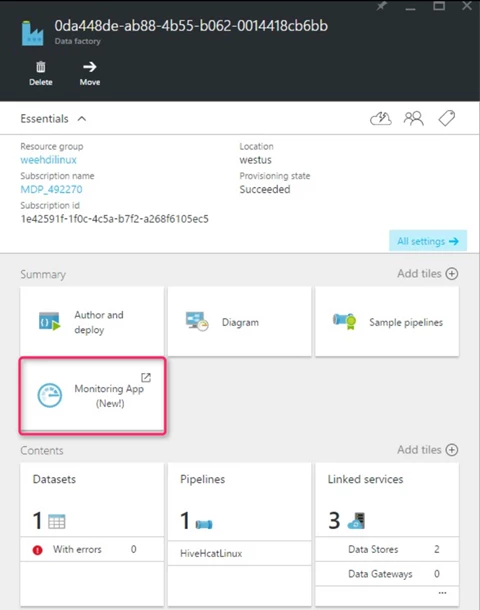
Find more information and detailed steps for using the ADF Monitoring & Management App here. You can still use the existing monitoring features in Azure portal, but to access the newest features, click on the ‘Monitoring App’ link from the portal.
Get started building pipelines easily and quickly using Azure Data Factory. If you have any feature requests or want to provide feedback, please visit the Azure Data Factory Forum.