Apache Airflow is an open source platform used to author, schedule, and monitor workflows. Airflow overcomes some of the limitations of the cron utility by providing an extensible framework that includes operators, programmable interface to author jobs, scalable distributed architecture, and rich tracking and monitoring capabilities. Since its addition to Apache foundation in 2015, Airflow has seen great adoption by the community for designing and orchestrating ETL pipelines and ML workflows. In Airflow, a workflow is defined as a Directed Acyclic Graph (DAG), ensuring that the defined tasks are executed one after another managing the dependencies between tasks.
A simplified version of the Airflow architecture is shown below. It consists of a web server that provides UI, a relational metadata store that can be a MySQL/PostgreSQL database, persistent volume that stores the DAG files, a scheduler, and worker process.
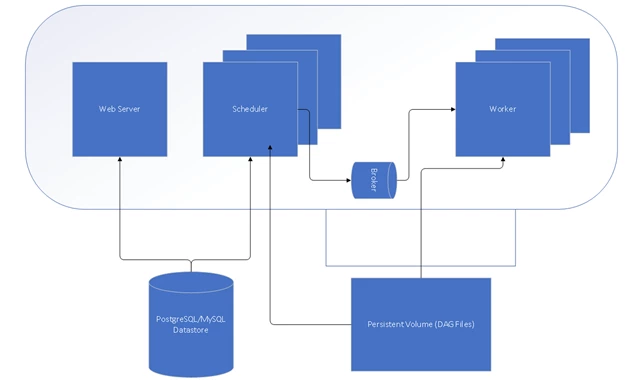
The above architecture can be implemented to run in four execution modes, including:
- Sequential Executor – This mode is useful for dev/test or demo purpose. It serializes the operations and allows only a single task to be executed at a time.
- Local Executor – This mode supports parallelization and is suitable for small to medium size workload. It doesn’t support scaling out.
- Celery Executor – This is the preferred mode for production deployments and is one of the ways to scale out the number of workers. For this to work, an additional celery backend which is a RabbitMQ or Redis broker is required for coordination.
- Dask Executor – This mode also allows scaling out by leveraging the Dask.distributed library, allowing users to run the task in a distributed cluster.
The above architecture can be implemented in Azure VMs or by using the managed services in Azure as shown below. For production deployments, we recommend leveraging managed services with built-in high availability and elastic scaling capabilities.
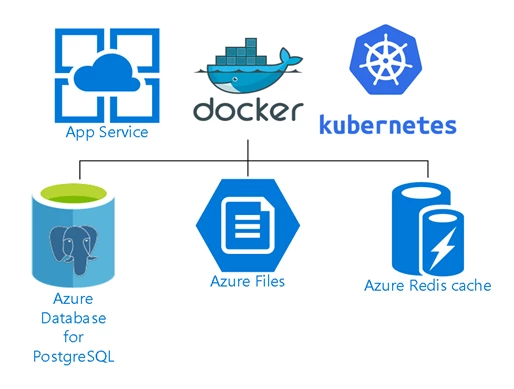
Puckel’s Airflow docker image contains the latest build of Apache Airflow with automated build and release to the public DockerHub registry. Azure App Service for Linux is integrated with public DockerHub registry and allows you to run the Airflow web app on Linux containers with continuous deployment. Azure App Service also allow multi-container deployments with docker compose and Kubernetes useful for celery execution mode.
We have developed the Azure QuickStart template, which allows you to quickly deploy and create an Airflow instance in Azure by using Azure App Service and an instance of Azure Database for PostgreSQL as a metadata store.

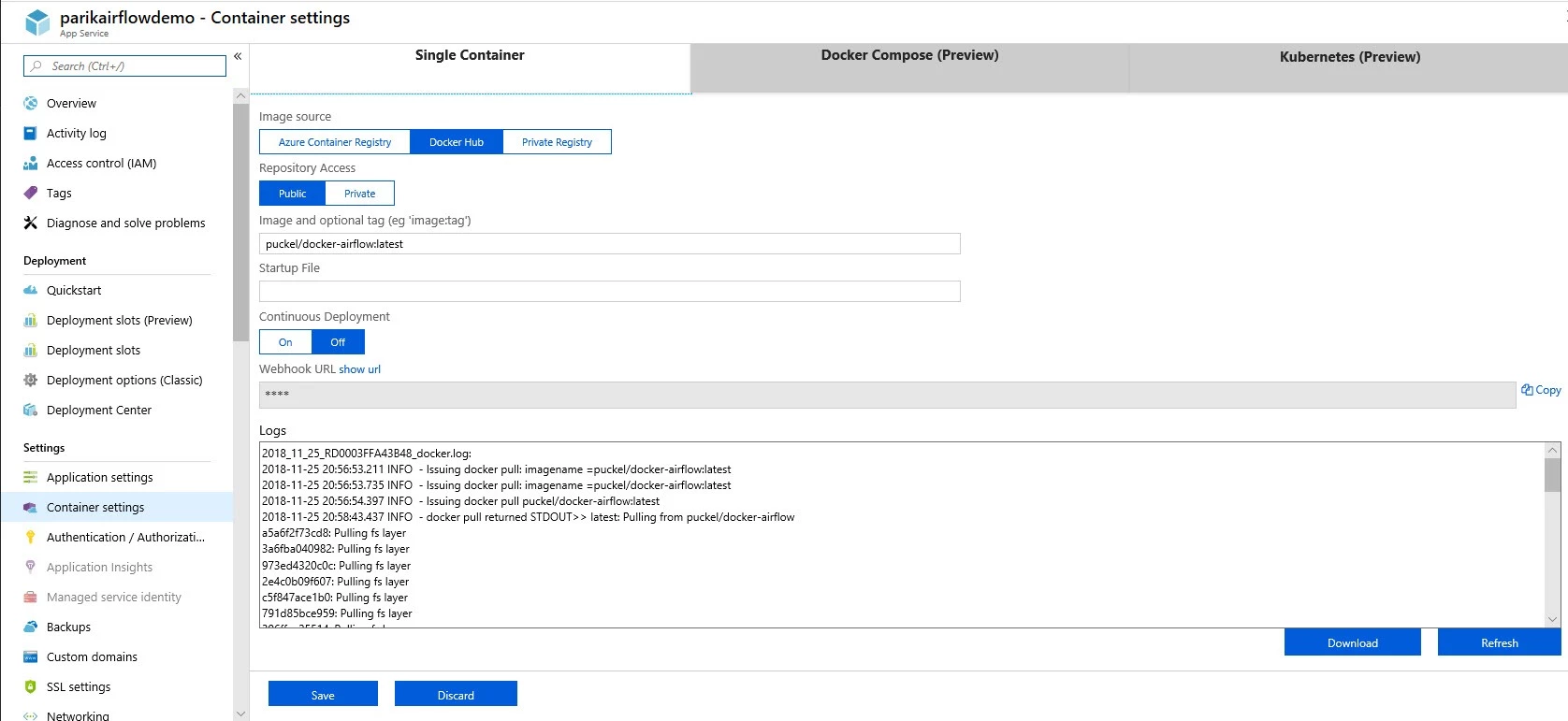
The QuickStart template automatically downloads and deploys the latest Docker container image from puckel/docker-airflow and initializes the database in Azure Database for PostgreSQL server as shown in the following graphic:
The environment variables for the Airflow docker image can be set using application settings in Azure App Service as shown in the following graphic:
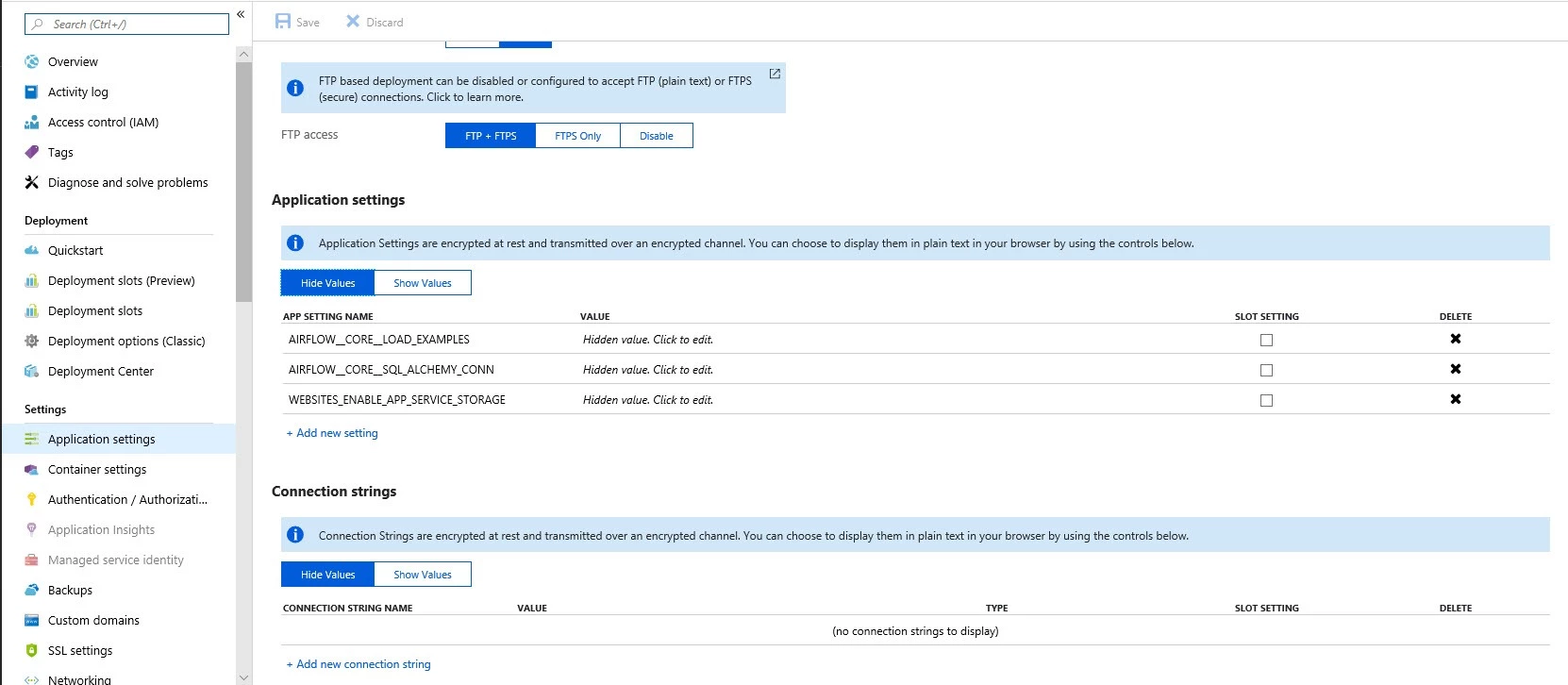
The environment variables used in the deployment are:
- AIRFLOW__CORE__SQL_ALCHEMY_CONN – Sets the connection string for web app to connect to Azure Database for PostgreSQL.
- AIRFLOW__CORE__LOAD_EXAMPLES – Set to true to load DAG examples during deployment.
The application setting WEBSITES_ENABLE_APP_SERVICE_STORAGE is set to true which can be used as a persistent storage for DAG files accessible to scheduler and worker container images.
After it is deployed, you can browse the web server UI on port 8080 to see and monitor the DAG examples as shown in the following graphic:
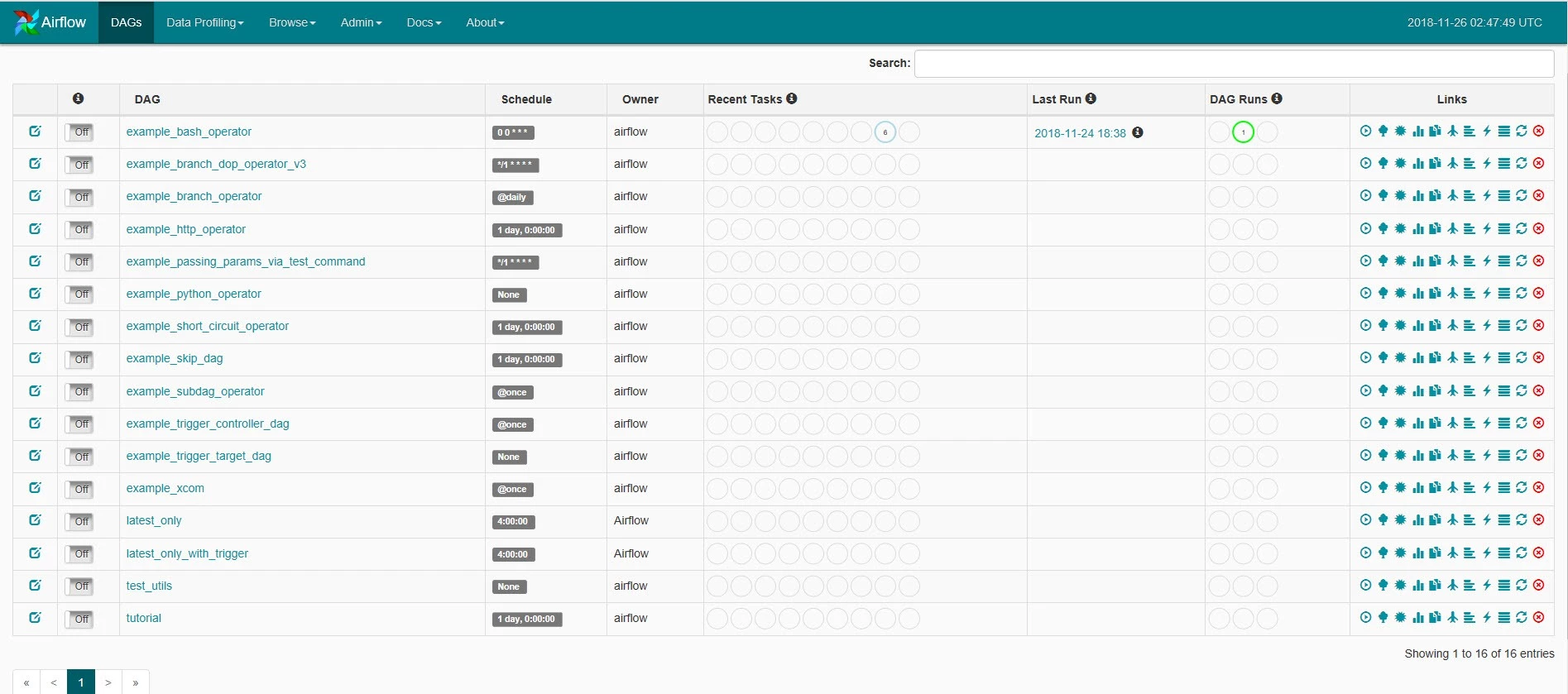
You are now ready to orchestrate and design data pipelines for ETL and machine learning workflows by leveraging the Airflow operators.
Next steps
- The above template provides a good quick start solution for anyone looking to quickly run and deploy Apache Airflow on Azure in sequential executor mode for testing and proof of concept study. However, the template is not designed for enterprise production deployments and requires expert knowledge of Azure app services and container deployments to run in Celery Executor mode. This is where we partnered with Bitnami to help simplify production grade deployments of Airflow on Azure for customers. For more details on Bitnami’s multi-tier Airflow template, we request you to visit our latest blog post.
- If you are looking for an exciting challenge, you can deploy the kube-airflow image with celery executor with Azure Kubernetes Services using helm charts, Azure Database for PostgreSQL, and RabbitMQ. Let us know if you have developed it and we would be happy to link it to this blog.
Acknowledgements
Special thanks to Mark Bolz and Jim Toland for their contributions to the postings.