As SQL Server 2019 continues to push the boundaries of availability, performance, and data intelligence, a centrally managed, enterprise-scale backup solution is imperative to ensure the protection of all that data. This is especially true if you are running the SQL Server in the cloud to leverage the benefits of dynamic scale and don’t want to continue using the legacy backup methods that are tedious, infrastructure-heavy, and difficult to scale.
We are excited to share native backup for SQL Server 2019 running in Azure Virtual Machine. This is a key addition to the general availability of Azure Backup for SQL Server Virtual Machine, announced earlier this year. Azure Backup is a zero-infrastructure solution that protects standalone SQL Server and SQL AlwaysOn configurations in Azure Virtual Machine without the need to deploy and manage any backup infrastructure. While it offers long-term retention and central monitoring capabilities to help IT admins govern and meet their compliance requirements, it lets SQL Admin continue to exercise the power of self-service backup and restore for operational recoveries.
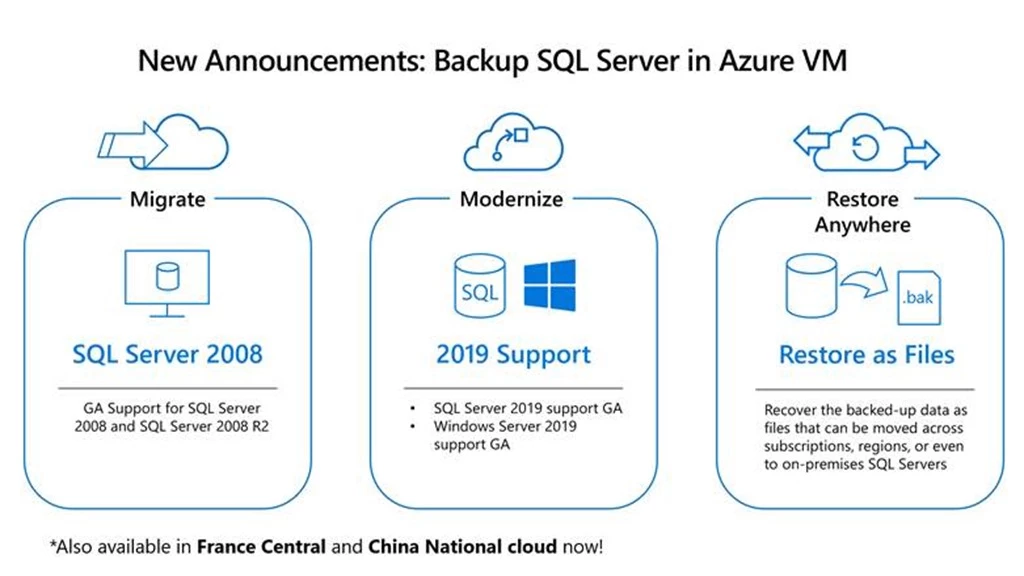
In addition to this, we are also sharing Azure Backup general availability for:
- SQL Server 2008 and 2008 R2 migrating to Azure as SQL Server running in virtual machines.
- SQL Server running on Windows 2019
Restore as files:
Adding to the list of enhancements is the key capability of restore as Files, now restore anywhere by recovering the backed-up data as .bak files. Move these backup files across subscriptions, regions, or even to on-premises SQL Servers and trigger database restore wherever you want. Besides aiding cross-subscription and cross-region restore scenarios, this feature helps users stay compliant by giving them greater control over storing and recovering backup data to any destination of their choice.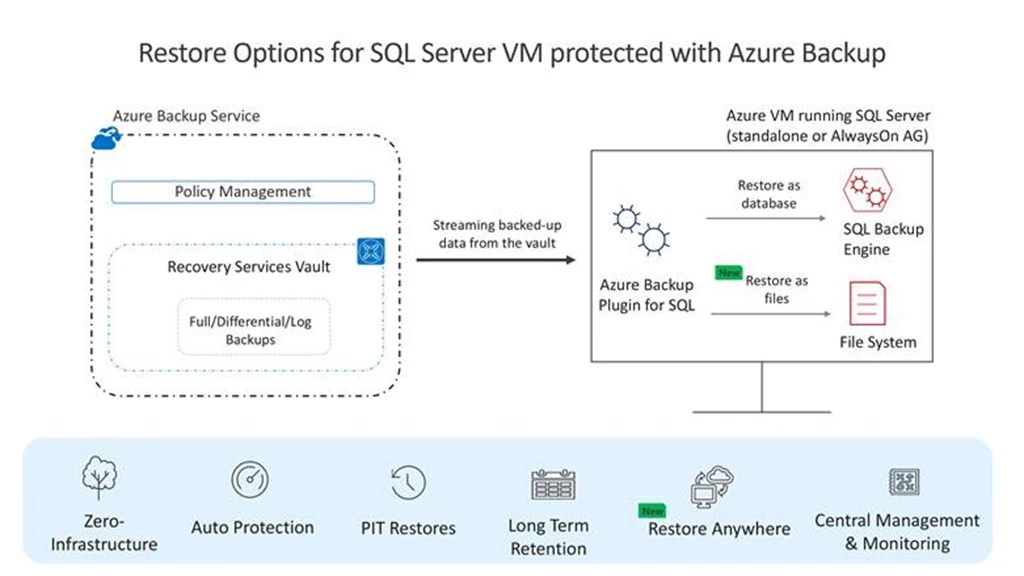
Getting started:
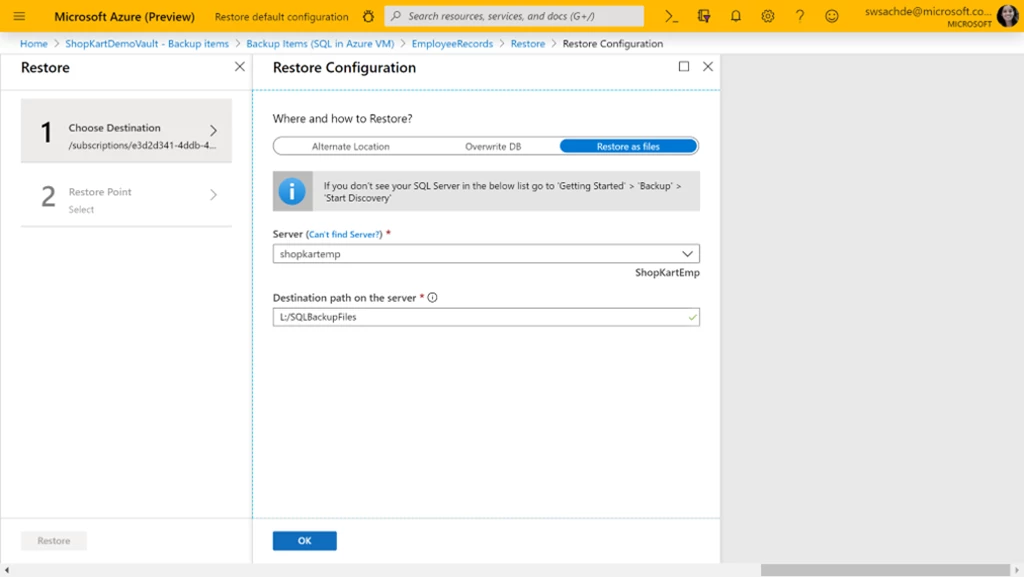
Under the restore operation, you will see a newly introduced option of restore as files. Specify the destination server (this server should be SQL Server Virtual Machine registered to the vault) and path on that server. The service will dump all the .bak files specific to the recovery point you have chosen to this path. Typically, a network share path or path of a mounted Azure File share when specified as the destination enables easier access to these files by other machines in the same network or with the same Azure File share mounted on them.
Once the restore operation is completed, you can move these files to any machine across subscriptions or locations and restore them as a database using SQL Server Management Studio. Learn more.
Additional resources
- Watch the getting started video.
- Want more details about this feature? Review the Azure Backup for SQL Server documentation.
- Get the Azure Backup pricing details for this feature.