Azure API Management has just introduced preview support of OpenAPI Specification v3 – the latest version of the broadly used open-source standard of describing APIs. Implementation of the feature is based on the OpenAPI.NET SDK.
In this blog post we will explore:
- The benefits of using OpenAPI Specification for your APIs.
- How you can create APIs from OpenAPI Specification documents in Azure API Management.
- How you can export your APIs as OpenAPI Specification documents.
- The remaining work for the general availability release.
Why you should use OpenAPI Specification for your APIs
OpenAPI Specification is a widely adopted industry standard. The OpenAPI Initiative has been backed by over 30 companies, including large corporations such as Microsoft.
OpenAPI Specification lets you abstract your APIs from their implementation. The API definitions are language-agnostic.
They are also easy to understand, yet precise. Your APIs are represented through YAML or JSON files, readable for humans as well as machines.
The wide adoption of OpenAPI Specification has resulted in an extensive tooling ecosystem. Functionality of the tools ranges from facilitating collaborative process of designing APIs, to automatically generating client SDKs and server implementations in popular programming languages.
How to import OpenAPI Specification v3 definitions in Azure API Management
If your APIs are defined in an OpenAPI Specification file, you can easily import them in Azure API Management. The Azure portal will automatically recognize the right version of your OpenAPI Specification files. You can learn how to import your APIs through the visual interface by following our tutorial, “Import and publish your first API.”
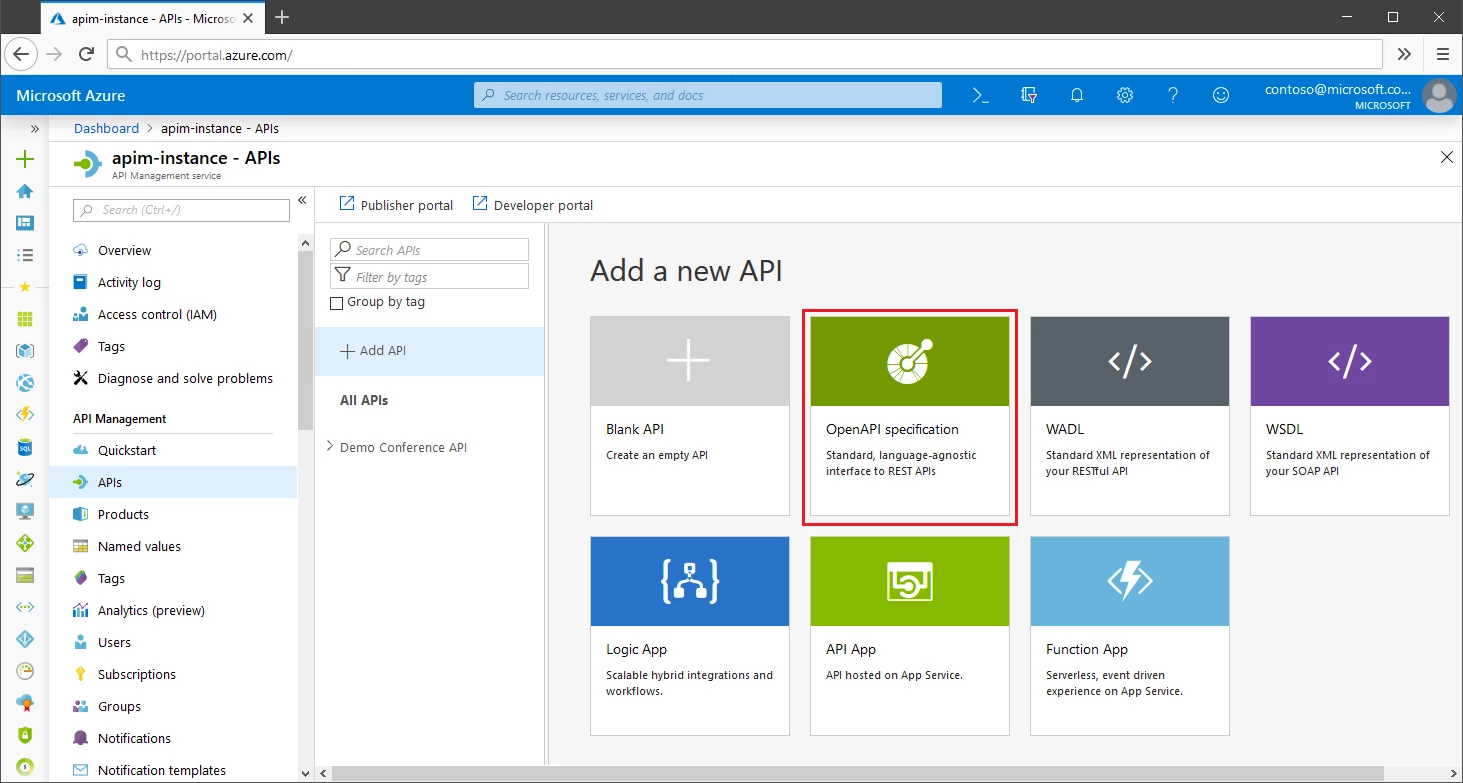
Alternatively, you can import APIs using the REST API call, with the contentFormat payload parameter set to openapi, openapi+json, or openapi-link.
During import, if the servers field of the specification contains multiple entries, API Management will select the first HTTPS URL. If there aren’t any HTTPS URLs, the first HTTP URL will be selected. If there aren’t any HTTP URLs, the backend service URL will be empty.
The import functionality has a few restrictions. For example, it does not support examples and multipart/form-data fields.
How to export OpenAPI Specification v3 definitions in Azure API Management
With Azure API Management, you can also easily export your APIs in the OpenAPI Specification v3 format.
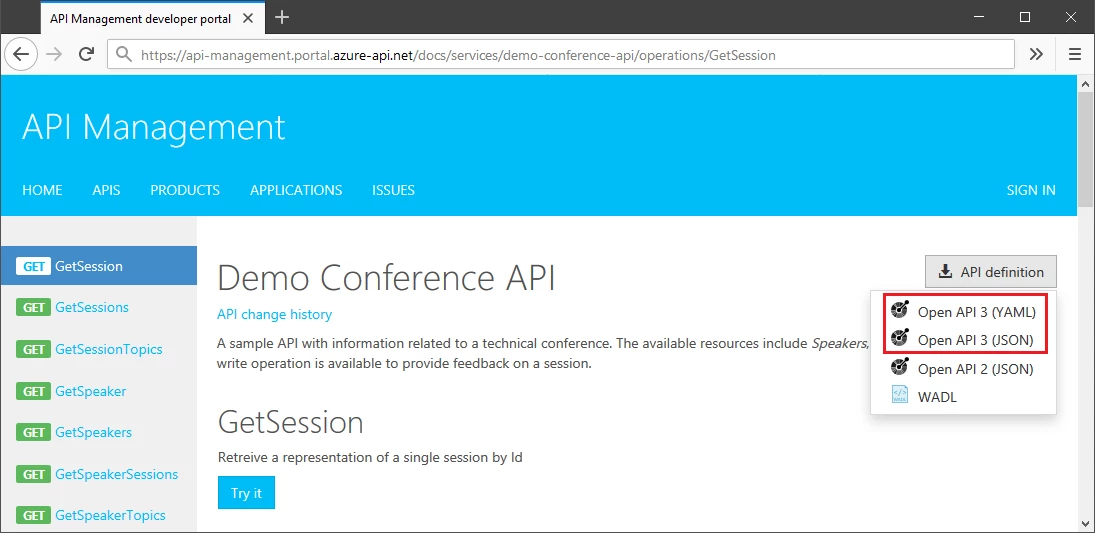
API specifications can be downloaded from your developer portal as JSON or YAML files. The developer portal is an automatically generated, fully customizable website, where visitors can discover APIs, learn how to use them, try them out interactively, and finally sign up to acquire API keys.
You can also export the specifications through the visual interface of the Azure portal or a REST API call, with the format query parameter set to openapi-link.
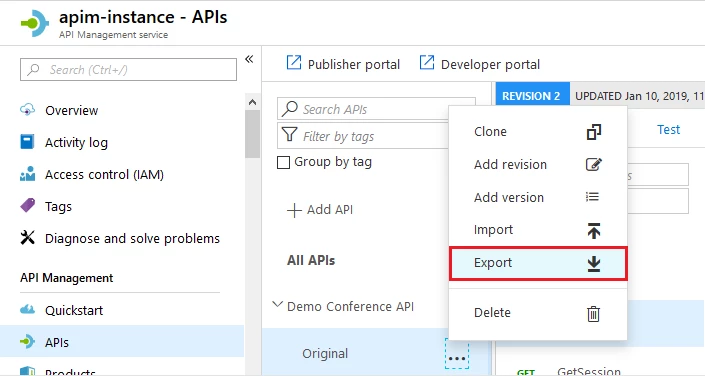
How to get started and what’s coming next
You can try the current functionality in a matter of minutes by importing your APIs from OpenAPI Specification files. Before the feature becomes generally available, we will implement export in a JSON format through a REST API call. In the coming months, we will also add OpenAPI Specification v3 import and export support in the PowerShell SDK.