
If you’re experiencing problems with your applications, a great place to start investigating solutions is through your Azure Service Health dashboard. In this blog post, we’ll explore the differences between the Azure status page and Azure Service Health. We’ll also show you how to get started with Service Health alerts so you can stay better informed about service issues and take action to improve your workloads’ availability.
How and when to use the Azure status page
The Azure status page works best for tracking major outages, especially if you’re unable to log into the Azure portal or access Azure Service Health. Many Azure users visit the status page regularly. It predates Azure Service Health and has a friendly format that shows the status of all Azure services and regions at a glance.
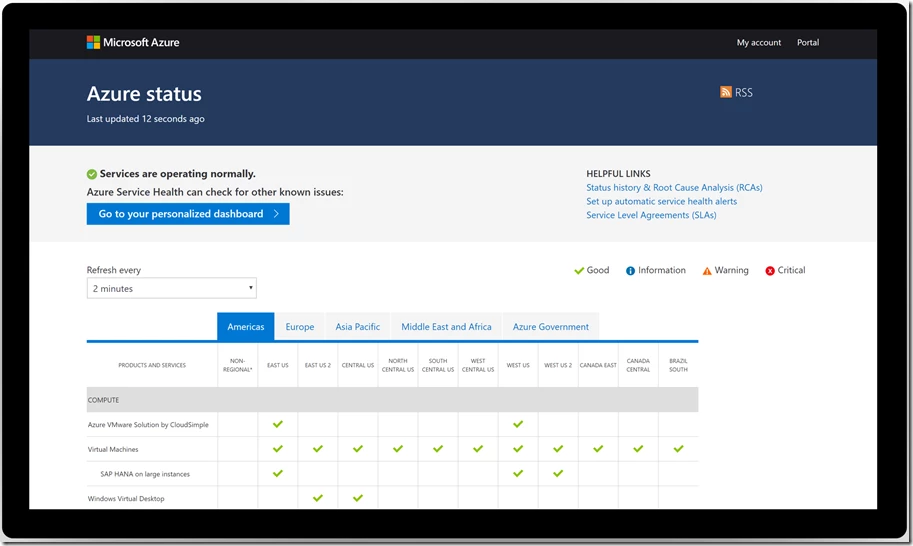
The Azure status page, however, doesn’t show all information about the health of your Azure services and regions. The status page isn’t personalized, so you need to know exactly which services and regions you’re using and locate them in the grid. The status page also doesn’t include information about non-outage events that could affect your availability. For example, planned maintenance events and health advisories (think service retirements and misconfigurations). Finally, the status page doesn’t have a means of notifying you automatically in the event of an outage or a planned maintenance window that might affect you.
For all of these use cases, we created Azure Service Health.
How and when to use Azure Service Health
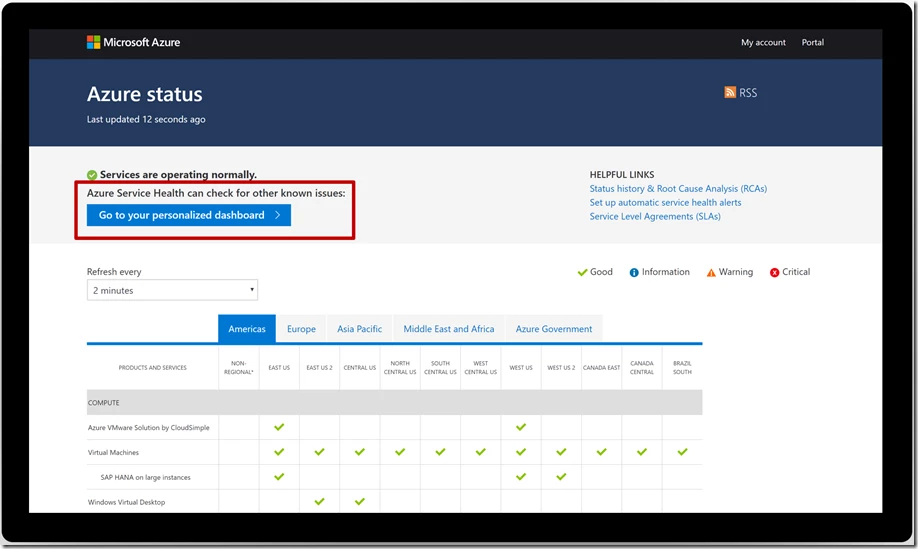
At the top of the Azure status page, you’ll find a button directing you to your personalized dashboard. One common misunderstanding is that this button allows you to personalize the status page grid of services and regions. Instead, the button takes you into the Azure portal to Azure Service Health, the best option for viewing Azure events that may impact the availability of your resources.
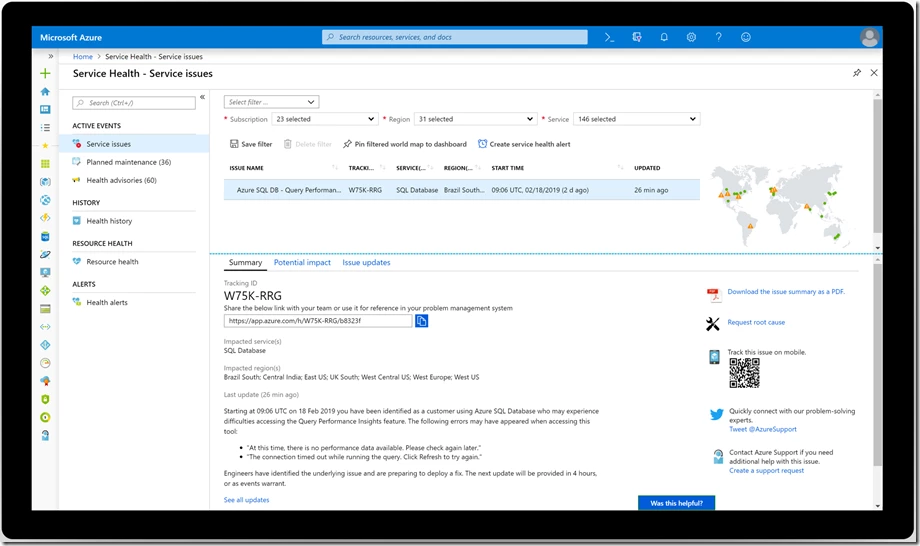
In Service Health, you’ll find information about everything from minor outages that affect you to planned maintenance events and other health advisories. The dashboard is personalized, so it knows which services and regions you’re using and can even help you troubleshoot by offering a list of potentially impacted resources for any given event.
Service Health’s most useful feature is Service Health alerts. With Service Health alerts, you’ll proactively receive notifications via your preferred channel—email, SMS, push notification, or even webhook into your internal ticketing system like ServiceNow or PagerDuty—if there’s an issue with your services and regions. You don’t have to keep checking Service Health or the status page for updates and can instead focus on other important work.
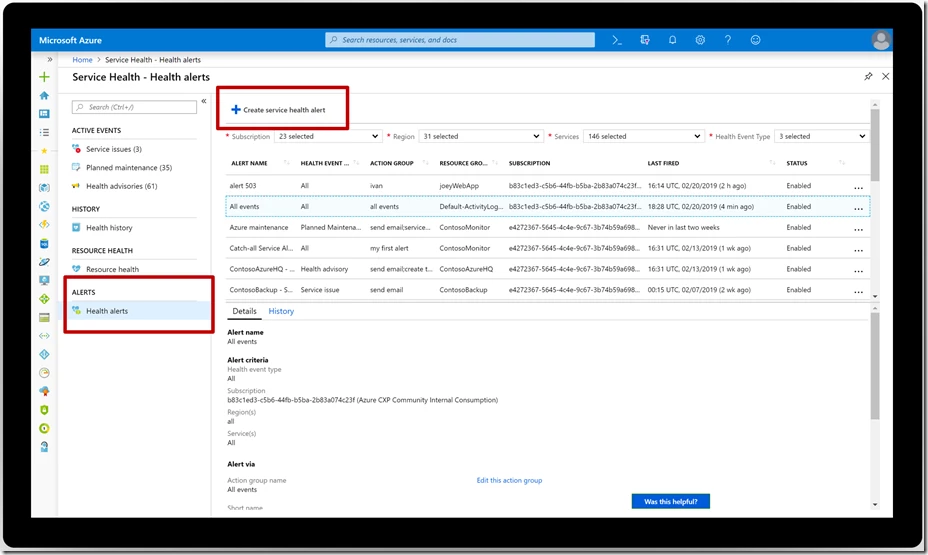
Set up your Service Health alerts today
Feel free to keep using the status page for quick updates on major outages. However, we highly encourage you make it a habit to visit Service Health to stay informed of all potential impacts to your availability and take advantage of rich features like automated alerting.
Set up your Azure Service Health alerts today in the Azure portal. For more in-depth guidance, visit the Azure Service Health documentation. Let us know if you have a suggestion by submitting an idea here.






