An important way that Azure Quantum empowers the quantum ecosystem is by providing developers and researchers a choice from a diverse portfolio of innovative quantum hardware providers and quantum processing unit (QPU) types through our platform.
Rigetti’s Quantum Cloud Services (QCS™), a platform to explore hybrid quantum-classical workflows on superconducting quantum processors, is now available on demand through Azure Quantum. Previously in private preview, all Azure Quantum users can now access Rigetti’s Aspen-M-2 80-qubit and Aspen-11 40-qubit superconducting QPUs to develop and run quantum applications. Rigetti’s latest Aspen-M family processor is based on proprietary multi-chip technology, assembled from two 40-qubit chips.
“Integrating with Azure Quantum is an exciting step in making our quantum computers widely accessible over the cloud, enabling end users to advance their quantum computing journey,” says Eric Ostby, VP of Product at Rigetti. “The Azure Quantum community will benefit from being able to enhance and optimize their quantum programs on our Rigetti QPUs, taking advantage of QCS’ high repetition rate and large qubit count.”
Rigetti’s universal, gate-model superconducting quantum processors are tunable systems appropriate for hybrid quantum computing workflows. They provide users with fine-grained control to explore problems in application areas ranging from chemical simulation, machine learning, and combinatorial optimization.
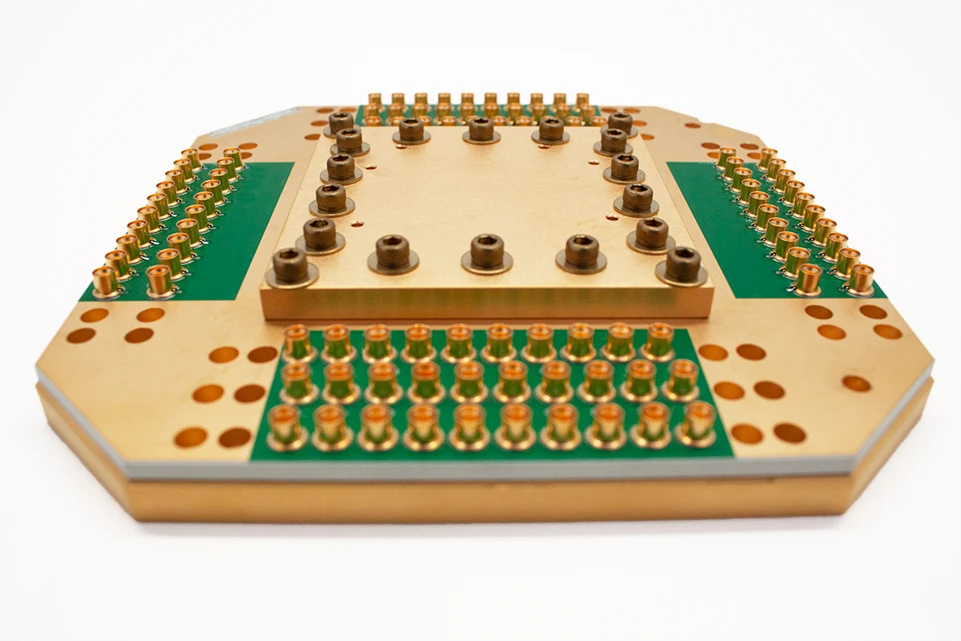
The Rigetti QPUs support popular quantum programming frameworks including Q# and Qiskit by way of integration with Azure Quantum through Quantum Intermediate Representation (QIR). QIR is an open specification maintained by the QIR Alliance that can support low-latency scenarios and parallel execution.
In addition, Rigetti’s integration with Azure Quantum supports a tight coupling with Quil, Rigetti’s native quantum programming language, and Quil-T, which enables programming at the pulse level. This low-level access allows developers to experiment with techniques to increase performance and develop custom gate definitions. Developers can target Rigetti’s Quantum Virtual Machine (QVM), an open source simulator for Quil programs, at no cost through Azure Quantum.
“Pairing Rigetti’s integrated software tools with the tools and languages across Azure Quantum makes programming easier for the researchers and developers who rely on Azure Quantum as they work to take quantum computing forward. Aspen’s multi-chip technology gives them the ability to test the scaling of their algorithms on real hardware,” says Krysta Svore, Microsoft Distinguished Engineer and Vice President of Quantum Software.
How to run your first job on new Rigetti hardware
To get started, just set up an Azure account (check out free Azure accounts for students), and create an Azure Quantum workspace in the Azure Portal. If you’re hoping to start with no installation required, we recommend using our free hosted notebooks experience in the Azure Portal. It enables using a variety of languages and Quantum SDKs.
First, clone one of the Hello World samples matching your preferred Quantum SDK and select Rigetti as a provider.
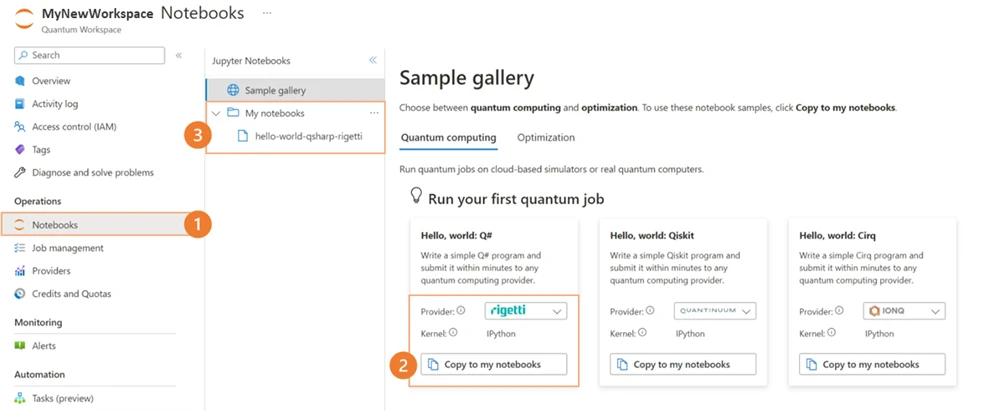
You can then adjust your code to one Rigetti’s targets, as illustrated below:
Using Python + Q#
import qsharp.azure

# Enter your Azure Quantum workspace details here
qsharp.azure.connect(resourceId=””, location=””)

# Set the target to Rigetti and submit job:
# Choose from rigetti.sim.qvm, rigetti.qpu.aspen-11
# or rigetti.qpu.aspen-m-2
qsharp.azure.target(“rigetti.qpu.aspen-m-2”)
result = qsharp.azure.execute(your_qsharp_operation, shots=100, jobName=”My job”, timeout=240)
Using Qiskit
from azure.quantum.qiskit import AzureQuantumProvider

# Enter your Azure Quantum workspace details here
provider = AzureQuantumProvider (resource_id = “”, location = “”)

# Set the target to Rigetti and submit job:
# Choose from rigetti.sim.qvm, rigetti.qpu.aspen-11
# or rigetti.qpu.aspen-m-2
backend = provider.get_backend(“rigetti.qpu.aspen-m-2”)
job = backend.run(your_quiskit_circuit, shots=100)

# Await job results.
job_monitor(job)
result = job.result()
Get started for free, and expand research with up to $10K in research credits
You can try the Rigetti systems on Azure Quantum for free, with an automatic $500 credit to explore and experiment with any Rigetti QPU available on the platform through the Azure Quantum Credit program. You can also apply for up to $10,000 in credits through Azure Quantum for your research and innovation.