Skip to main content Get to know Azure Microsoft as Customer Zero View all products (200+) Microsoft Foundry Azure Copilot GitHub Copilot Azure Kubernetes Service (AKS) Azure Cosmos DB Azure Database for PostgreSQL Azure Arc Microsoft Fabric Linux virtual machines in Azure Foundry Models Foundry Agent Service Foundry IQ Foundry Tools Foundry Control Plane Observability in Foundry Control Plane Azure OpenAI in Foundry Models Azure Speech in Foundry Tools Azure Machine Learning View all databases Azure Cosmos DB Azure DocumentDB Azure SQL Azure Database for PostgreSQL Azure Managed Redis Microsoft Fabric Azure Databricks Linux virtual machines in Azure Windows Server on Azure Azure Functions Azure Virtual Machine Scale Sets Azure API Management Azure Container Apps Azure Kubernetes Service (AKS) Azure Kubernetes Fleet Manager Azure Container Registry Azure Red Hat OpenShift Azure Container Instances Azure Container Storage Azure Arc Azure Local Microsoft Defender for Cloud Azure Monitor Microsoft Sentinel Azure Migrate View all solutions (40+) Cloud solutions for small and medium businesses Cloud migration and modernization center Data analytics for AI Azure Databases AI apps and agents Microsoft Marketplace Microsoft Sovereign Cloud AI apps and agents Responsible AI with Azure AI Infrastructure Data analytics for AI Machine learning operations (MLOps) Low-code application development on Azure Integration Services Serverless computing DevOps Migration and modernization center .NET apps migration Databases on Azure Linux on Azure Oracle on Azure SAP on the Microsoft Cloud Adaptive cloud High-performance computing (HPC) Infrastructure as a service (IaaS) Resiliency Azure Essentials Frontier Accelerate for Azure FinOps on Azure Microsoft Marketplace Azure pricing overview Create an Azure account Free Azure services Flexible purchase options Pricing calculator FinOps on Azure Maximize ROI from AI Azure savings plans Azure reservations Azure Hybrid Benefit Virtual Machines Azure SQL Microsoft Foundry Microsoft Fabric Azure Kubernetes Service (AKS) Microsoft Defender for Cloud View more Software Development Companies Microsoft Marketplace Find a partner Resources for Azure partners Get started with Azure Customer stories Analyst reports, white papers, and e-books Videos Learn more about cloud computing Documentation Explore Azure portal Developer resources Quickstart templates Resources for startups Developer community Students Azure for partners Blog Events and Webinars Learn Support Contact Sales Get started with Azure Sign in

It’s December and that means it’s time for the Q# Advent Calendar! Every day leading up to December 24th there will be a new blog post on one of a myriad of topics related to Q#, written by Q# community members, as well as the Microsoft Quantum team.

This is the second annual Q# Advent Calendar (check out the amazing posts from our 2018 Advent Calendar here). There are already some great blog posts published in this year’s calendar, and more are coming up, so don’t forget to check back daily for the newest entry. If you’re interested in contributing a blog post, there are still some open slots. To check out the Q# Advent Calendar, and find out how you can contribute, head over to the Q# Dev Blog.
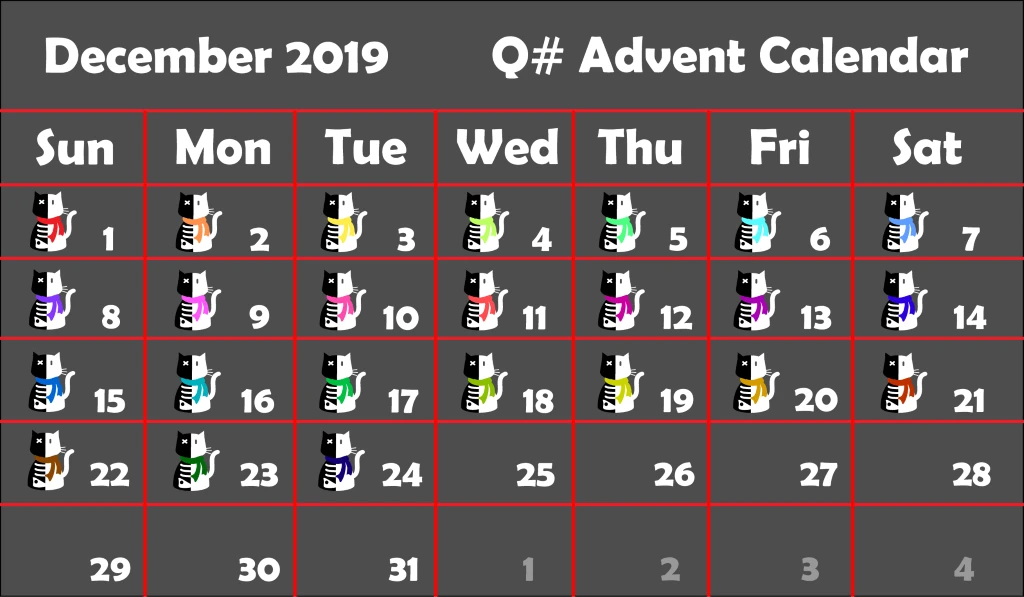
image of the Q# advent calendar
Check the Q# Dev Blog daily for a new blog post!

This month’s Quantum Development Kit (QDK) release adds support for the Test attribute to define unit tests in Q# code. Developers can now execute unit tests directly within Q#. Along with this update, developers can take advantage of full integration with the XUnit testing framework. Keep an eye out for a blog post on this new unit testing functionality in our Q# Advent Calendar.
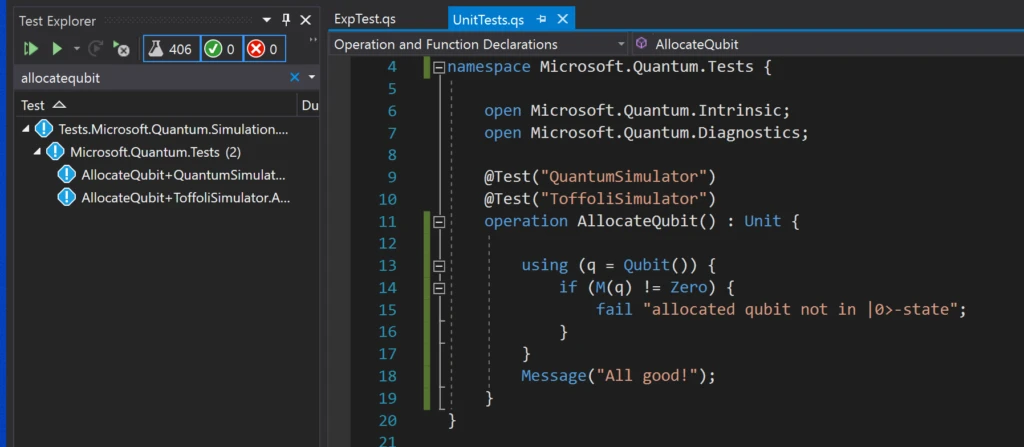
screenshot of Q# unit testing
New Q# unit testing functionality with XUnit integration in Visual Studio.

Along with updates to our unit test functionality, we are excited to offer an improved debugging experience in Visual Studio Code with Q#. The latest update to the Visual Studio Code C# extension by OmniSharp enables developers to leverage breakpoints in their Q# code. It’s now easier than ever to step through and debug your Q# applications. Be sure to install the latest OmniSharp C# Visual Studio Code extension to take advantage of this new functionality.

We have also added the ability to view the stack trace in the case of a Q# program execution error, giving developers more information about when an operation in their Q# code is being executed relative to the rest of the call stack.

For more information about what’s new in this month’s QDK release, check out the Quantum Development Kit December update release notes.

We welcome your feedback, participation, and contributions to the Quantum Development Kit. For more information on how you can get started with contributing to the QDK, check out our guide here.