Skip to main content Explore View all products (200+) Microsoft Foundry Azure Copilot GitHub Copilot Azure Kubernetes Service (AKS) Azure Cosmos DB Azure Database for PostgreSQL Azure Arc Microsoft Fabric Linux virtual machines in Azure Foundry Models Foundry Agent Service Foundry IQ Foundry Tools Foundry Control Plane Observability in Foundry Control Plane Azure OpenAI in Foundry Models Azure Speech in Foundry Tools Azure Machine Learning View all databases Azure Cosmos DB Azure DocumentDB Azure SQL Azure Database for PostgreSQL Azure Managed Redis Microsoft Fabric Azure Databricks Linux virtual machines in Azure Windows Server on Azure Azure Functions Azure Virtual Machine Scale Sets Azure API Management Azure Container Apps Azure Kubernetes Service (AKS) Azure Kubernetes Fleet Manager Azure Container Registry Azure Red Hat OpenShift Azure Container Instances Azure Container Storage Azure Arc Azure Local Microsoft Defender for Cloud Azure Monitor Microsoft Sentinel Azure Migrate View all solutions (40+) Cloud solutions for small and medium businesses Cloud migration and modernization center Data analytics for AI Azure Databases AI apps and agents Microsoft Marketplace Microsoft Sovereign Cloud AI apps and agents Responsible AI with Azure AI Infrastructure Data analytics for AI Machine learning operations (MLOps) Low-code application development on Azure Integration Services Serverless computing DevOps Migration and modernization center .NET apps migration Databases on Azure Linux on Azure Oracle on Azure SAP on the Microsoft Cloud Adaptive cloud High-performance computing (HPC) Infrastructure as a service (IaaS) Resiliency Azure Essentials Frontier Accelerate for Azure FinOps on Azure Microsoft Marketplace Azure pricing overview Create an Azure account Free Azure services Flexible purchase options Pricing calculator FinOps on Azure Maximize ROI from AI Azure savings plans Azure reservations Azure Hybrid Benefit Virtual Machines Azure SQL Microsoft Foundry Microsoft Fabric Azure Kubernetes Service (AKS) Microsoft Defender for Cloud View more Software Development Companies Microsoft Marketplace Find a partner Resources for Azure partners Get started with Azure Customer stories Analyst reports, white papers, and e-books Videos Learn more about cloud computing Documentation Explore Azure portal Developer resources Quickstart templates Resources for startups Developer community Students Azure for partners Blog Events and Webinars Learn Support Contact Sales Get started with Azure Sign in

We have had a great Summer in Seattle so far and it just keeps getting better!! Today, I am excited to announce that Scalr’s Cloud Management Platform has added support for Azure Virtual Machines. You can now build cloud-native infrastructure on Azure using Scalr’s fantastic management experience for deployment, infrastructure governance and financial policy controls spanning multiple clouds and hybrid environments.

The Scalr cloud management platform (https://www.scalr.com) enables you to manage application development across multiple hybrid clouds, whether public or private, shortening the learning curve for deploying infrastructure. The Scalr platform automates deployment, monitoring, and offers governance and policy, including financial cost accountability and compliance controls. Previously discussed at BUILD and with today’s announcement, Scalr has added support to deploy and manage Virtual Machines using Azure’s new Azure Resource Manager on compute, networking and storage.

Scalr on Azure will be available immediately in 19 regions (soon to be 24), supporting more regions than AWS and GCE, combined. This broad global coverage that Azure offers will enable you to run your application closer to your end-customers or employees while offering simple management of cloud-native infrastructure using Scalr. You can even combine deployed Virtual Machines with a wide range of Azure PaaS services, like Azure Web Apps, Mobile Apps, or Logic Apps.

How to use the Scalr Platform

Now let me walk through a quick tutorial on using Scalr to deploy on Azure. After you’ve installed Scalr from https://github.com/Scalr/installer-ng and logged in, under “Images,” click the “All Locations” button and select “Azure” from there.
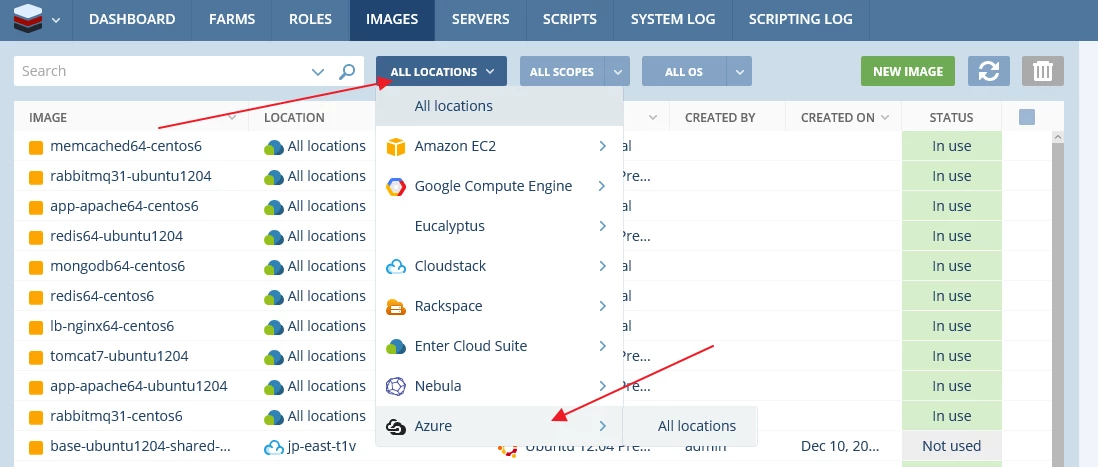
Scalr

Then select the image you want and click the “Use” button.
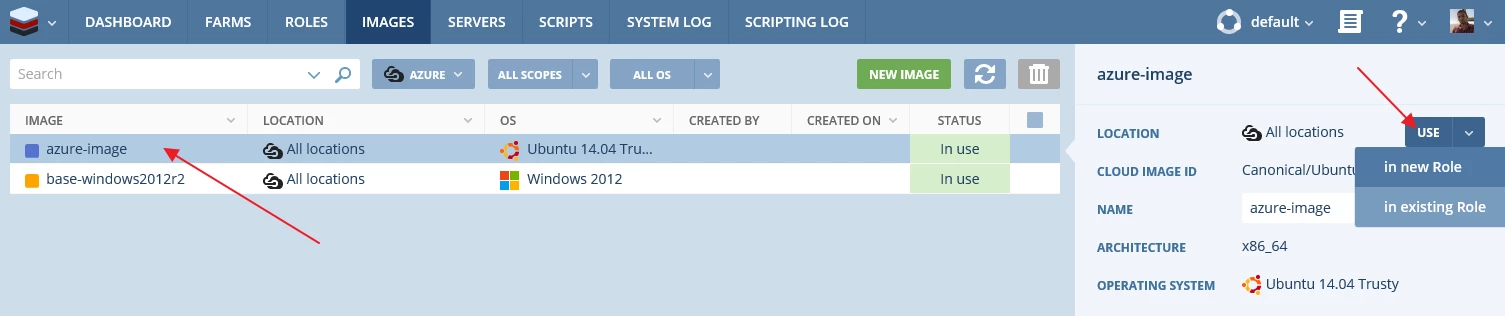
Scalr-Use

You can create a new role or use the image in an existing role. For this example, let’s go ahead and create a new role.
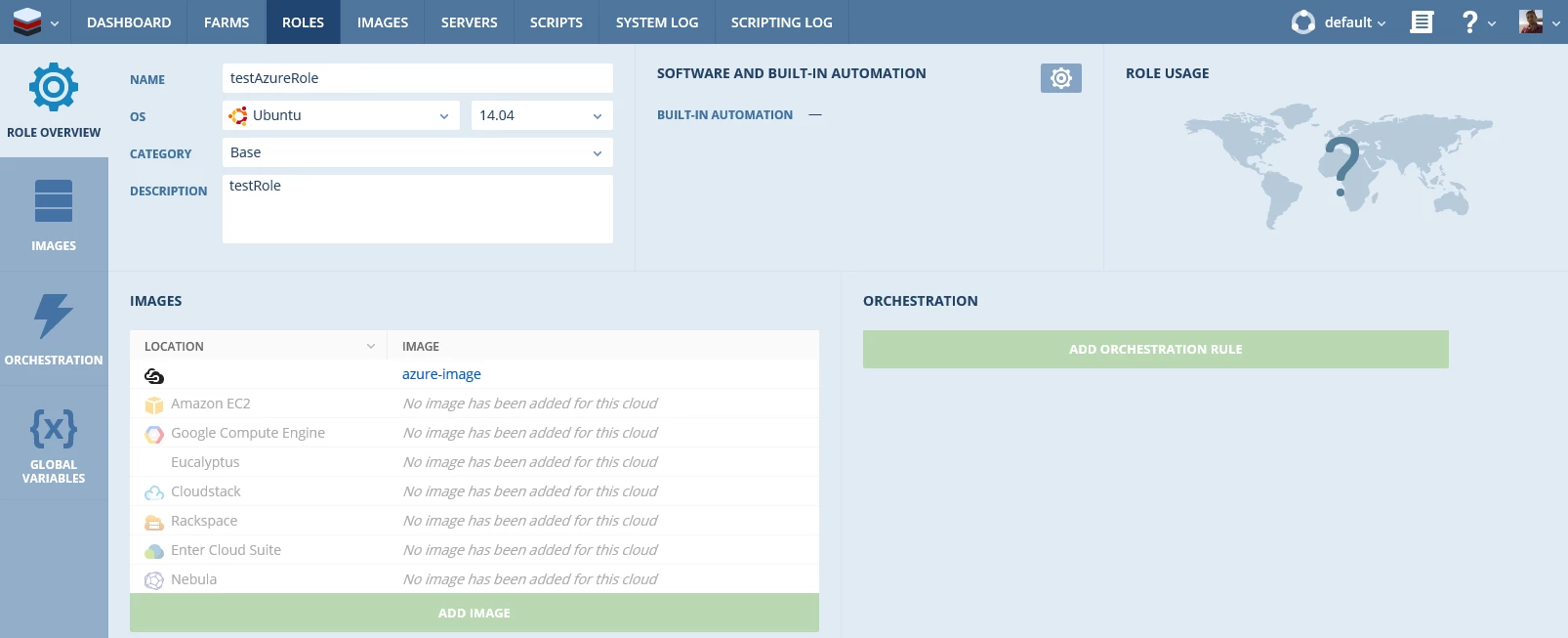
Create New Role

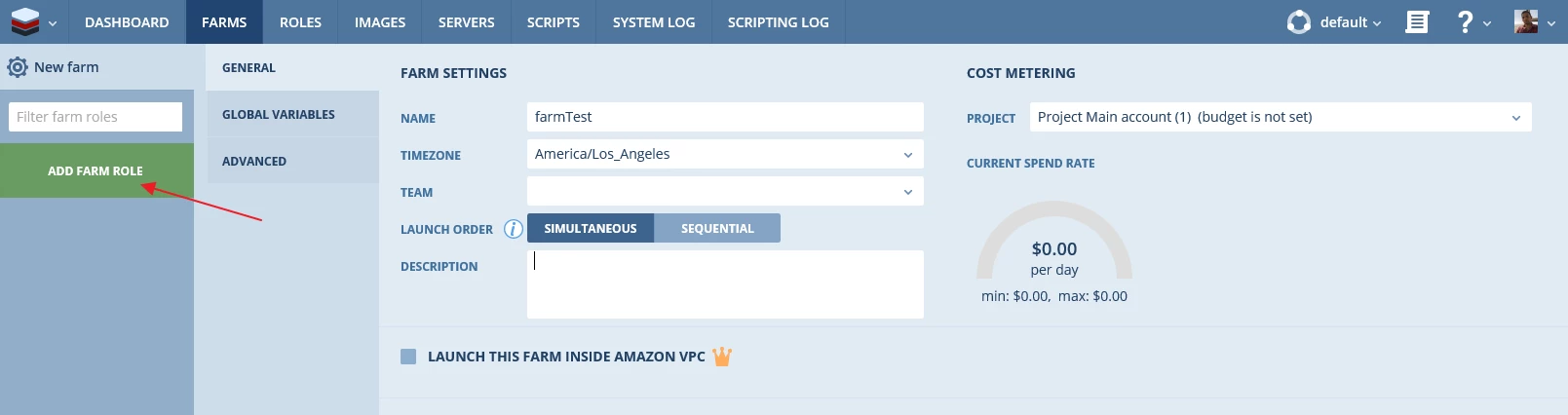
Next step is to create a farm and add the role you created in Azure to the farm.

Azure Farm
Azure Farm 2

After configuring the Farm properties, select “Azure” from the “All Clouds” drop down.
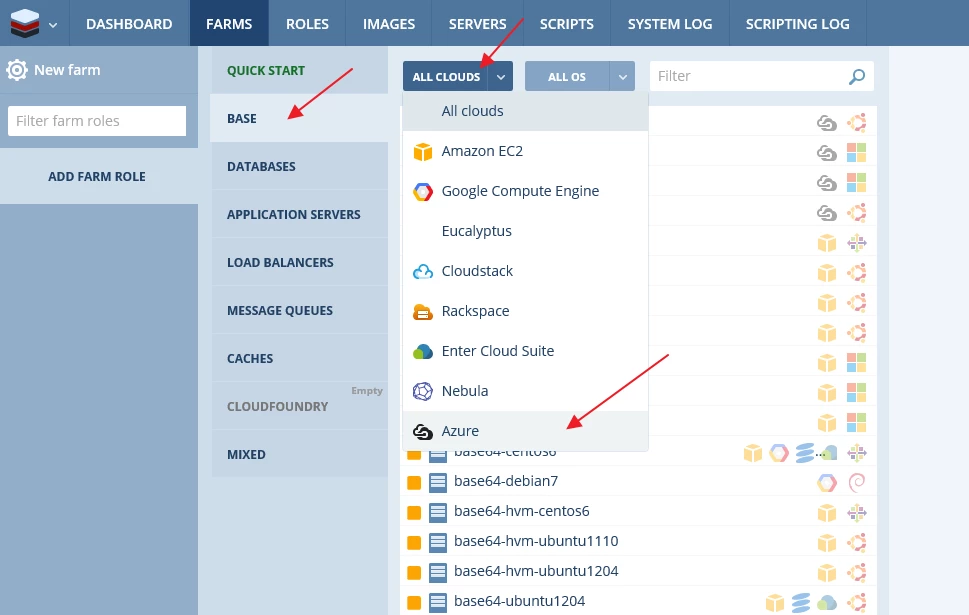
graphical user interface, application

Now select the role you created earlier and you’ll be able to configure Azure specific properties such as VM details, networking configuration, storage configuration and Resource Group information.
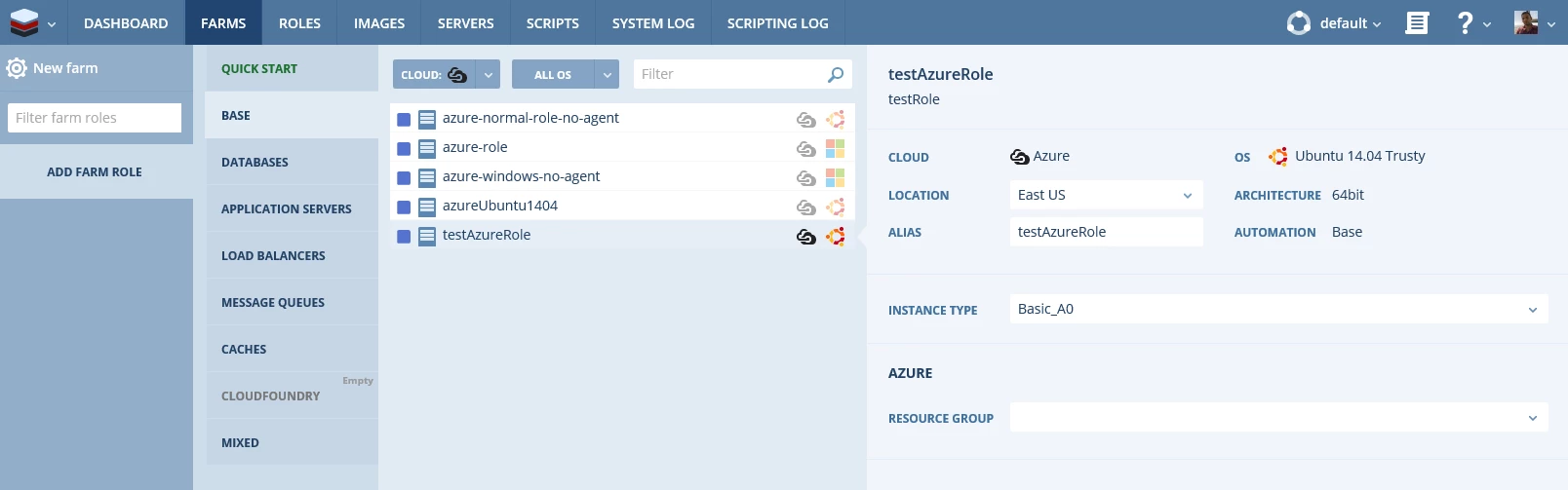
Select Role

I recommend you deploy with the Standard_D1 for this demo. It is a good “getting started” VM size.
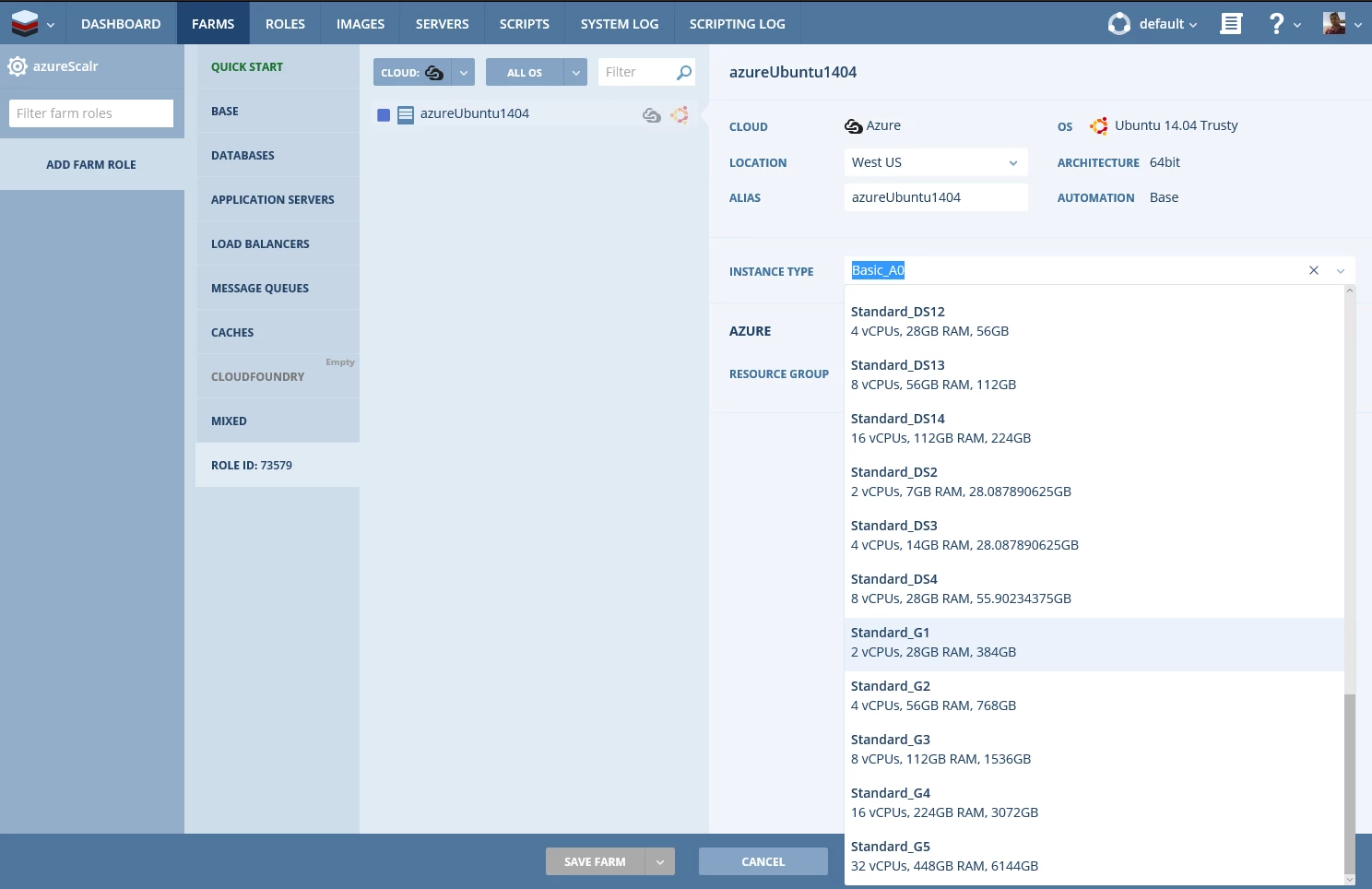
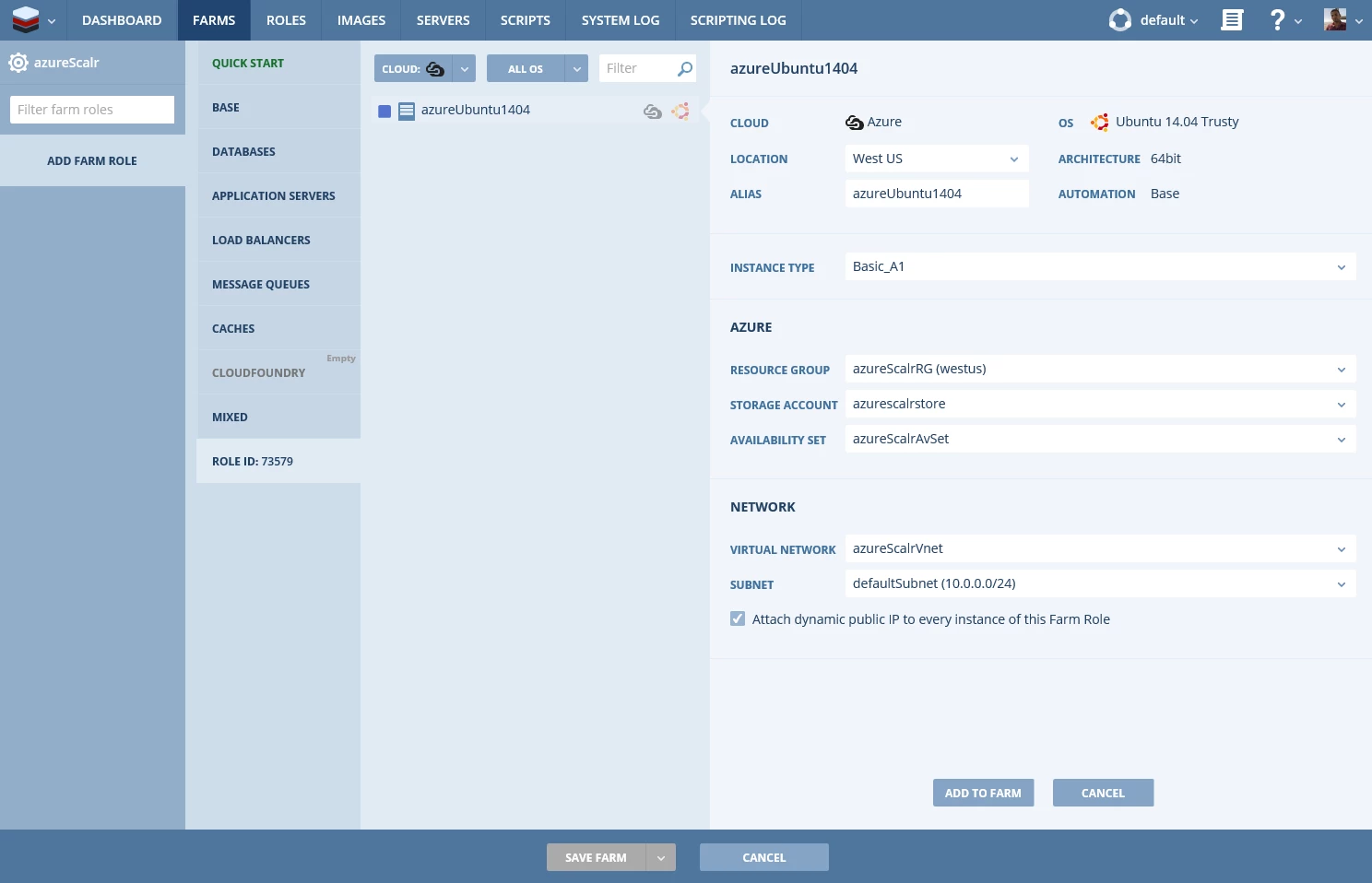
Standard_D1
Standard_D1 v2

You can also configure scaling decisions for your role based on various metrics.
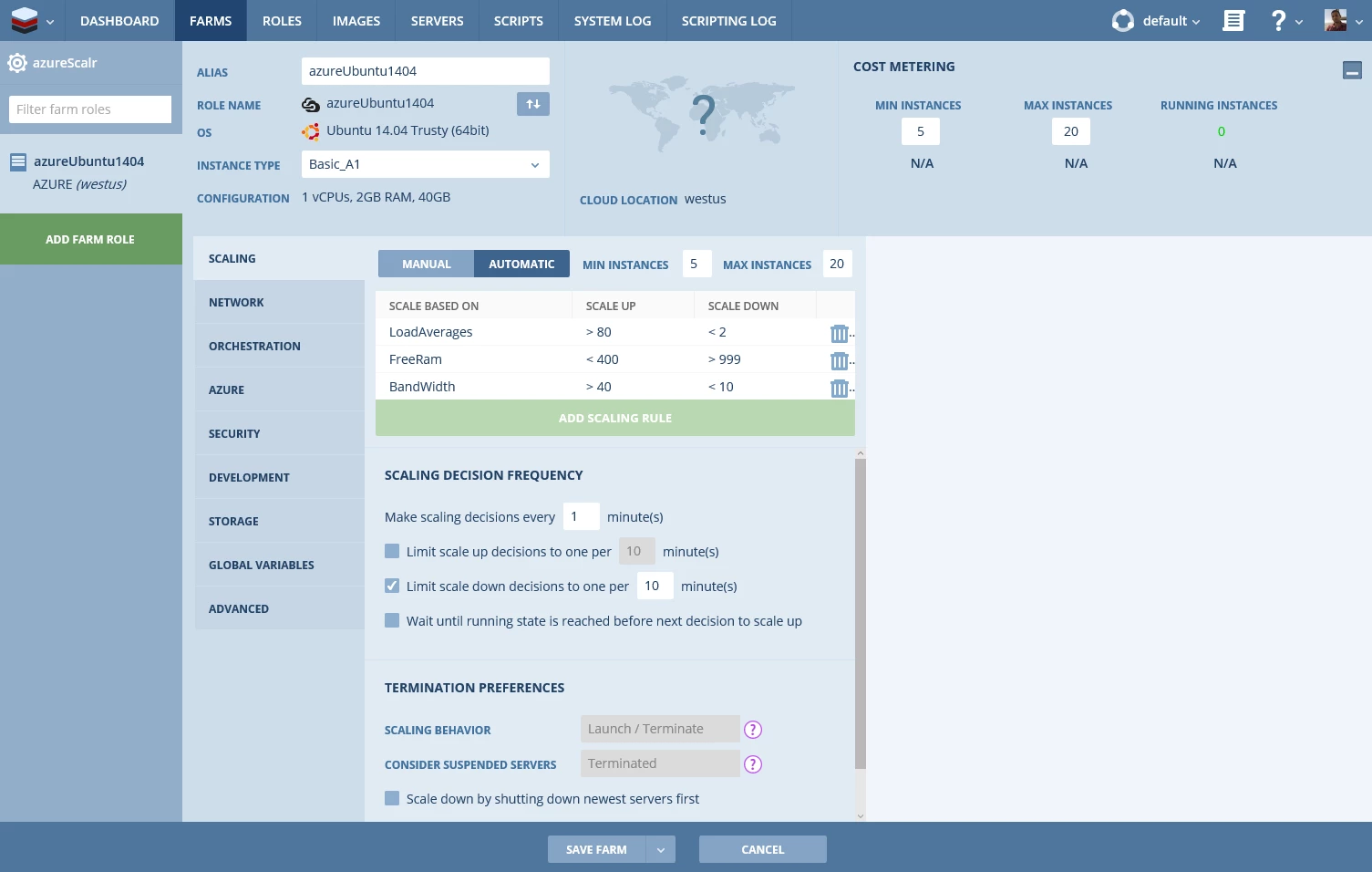
Metrics

Additionally you can add orchestration logic to be performed on your form based on various trigger events.
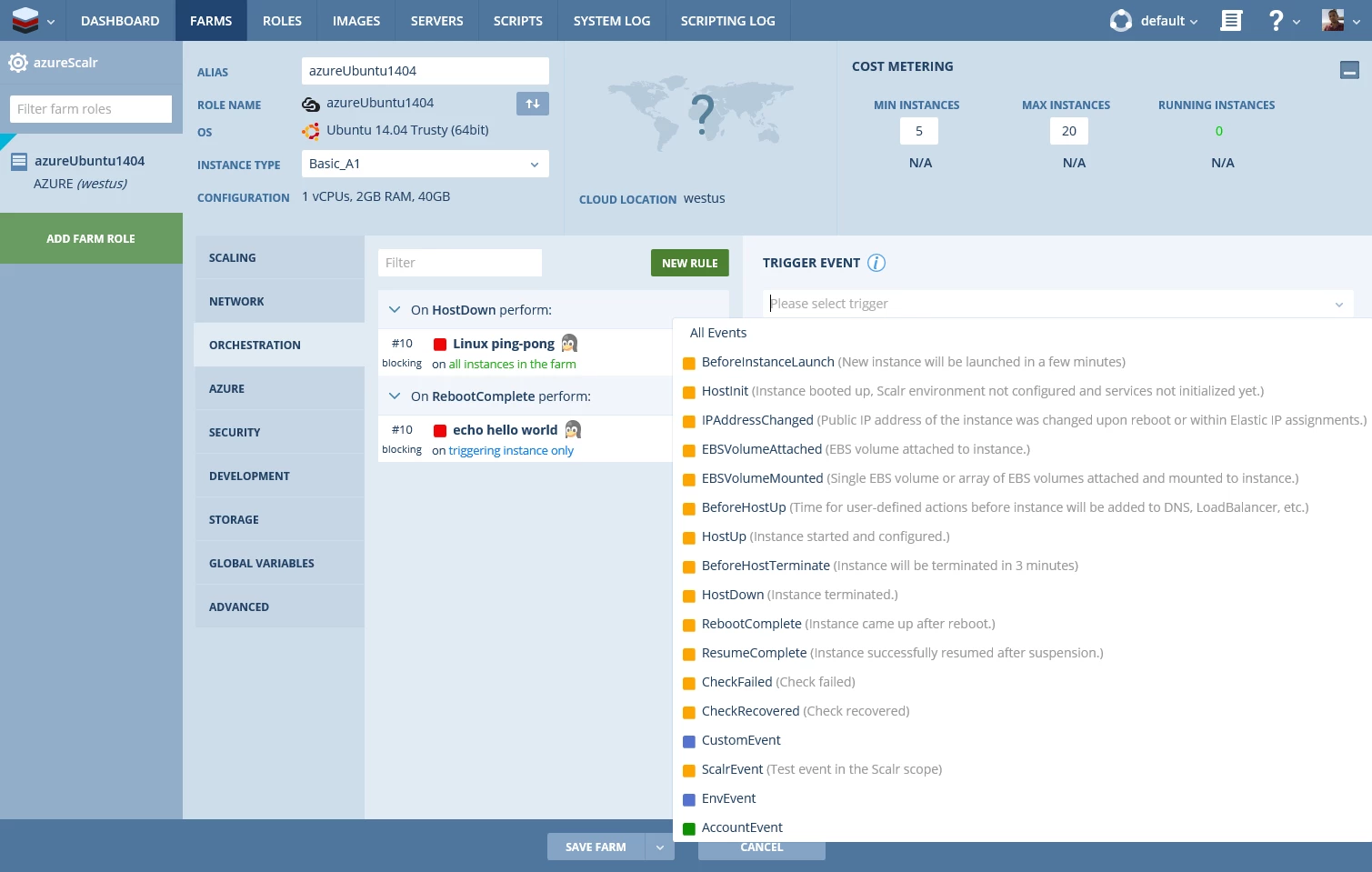
Logic

Once you launch your farm, you can track its progress in the “Farm” tab.

graphical user interface

There you have it!! An Azure Virtual Machine being managed and monitored by Scalr.

Hope this helped!! Also, here are some links to learn more about the Scalr platform

See ya around,

Corey

WE ARE MICROSOFT

Explore Microsoft Foundry

The future of AI starts here. Envision your next great AI app with the latest technologies. Get started with Azure.