In this blog, we’ll walk through Microsoft Azure Cross-region Load Balancer (also known as the Global tier of Standard Load Balancer) through a case study with a retail customer. By incorporating Azure Cross-region Load Balancer into their end-to-end architecture, the customer was able to achieve region redundancy, high availability, and low latency for their end applications with a quick turnaround time for scaling events while retaining their IPs for TCP and UDP connections. DNS-based global load balancing solution was considered but not adopted due to long failover time caused by time-to-live not being honored.
Low latency with geo-proximity-based routing algorithm
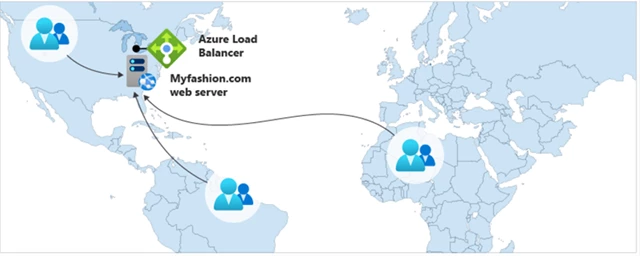
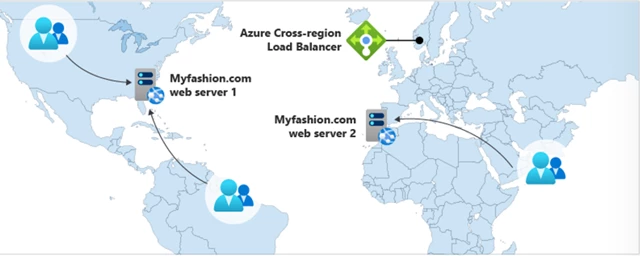
Figure 1: With Azure Load Balancer all traffic will be routed to a random backend server based on 5-tuple hash.
Figure 2: With Cross-region Load Balancer traffic will be routed to the closest regional deployment.
With the previous setup, all traffic regardless of source IP location will be first forwarded to the load balancer’s region. This could take several hops across data centers which could introduce additional latency to network requests. With Azure Cross-region Load Balancer’s geo-proximity-based routing, end customers are being routed to the closest regional deployment which dramatically improves latency.
Automatic failover for disaster recovery
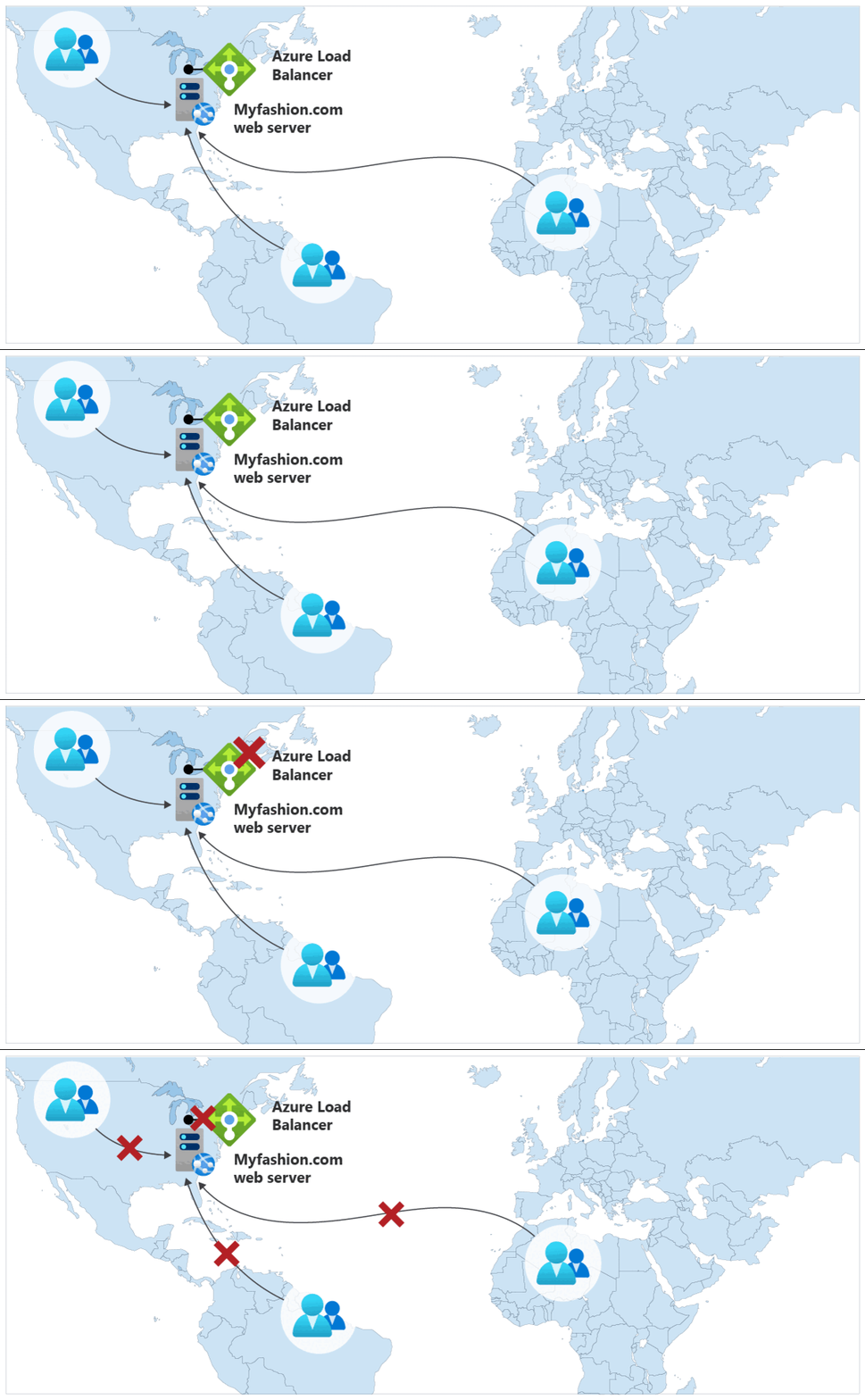
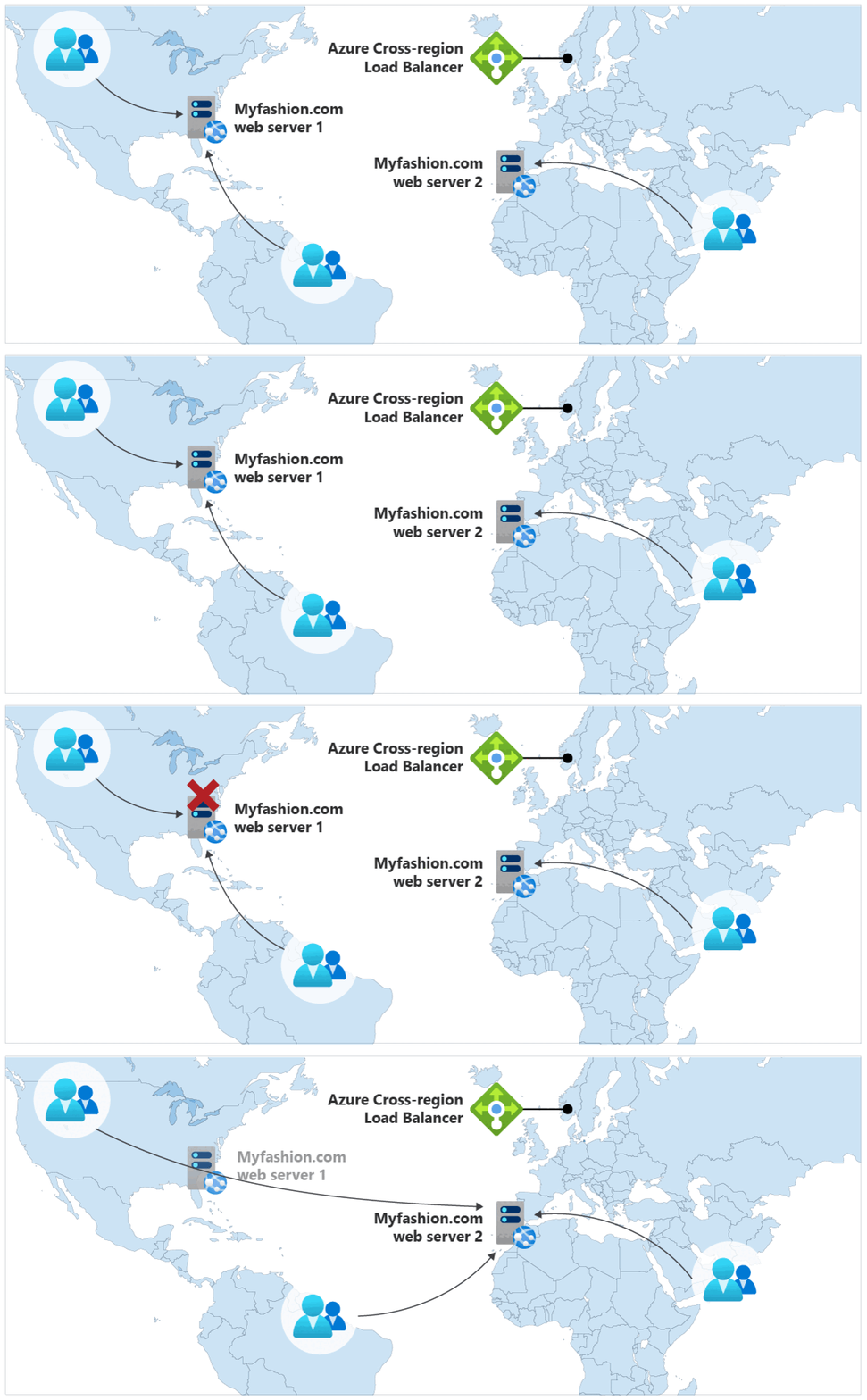
Figure 3: With Standard SKU Load Balancer, when the only regional deployment or the Load Balancer goes down, all traffic can be impacted.
Figure 4: Cross-region Load Balancer ensures seamless failover for disaster recovery.
Even though Standard Load Balancer offers zone redundancy, it is a regional resource. If a regional outage occurs causing the Load Balancer or all the backend servers to go unavailable, traffic will not be able to be forwarded as it arrives at the Load Balancer frontend. As a result, the website will be unavailable to the end customers. By adding a Cross-region Load Balancer on top of several existing regional deployments, the customer is now armed with region redundancy which ensures high availability of their end application. If web server one goes down, the end customer’s traffic will be re-routed to web server two to ensure no packet gets dropped.
Scale up and down with no downtime
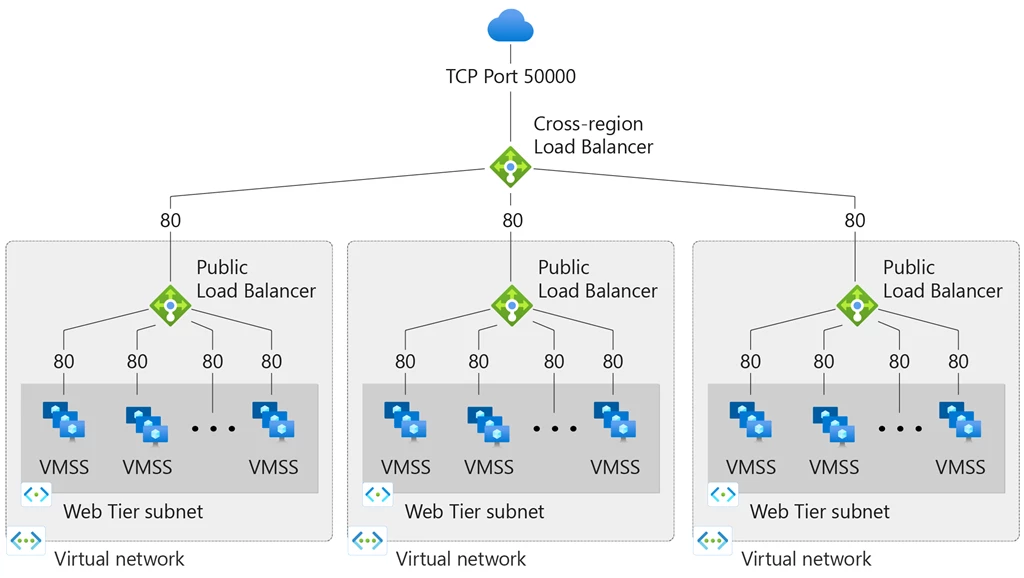
Figure 5: Easy scaling when using Microsoft Azure Virtual Machine Scale Sets (VMSS) combined with Cross-region Load Balancer.
Like many other industries, the retail industry faces frequent changes in traffic volume due to seasonality and other spontaneous trends. As a result, the customer’s top concern is to scale up and down in real-time. There are two ways to achieve this today with a Cross-region Load Balancer. One way is to directly add or remove a regional Public Load Balancer behind the Cross-region Load Balancer. Another way is to use Microsoft Azure Virtual Machine Scale Sets with a pre-configured autoscaling policy.
Zero friction for adoption
Azure Load Balancer has been an important part of the customer’s end-to-end architecture for stable connectivity and smart load balancing. By leaving the existing network architecture as is and simply adding a Cross-region Load Balancer on top of the existing load balancer set up, the customer is saved from any additional overhead or friction due to the addition of a Cross-region Load Balancer.
Client IP preservation
Cross-region load balancer is a Layer-4 pass-through network load balancer, which ensures that the Load Balancer preserves the original IP address of the network packet. IP preservation allows you to apply logic in the backend server that is specific to the original client IP address.
Next steps
Cross-region Load Balancer is now in preview.
Read our Microsoft Docs page to learn about creating a Cross-region Load Balancer using the Azure portal.