Skip to main content Explore View all products (200+) Microsoft Foundry Azure Copilot GitHub Copilot Azure Kubernetes Service (AKS) Azure Cosmos DB Azure Database for PostgreSQL Azure Arc Microsoft Fabric Linux virtual machines in Azure Foundry Models Foundry Agent Service Foundry IQ Foundry Tools Foundry Control Plane Observability in Foundry Control Plane Azure OpenAI in Foundry Models Azure Speech in Foundry Tools Azure Machine Learning View all databases Azure Cosmos DB Azure DocumentDB Azure SQL Azure Database for PostgreSQL Azure Managed Redis Microsoft Fabric Azure Databricks Linux virtual machines in Azure Windows Server on Azure Azure Functions Azure Virtual Machine Scale Sets Azure API Management Azure Container Apps Azure Kubernetes Service (AKS) Azure Kubernetes Fleet Manager Azure Container Registry Azure Red Hat OpenShift Azure Container Instances Azure Container Storage Azure Arc Azure Local Microsoft Defender for Cloud Azure Monitor Microsoft Sentinel Azure Migrate View all solutions (40+) Cloud solutions for small and medium businesses Cloud migration and modernization center Data analytics for AI Azure Databases AI apps and agents Microsoft Marketplace Microsoft Sovereign Cloud AI apps and agents Responsible AI with Azure AI Infrastructure Data analytics for AI Machine learning operations (MLOps) Low-code application development on Azure Integration Services Serverless computing DevOps Migration and modernization center .NET apps migration Databases on Azure Linux on Azure Oracle on Azure SAP on the Microsoft Cloud Adaptive cloud High-performance computing (HPC) Infrastructure as a service (IaaS) Resiliency Azure Essentials Frontier Accelerate for Azure FinOps on Azure Microsoft Marketplace Azure pricing overview Create an Azure account Free Azure services Flexible purchase options Pricing calculator FinOps on Azure Maximize ROI from AI Azure savings plans Azure reservations Azure Hybrid Benefit Virtual Machines Azure SQL Microsoft Foundry Microsoft Fabric Azure Kubernetes Service (AKS) Microsoft Defender for Cloud View more Software Development Companies Microsoft Marketplace Find a partner Resources for Azure partners Get started with Azure Customer stories Analyst reports, white papers, and e-books Videos Learn more about cloud computing Documentation Explore Azure portal Developer resources Quickstart templates Resources for startups Developer community Students Azure for partners Blog Events and Webinars Learn Support Contact Sales Get started with Azure Sign in
As of January 1, 2020, this feature is no longer available for Minecraft: Education Edition. For more information about how to use Minecraft with your students visit https://education.minecraft.net/
Microsoft education story

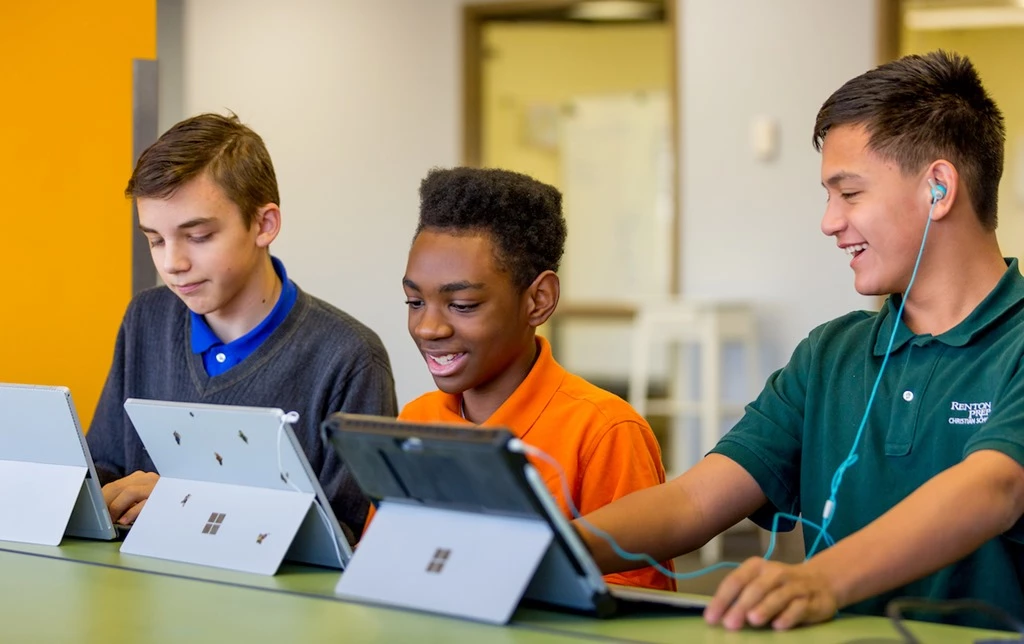
The creative nature of Minecraft has made it one of the premier educational tools for the modern classroom. Teachers around the world have designed, modified, and explored collaborative Minecraft projects for all subjects, and with Minecraft: Education Edition it has become even easier for teachers to spin up multiplayer servers right from their own machines and lead their classes in collaborative building and problem solving.

In Spring 2019 we released a pilot Minecraft: Education Edition virtual Machine in the Azure Marketplace, allowing teachers to run multi-player Minecraft: Education Edition sessions with the scalability, performance, and security of Azure. Students needed only log-in with their school-issued email address to join the learning! And institutions that have a Minecraft: Education Edition license through select Microsoft 365 Education plans needed only pay only what they use on the virtual machine itself. We learned a lot from this pilot and have since closed it, removing the virtual machine from the Azure Marketplace.

Running Minecraft: Education Edition on Azure can provide teachers more flexibility and control over the learning experience. Many teachers may not have a personal or organized-issued devices that can host large multi-player sessions. Or they aren’t able to leave the multiplayer instance open for students to connect from home, making the environment only accessible during class hours. This pilot was just the first step in pairing experiences in education like Minecraft: Education Edition with the Azure cloud – we thank you for your interest and for participating. 

Azure provides $200 credit and a free tier of services (including virtual machines) for educators and IT administrators with Azure Free Account

Learn more about Minecraft: Education Edition, Microsoft 365 Education, and Azure in Education for additions to your classroom.

In just a couple steps, teachers can start a multiplayer Minecraft: Education Edition server and students can connect from anywhere, anytime.

We are excited to have been able to pilot with a few current Minecraft: Education Edition teachers to try out this new Azure VM experience and look forward to iterating on our approach and supporting more multi-player scenarios in schools!


WE ARE MICROSOFT

Explore Microsoft Foundry

The future of AI starts here. Envision your next great AI app with the latest technologies. Get started with Azure.