Skip to main content Explore View all products (200+) Microsoft Foundry Azure Copilot GitHub Copilot Azure Kubernetes Service (AKS) Azure Cosmos DB Azure Database for PostgreSQL Azure Arc Microsoft Fabric Linux virtual machines in Azure Foundry Models Foundry Agent Service Foundry IQ Foundry Tools Foundry Control Plane Observability in Foundry Control Plane Azure OpenAI in Foundry Models Azure Speech in Foundry Tools Azure Machine Learning View all databases Azure Cosmos DB Azure DocumentDB Azure SQL Azure Database for PostgreSQL Azure Managed Redis Microsoft Fabric Azure Databricks Linux virtual machines in Azure Windows Server on Azure Azure Functions Azure Virtual Machine Scale Sets Azure API Management Azure Container Apps Azure Kubernetes Service (AKS) Azure Kubernetes Fleet Manager Azure Container Registry Azure Red Hat OpenShift Azure Container Instances Azure Container Storage Azure Arc Azure Local Microsoft Defender for Cloud Azure Monitor Microsoft Sentinel Azure Migrate View all solutions (40+) Cloud solutions for small and medium businesses Cloud migration and modernization center Data analytics for AI Azure Databases AI apps and agents Microsoft Marketplace Microsoft Sovereign Cloud AI apps and agents Responsible AI with Azure AI Infrastructure Data analytics for AI Machine learning operations (MLOps) Low-code application development on Azure Integration Services Serverless computing DevOps Migration and modernization center .NET apps migration Databases on Azure Linux on Azure Oracle on Azure SAP on the Microsoft Cloud Adaptive cloud High-performance computing (HPC) Infrastructure as a service (IaaS) Resiliency Azure Essentials Azure Accelerate FinOps on Azure Microsoft Marketplace Azure pricing overview Create an Azure account Free Azure services Flexible purchase options Pricing calculator FinOps on Azure Maximize ROI from AI Azure savings plans Azure reservations Azure Hybrid Benefit Virtual Machines Azure SQL Microsoft Foundry Microsoft Fabric Azure Kubernetes Service (AKS) Microsoft Defender for Cloud Software Development Companies Microsoft Marketplace Find a partner Get started with Azure Customer stories Analyst reports, white papers, and e-books Videos Learn more about cloud computing Documentation Explore Azure portal Developer resources Quickstart templates Resources for startups Developer community Students Azure for partners Blog Events and Webinars Learn Support Contact Sales Get started with Azure Sign in
  • 1 min read

Prevent exceeding Azure budget with forecasted cost alerts

Forecasted cost alerts within budgets in Azure Cost Management and Billing is now generally available. Forecasted cost alerts provide advanced notification that your spending trends are likely to exceed your allocated budget.

Forecasted cost alerts within budgets in Azure Cost Management and Billing is now generally available. Forecasted cost alerts provide advanced notification that your spending trends are likely to exceed your allocated budget. This empowers you to proactively investigate and make changes to your spending well in advance of actually breaching your budget at the end of the period. Budgets and alerting gives you the ability to hold your organization accountable for its spending to ensure there are no surprises with your cloud costs.

Rest easy knowing that budgets can now alert you based off of both your actual costs and our projections of your future costs. Never get caught off guard by your spending again. In this blog, we would like to explain how to get started with configuring your first forecasted cost alert.

Configure your forecast alert using the Azure portal

Follow the steps below to configure your first forecasted cost alert using the Azure portal.

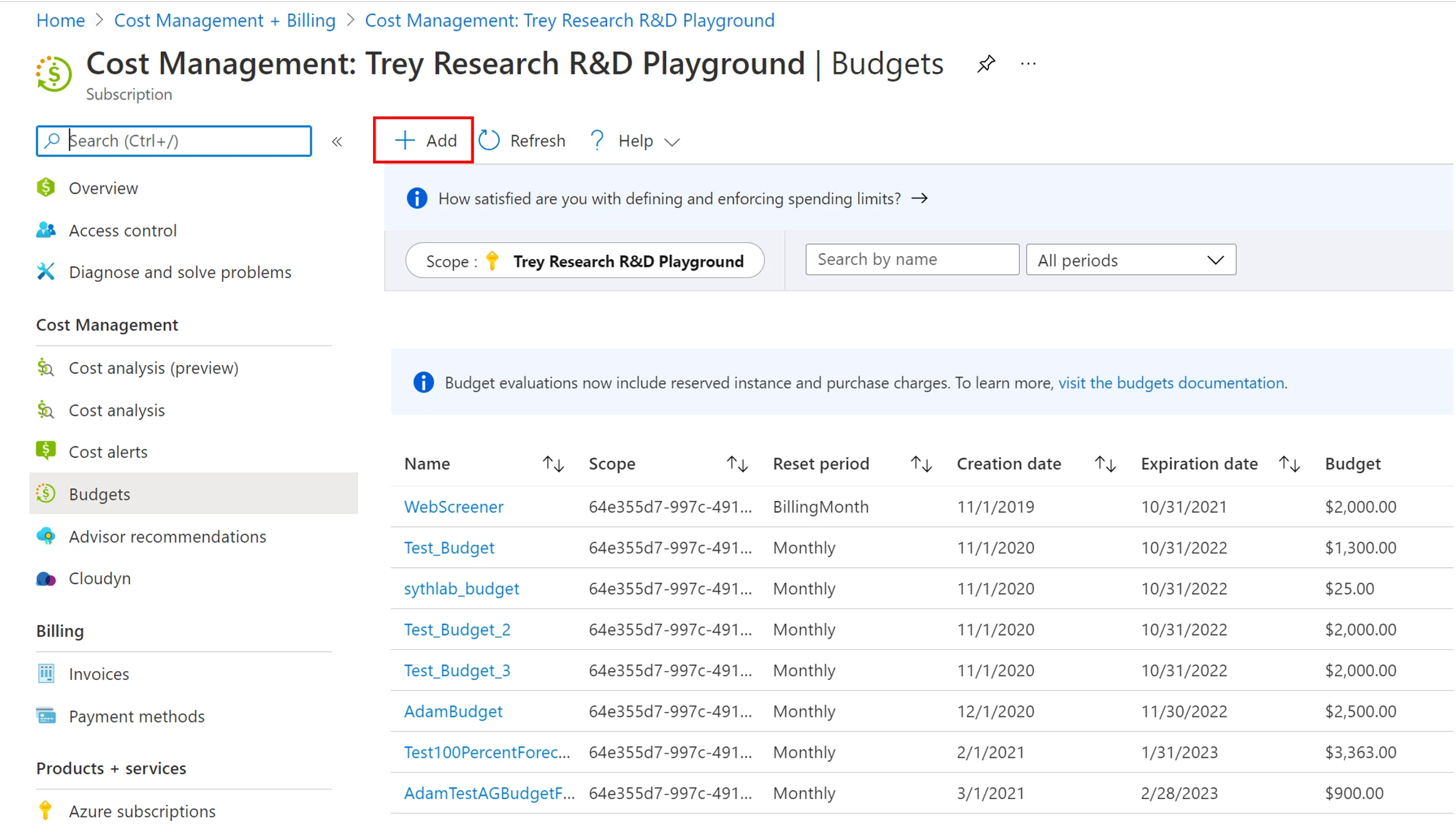
  1. Navigate to the Cost Management and Billing blade in the Azure portal and select Budgets from the menu.
  2. Once on the Budgets blade, click Add to create your new budget.
Forecasted cost alert using the Azure portal
  1. Enter in details for your new budget, including the Scope you want evaluated, the Name, Reset Period, and the budget Amount. Click Next to begin configuring alerts.
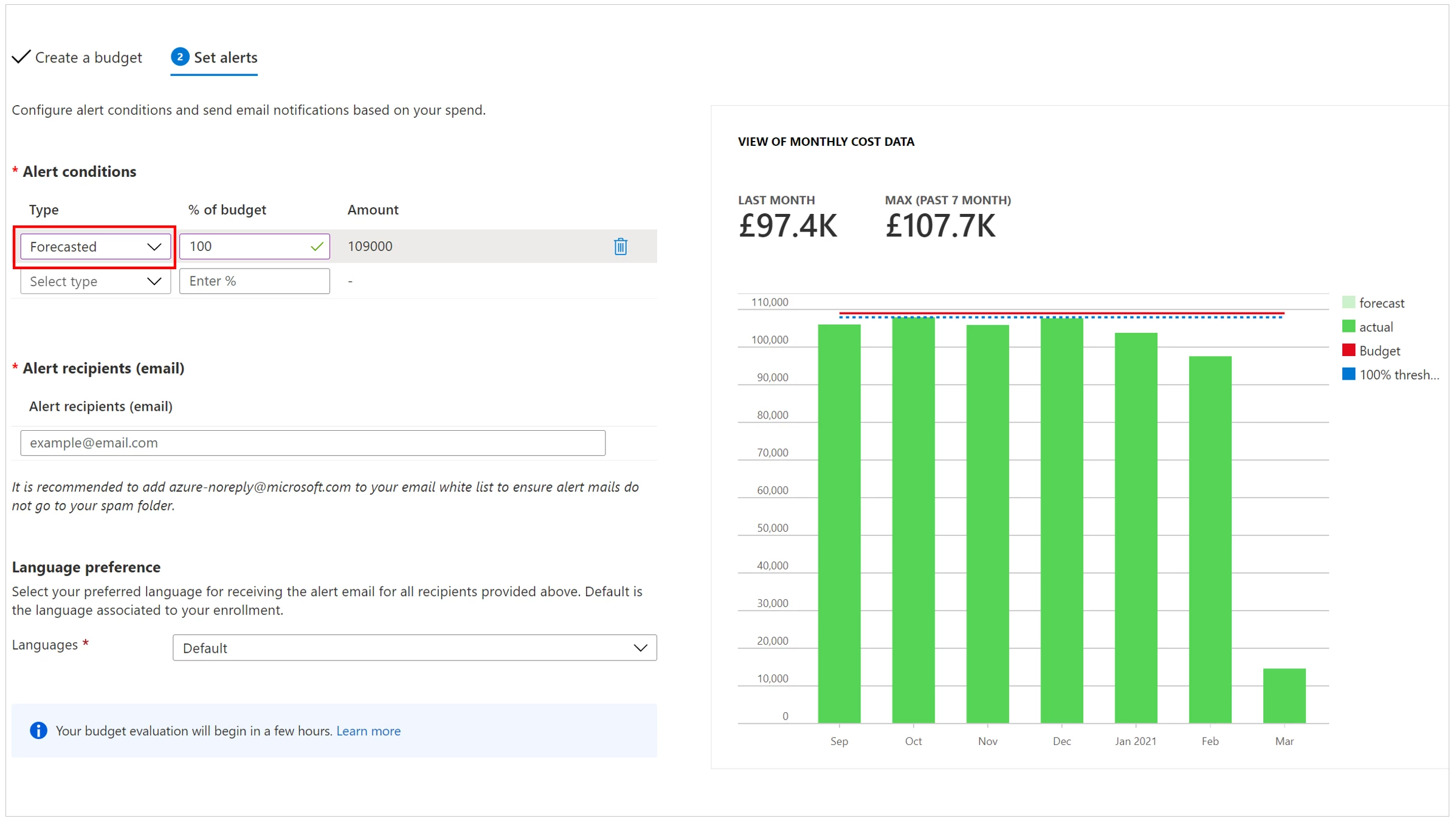
  2. Configure your alerts. You can now choose between configuring a “Forecasted” cost alert and an “Actual” cost alert. This will determine what costs are used when the budget evaluates that particular alert. You can configure both Forecasted and Actual alerts within the same budget if you are interested in having multiple thresholds that monitor your spending.
    Configure
    5. Once you have configured the alert thresholds for your budget, specify one or more alert recipients and then click Create.

Receive forecasted cost alerts

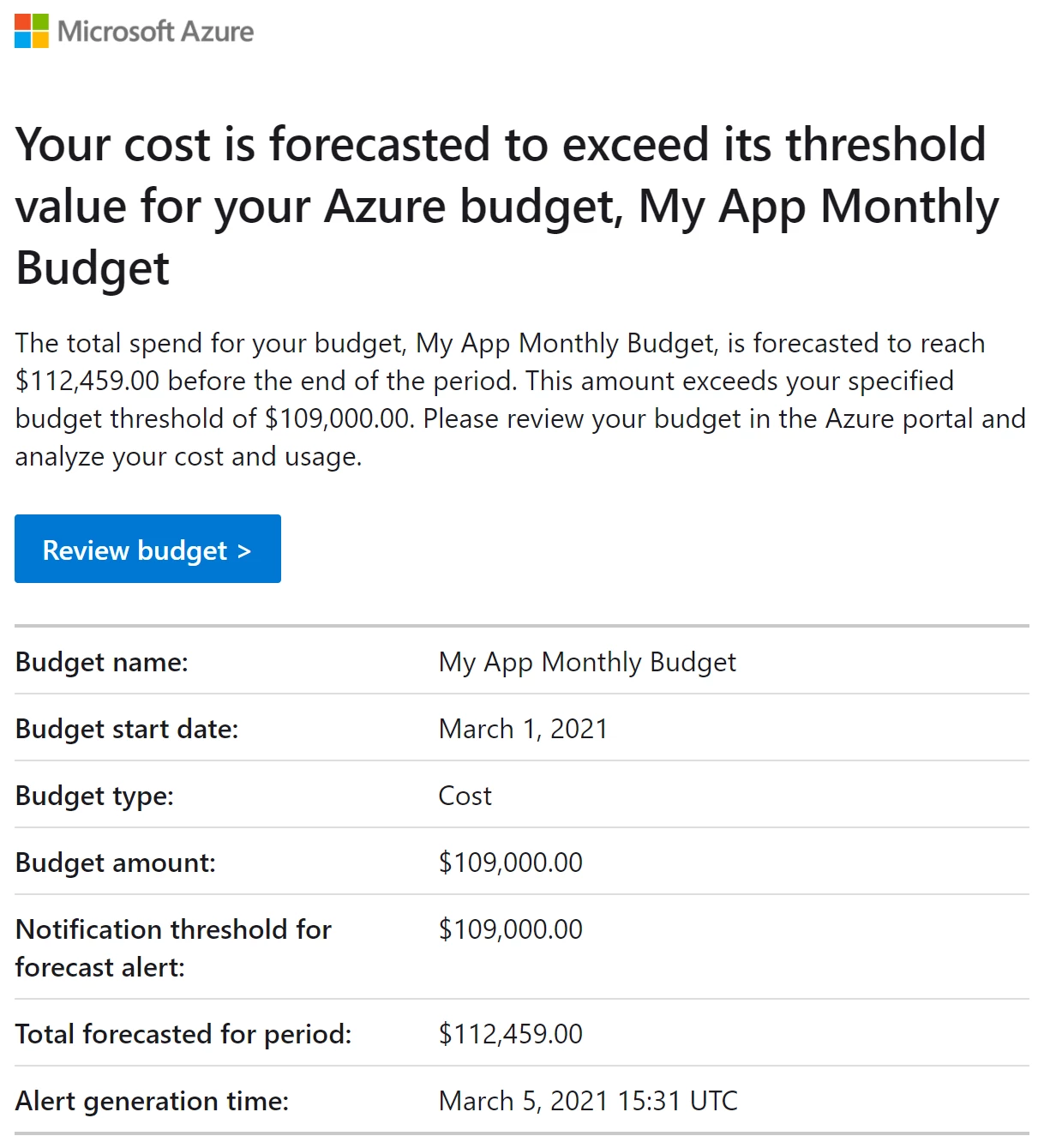
Once you’ve configured your forecast alert and created the budget be on the lookout for emails like the one below. If you are creating a subscription or resource group budget you also can trigger alert automation by using Action Groups.

Receive forecasted cost alerts automatically through Azure portal

Next steps

English (United States)
Your Privacy Choices Opt-Out Icon Your Privacy Choices
Consumer Health Privacy Sitemap Contact Microsoft Privacy Manage cookies Terms of use Trademarks Safety & eco Recycling About our ads